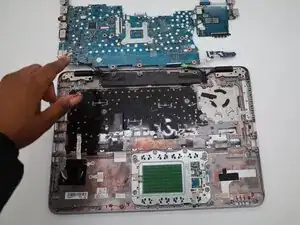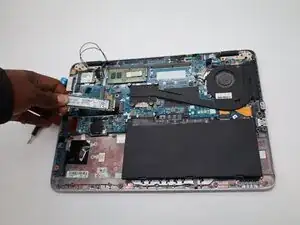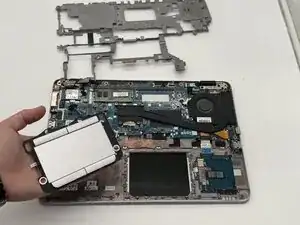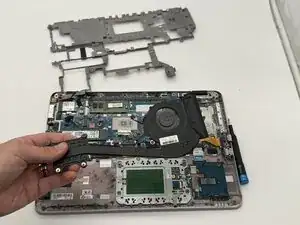
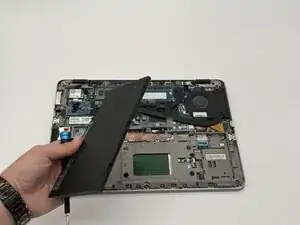
Battery
Estas são algumas ferramentas comuns usadas para executar trabalhos neste dispositivo. Talvez você não precise usar todas elas em cada procedimento.
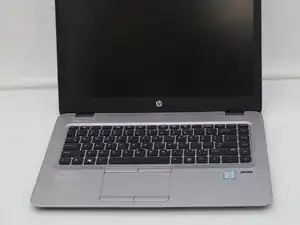
The HP EliteBook 840 G4 which came out in 2017 as part of HP’s 800 series, designed for business users who need a reliable and durable laptop. It runs on Intel’s 7th-generation Core processors and supports up to 32GB of DDR4 memory with fast SSD storage. The 14-inch display comes in both standard and touchscreen versions, and the laptop includes plenty of ports like USB-C, DisplayPort, and Ethernet. Its sturdy magnesium and aluminum body meets MIL-STD 810G durability standards, so it can handle everyday use and travel. Some users have reported issues like battery wear, fan noise, and loose hinges over time, but there haven’t been any major recalls. It originally shipped with Windows 10 Pro and offers solid security features, including a fingerprint reader and TPM 2.0 chip.
For physical identification look for a sticker on the bottom. The label will contain the model number which will be HP EliteBook 840 G4. For software and system identification use the Fn + Esc shortcut, press the keys at the same time. An "HP System Information " window will appear on the screen, which includes the product name and serial number.
Cpu: Consist of the Intel Core i5 and i7 Series
Gpu: Intel UHD Graphics 620 or Intel HD Graphics 620
HDD/SSD: up to 4000GB SSD + up to 5000GB HDD
RAM: up to 32GB
Battery: 51Wh, 3-cell, 51WH, 3-cell, 51Wh, Li-ion, 3-cell
Weight: 1.48 kg (3.3 lbs)
Dimensions: 338 x 237 x 19 mm (13.31" x 9.33" x 0.75")
OS: Windows 10 Pro, Windows OS, Windows 10 Home