Introdução
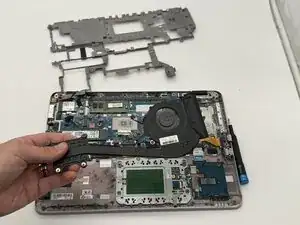
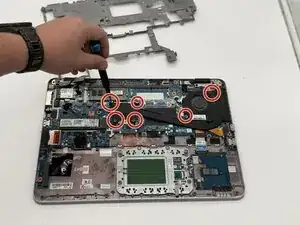
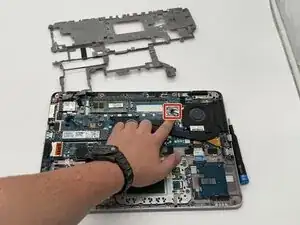
If your HP EliteBook 840 G4 is unusually hot, making loud whirring noises, or shutting down during heavy use, the issue may be with the internal cooling fan.
The fan is responsible for keeping the laptop’s temperature under control, and if it becomes clogged, worn out, or fails completely, your device won’t stay cool or perform properly.
A quick way to test this is to remove the bottom cover, power the laptop on, and check whether the fan spins normally. If it doesn’t spin or makes grinding noises, the fan likely needs to be replaced.
Recycle any damaged parts at an electronic waste facility.
Ferramentas


-
-
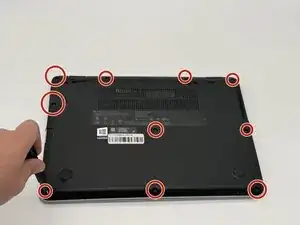
Remove the ten 2 mm screws securing the back panel using a Phillips #0 screwdriver.
-
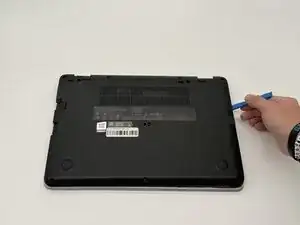
Pry open the sides using an opening tool until you hear clicks.
-
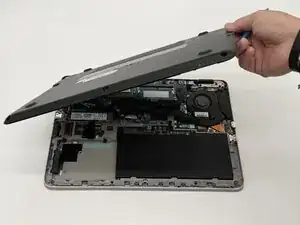
Pop off the back panel and place it to the side.
-
-
-
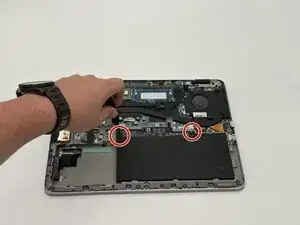
Remove the two 2 mm screws from the battery using a Phillips #0 screwdriver.
-
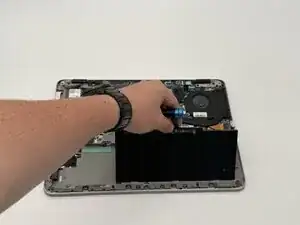
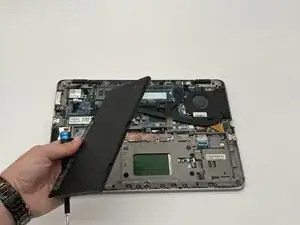
Pull up the tab on the battery to remove it from the device.
-
-
-
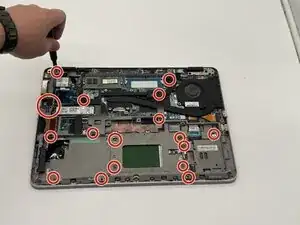
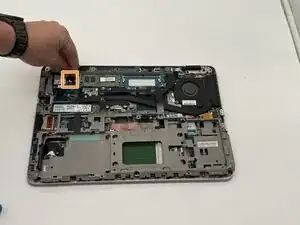
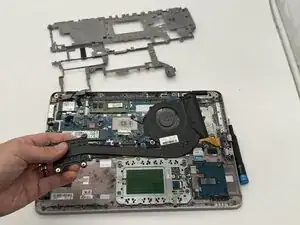
Remove the 17 4 mm screws from the midframe using a Phillips 0 screwdriver.
-
Disconnect the two wires from the Wi-Fi card.
-
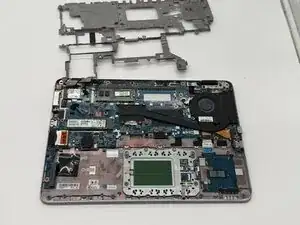
Flip up the midframe.
-
To reassemble your device, follow these instructions in reverse order.