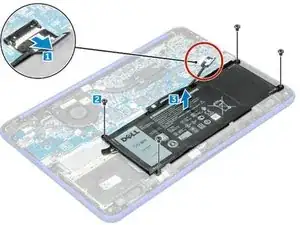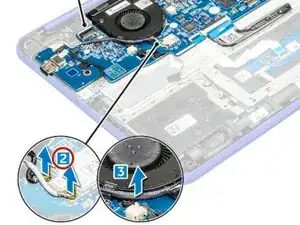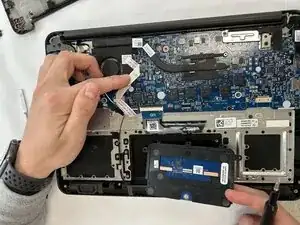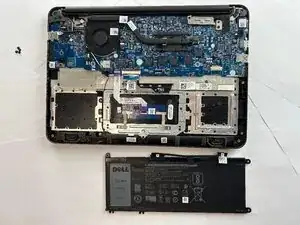
Battery
Estas são algumas ferramentas comuns usadas para executar trabalhos neste dispositivo. Talvez você não precise usar todas elas em cada procedimento.
The Dell Chromebook 13 3380 is a laptop introduced in February 2017. It runs on Google’s ChromeOS, which makes it easy to start up quickly and use web-based tools like Google Docs, Drive, and Classroom. The laptop has a sturdy plastic case, reinforced hinges, and a spill-resistant keyboard to handle the everyday wear and tear. Most versions include an Intel Celeron or Core i3/i5 processor, eMMC flash storage, and a 13.3-inch HD or Full HD screen. Its battery is built to last through a typical school day on a single charge.
The Dell Chromebook 13 3380 is simple to maintain. Common recurring issues are unresponsive keys, muffled speakers, or batteries that lose capacity over time. But, the Dell Chromebook 13 3380 is often easy and simple to troubleshoot, take apart, and repair.
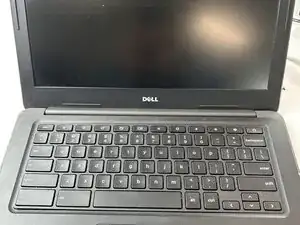
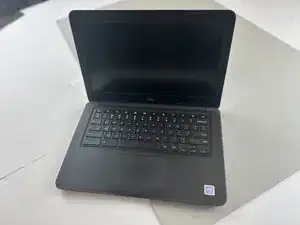
The device features a 13.3-inch display, black plastic chassis, and the Dell logo centered on the lid. The Chromebook logo appears in the top-left corner of the lid, distinguishing it from similar Dell models.
Manufacturer: Dell
Model: 13-3380 (P79G)
Release Date: February 2017
Operating System: ChromeOS
Processor: Intel Celeron or Core i3/i5 (6th Gen)
RAM: 2GB–8GB DDR3
Storage: 16GB–64GB eMMC
Display: 13.3" HD (1366×768) or Full HD (1920×1080) anti-glare
Ports: 2× USB 3.0, HDMI, SD card reader, headphone/mic combo jack
Battery: 3-cell, 42Wh lithium-ion
Weight: Approx. 1.6 kg (3.5 lbs)