Introdução
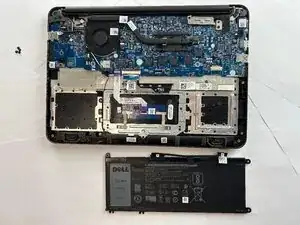
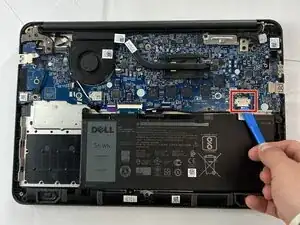
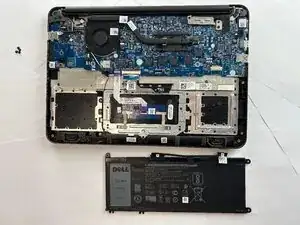
If your Dell Chromebook 13 3380 no longer holds a charge, drains quickly, or won’t power on without being plugged in, the battery may be worn out or damaged. Over time, batteries lose capacity through normal use, but physical damage or overheating can also cause failure. Before starting this guide, make sure your Chromebook is completely powered off and unplugged. Avoid puncturing or bending the battery during removal, as lithium-ion batteries can catch fire if damaged.
Ferramentas


-
-
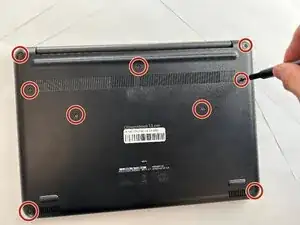
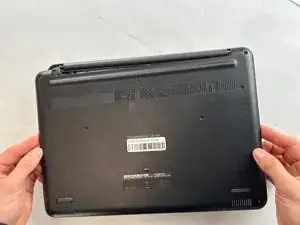
Flip over the device so it is face down.
-
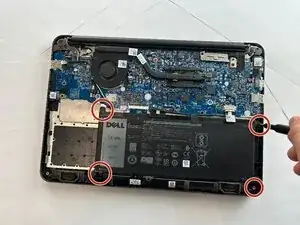
Use a Phillips #0 screwdriver to remove all nine anchor screws.
-
Conclusão
To reassemble your device, follow these instructions in reverse order.
