Introdução

Use this guide to replace the battery in a Waterpik Cordless Advanced 2.0 WP-580.

This guide requires soldering. If you're unfamiliar with soldering, review the How to Solder and Desolder Connections guide and take appropriate precautions before beginning.

  1. go3FG1NR1MMcW3nm
    go3FG1NR1MMcW3nm
    IYMHGNMySLjHQPBw
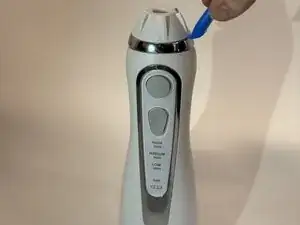
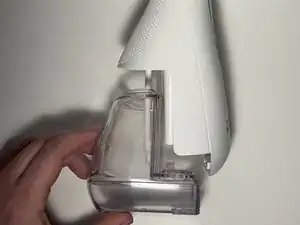
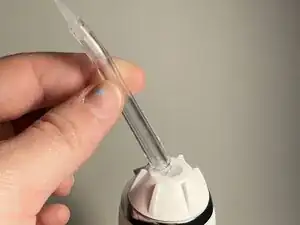
    • Depress the tip eject button and remove the tip.

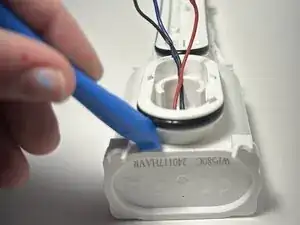
    • Use an opening tool to pry off the tip rotator.

    • Avoid excessive force to prevent damaging the tip rotator.

  2. dpslsGfmFHUcpy1i
    dpslsGfmFHUcpy1i
    3bwPQbH5forNoUnK
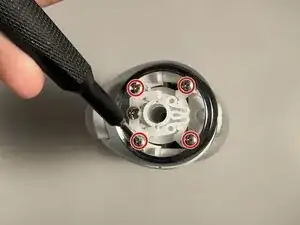
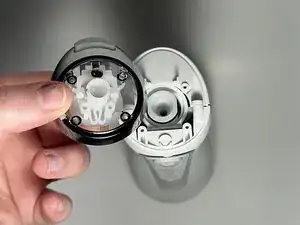
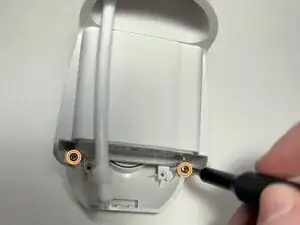
    • Remove the four Phillips screws beneath the tip rotator.

    • Remove the eject button assembly.

  3. OSNRc5jx3dIQgUxI
    OSNRc5jx3dIQgUxI
    hfi3MwTdoVYWZYGc
    hYjXVNXD1SqYi5jv
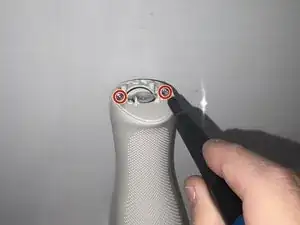
    • Use a Phillips #0 screwdriver to remove the two screws beneath the eject button assembly.

    • Remove the water reservoir.

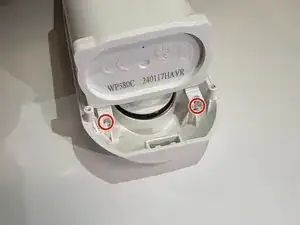
    • Remove the two Phillips #0 screws toward the bottom of the device.

  4. FY4pgdmkaNmptXgS
    FY4pgdmkaNmptXgS
    ttWMWCcA5hayAaTS
    o2o3pVMXGdqLUM4U
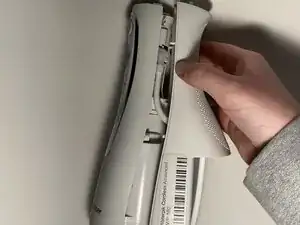
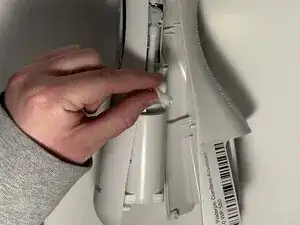
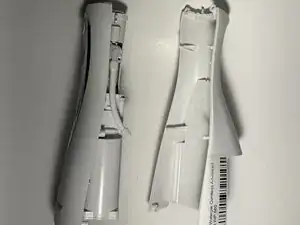
    • Insert the flat end of a spudger into the seam between the front and rear case and gently begin to pry the two halves apart.

    • Disconnect the hose from the right side of the device and fully separate the two halves.

  5. adUqYJ1wOeaFs2Qq
    adUqYJ1wOeaFs2Qq
    FaaQrmW2pNmLAuft
    nB4jV5P3TfKyr1Ni
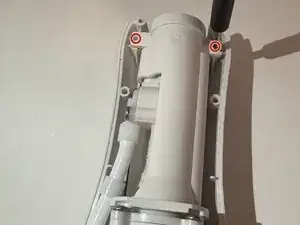
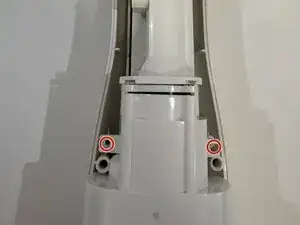
    • Remove the two screws at the top, two screws in the middle, and two screws at the bottom using a Phillips #0 screwdriver.

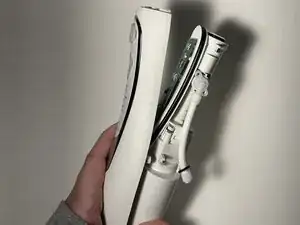
    • Gently separate the outer casing from the rest of the inside pieces - there are cords here holding them together.

    Outer casing is held on by the wires and does not come off. Can't getto the second screw holding on the motherboard

    Kraft66k -

    I agree with Kraft66k, unfortunately, this disassembly does not show how to go from step 6a to step 6b.

    David Grisco -

    I agree with Kraft66k and David G, Outer casing is held on by the wires and does not come off indeed.

    Dengdeng Yu -

    Unfortunately I’m no help with this problem either. This guy on youtube cut through the front casing to seperate the wires away https://youtu.be/NLttU_FA53w (model is wp-560 which is similar).

    Nazar Androshchuk -

  6. 4Jnk2vKJinAJYJAH
    4Jnk2vKJinAJYJAH
    NcjX1mOUBeASMnIJ
    NSbBPBRD3GMuacpx
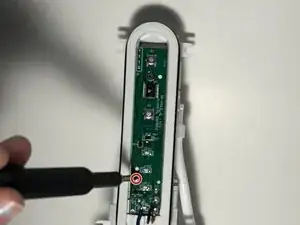
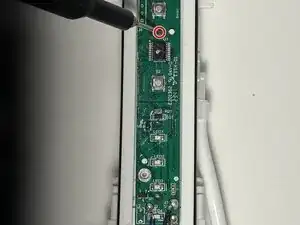
    • Use a Phillips screwdriver to remove the two screws that secure the motherboard.

  7. cmEmibqYjJoltnCi
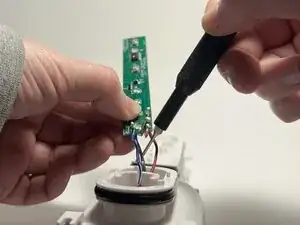
    • Carefully desolder the black, red, and blue wires from the motherboard.

  8. U4QdJHEx5NfStNSM
    • You now have access to where the battery is stored. Carefully remove the bottom cap and replace the battery.

    fake, you can't easily do step 6, you need to cut the shell as there are wires soldered through the other side, you can't take it out

    xuhaohp -

Conclusão

To reassemble your device, follow the above steps in reverse order.
For optimal performance, after completing this guide, calibrate your newly installed battery.
Take your e-waste to an R2 or e-Stewards certified recycler.
Repair didn’t go as planned? Try some basic troubleshooting or ask our Answers community for help.

ben williams

Membro desde: 30/01/25

643 Reputação

0 comentários