Introdução

If the buttons are not working properly, this guide will help you replace them. Note: This guide requires soldering.

  1. XvXTq16eI1hk6jf1
    • Make sure the master switch is "OFF" before disassembly, to avoid an electric shock.

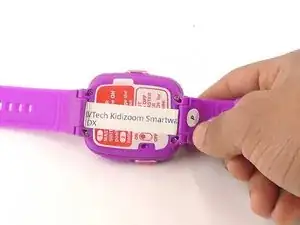
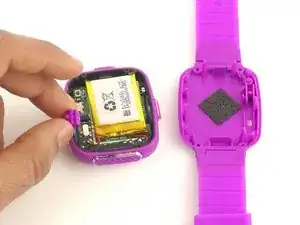
    • Flip the watch over with the back facing up.

    can you add some infomaton on what kids can do to fix it

    Kehinde Abiodun -

  2. G1RJlrYb3vNUIKkk
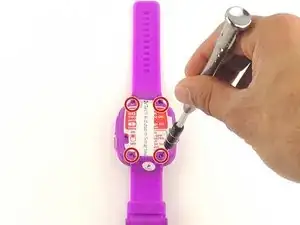
    • Remove the four 6.0 mm screws on the back plate with the Phillips #00 screwdriver.

    I can't get the last two screws off!

    Grant Garbe -

  3. W5wMmGAUfCPAWMuu
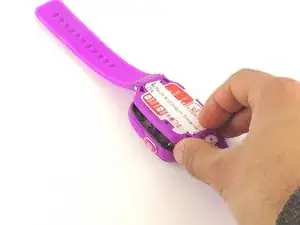
    • Gently pull the back plate from the watch casing.

  4. aRkGrp4sxDofQlrJ
    aRkGrp4sxDofQlrJ
    VJ4pBJ4iV2OGXiwm
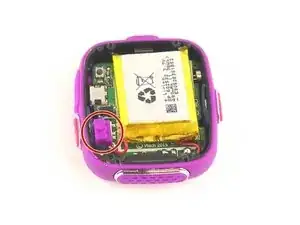
    • Lift the master switch from the circuit board.

    My smart watch repair

    Somnath Sharma Sharma -

    My smart watch repaired

    Somnath Sharma Sharma -

    But then how to replace master switch? Where does a new one come from?

    Andrea Schiefer (djpurity) -

  5. AL3UEDAvKiaAqkXm
    AL3UEDAvKiaAqkXm
    2XBHASxIknUcXLXq
    • The speaker wires are fragile. They may break if excessive force is used to remove the circuit board.

    • Removal of the circuit board requires soldering.

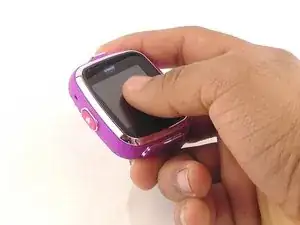
    • Gently push on the display from the front, near the camera. The circuit board and display will pop out through the back.

    For the DX2, the construction appears to have changed, the faceplate is held on with glue and has to be removed from the front. I used an iFixit Opening Tool to do so. Sadly pushing on the screen does not remove it. There is also an internal screw, however I'm unsure if that needs to be removed or not as I had already removed it before attempting to remove the screen.

    Ross Pavitt -

  6. fYsuBfU32VVVNdWT
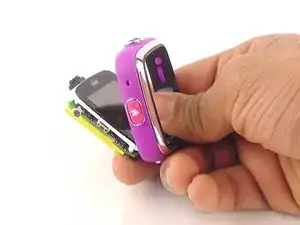
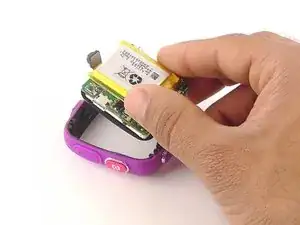
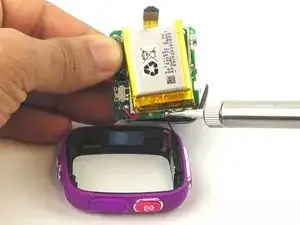
    • Lift the circuit board carefully from the casing, without breaking or detaching the speaker wires at the bottom of the circuit board.

  7. fYnTfXlbyGdEPXYu
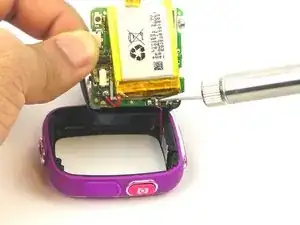
    • Note which wire is connected to which lead before continuing. There are no markers on the circuit board to indicate where each wire belongs.

    • De-solder the black speaker wire from the circuit board.

  8. HxJKpsRHRbARsUM4
    • De-solder the red speaker wire, as in the previous step.

  9. jep4m2n3AU2I3vYC
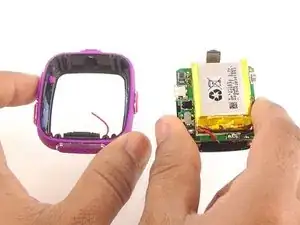
    • Wait for the solder to cool down and solidify, then remove the circuit board from the casing.

  10. Q52v3Zqob4MjvmwB
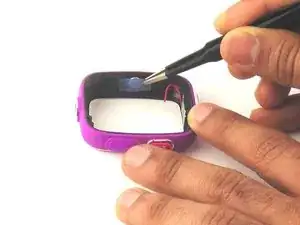
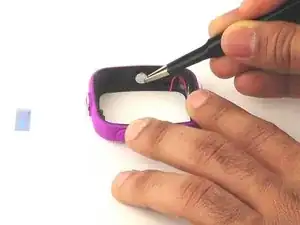
    • Use the the tweezers to pull off the blue rubber cover behind the button.

    • The blue cover is adhesive, so you can stick it back onto the back of the buttons after replacement.

  11. naoJEpefwIL2EW6f
    • Use tweezers to separate the backside tab from the front side of the button.

  12. Jv2cL46XqeFK5qmV
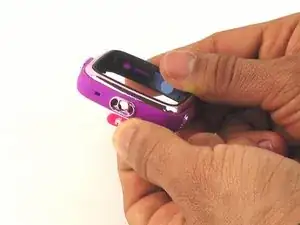
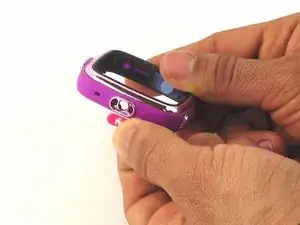
    • Push the other half of the button out of the casing.

    • Repeat steps 11 and 12 for all buttons.

Conclusão

To reassemble your device, follow these instructions in reverse order.

Mohammed Alyaarubi

Membro desde: 20/01/16

365 Reputação

Um comentário

Where can you buy the replacement cover?

Katrina Nullatamby -