Introdução

Do your headphones not work when you plug them into the InnoTab? Headphone ports (also known as a jack) allow sound to extend from your device to your headphones. If this port is faulty, it could cause faulty audio or no audio in your headphones.

The following guide will walk you through replacing the headphone port on the Vtech InnoTab 3S.

This guide requires soldering. If you are not experienced or need a refresher, check out this How to Solder and Desolder Connections guide for instructions and tips. It's important to work in a well-ventilated area as soldering will produce fumes that you should avoid breathing.

Before you begin, power off the device and unplug it from the charger.

  1. AN4NflwPOsSD2qge
    AN4NflwPOsSD2qge
    utWMswdXJoMSBmRY
    uyJpauGYyK1qLH6e
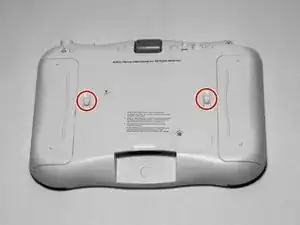
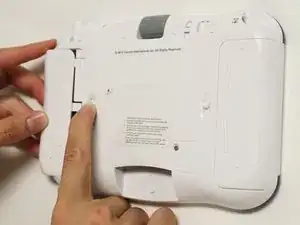
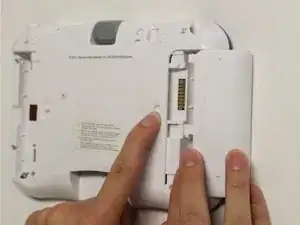
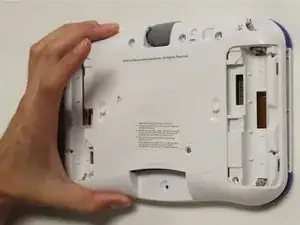
    • While holding the battery compartment locks down, slide the two battery doors outwards from the sides of the device.

    • Remove the batteries from the device.

  2. FQ2GMogw1xnN563s
    FQ2GMogw1xnN563s
    RNXSFJ4syuoZNyJt
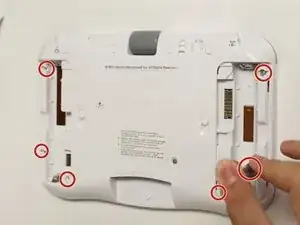
    • Remove six 7 mm screws from the interior of the battery compartment using a Phillips #1 screwdriver.

  3. aDIsGvdFQGA6eILY
    aDIsGvdFQGA6eILY
    bp5iJxHBppuBOL5W
    vHqdMPeaologKDOI
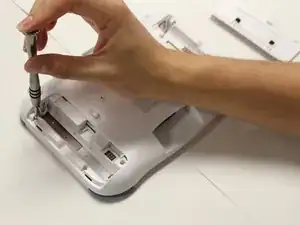
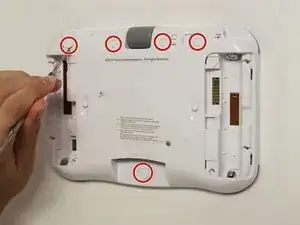
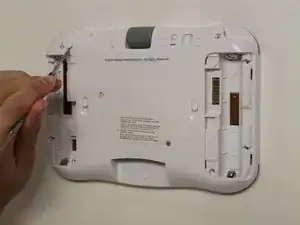
    • Using a nylon spudger, remove the five caps that hide the screws.

    • Potential for device damage: Be careful not to scrape the plastic from the device using the spudger.

    • When removing the caps, hold the spudger vertical to the board to make removal easier. Also try to push in with your spudger pointing towards the bottom of the device.

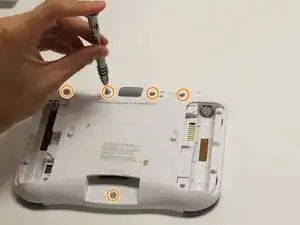
    • Remove the five 5 mm Phillips #1 screws from the rear panel of the device.

  4. hmkXcDRva6I6ngDt
    • Carefully remove the rear panel from the front panel of the device.

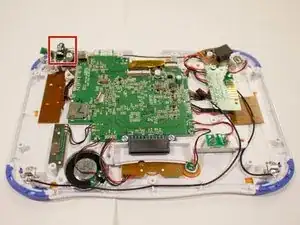
    • Once the rear panel is removed, you'll be able to see the motherboard and other components within the Vtech InnoTab 3s.

  5. PDV3axyBNXqIHQ1g
    PDV3axyBNXqIHQ1g
    oc36Un5H1LANbIRx
    ikj6AkoOpxKr1QQe
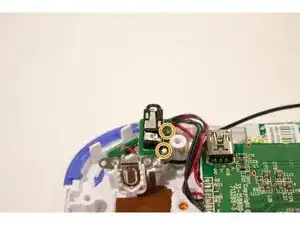
    • The headphone port is located towards the top left side of the device.

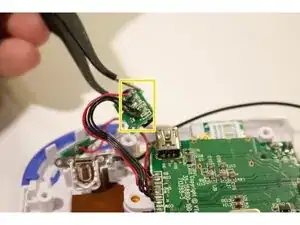
    • With tweezers remove the headphone port from its slot on the device.

    • The headphone port is fastened by two plastic poles. For easier removal lift the headphone port perpendicular to the device upwards.

    • Avoid damaging the plastic poles fastening the headphone port to the device. They are extremely fragile.

    • Desolder the wires securing the headphone port to the device.

    • Be careful when using a soldering iron as it gets extremely hot and will burn.

Conclusão

To reassemble your device, follow these instructions in reverse order. Take your e-waste to an R2 or e-Stewards certified recycler.

Karina Garcia

Membro desde: 30/08/15

878 Reputação

0 comentários