Introdução
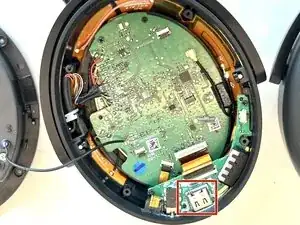
This is a guide to access the charging port of the Sennheiser Momentum 4 Headphones. To follow these steps, you'll need a #00 Phillips head screwdriver, spudger, IFixit Opening Tool, and nylon-tipped tweezers.
This guide requires soldering. If you're unfamiliar with soldering, review the How to Solder and Desolder Connections guide and take appropriate precautions before beginning.


-
-
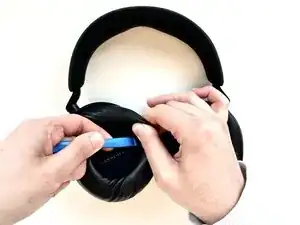
On the right ear piece, insert an opening tool into the gap between the ear pad and the driver housing.
-
Gently pry the ear pad away from the driver housing until the ear pad fully releases.
-
Remove the right ear pad.
-
-
-
Use a Phillips #00 screwdriver to remove four 6.5mm screws that secure the right driver housing.
-
-
-
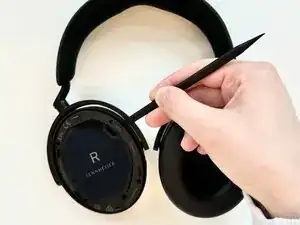
Insert a spudger into the seam between the driver housing and chassis.
-
Gently pry the driver housing up and out of the chassis, with care not to strain the connected cables.
-
-
-
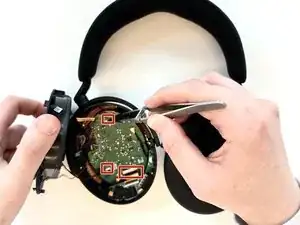
Flip up the three black ZIF locking flaps that secure the three bronze ribbon cables.
-
Disconnect all three ribbon cables.
-
-
-
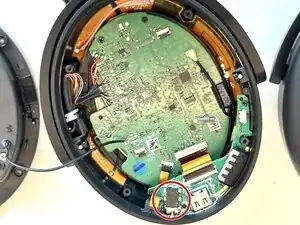
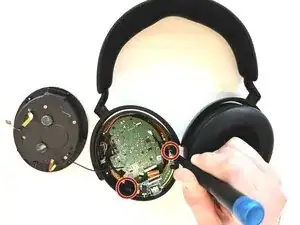
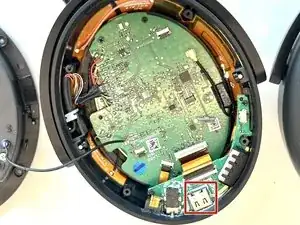
Use a Phillips #00 screwdriver to remove the two black 1.4 mm screws that secure the I/O board.
-
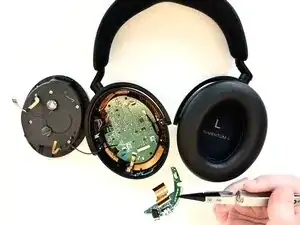
Lift the I/O board up and out.
-




To reassemble your device, follow the above steps in reverse order.
Take your e-waste to an R2 or e-Stewards certified recycler.
Repair didn’t go as planned? Try some basic troubleshooting or ask our Answers community for help.

Um comentário
Does anyone know where can I purchase a new I/O board for this?