Introdução
If your Razer DeathAdder V3 Pro's macro buttons are unresponsive to input, stuck, or respond incorrectly, you may need to replace the macro buttons.
For any quick fixes, please visit our troubleshooting guides for the Razer DeathAdder V3 Pro Scroll Wheel Not Responding to Input and Razer DeathAdder V3 Pro Spotty Wired Connection.
Before you begin the replacement, please make sure that you have unplugged and powered off the device.


-
-
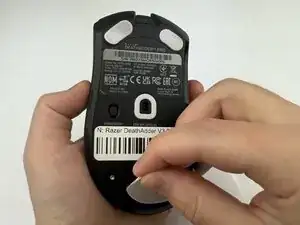
Use a pry tool or fingernail to carefully remove the large foot on the lower end of the mouse.
-
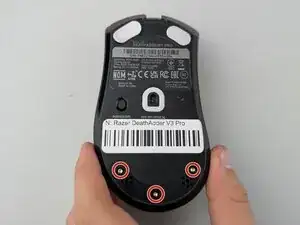
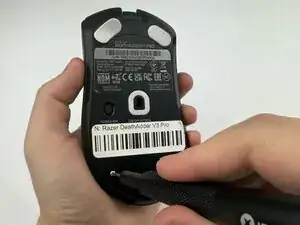
Remove the three 7 mm screws using a Torx T6 screwdriver.
-
-
-
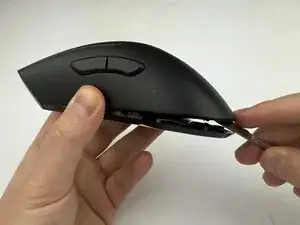
Insert a spudger into the seam between the top and bottom shells.
-
Gently work around the edges unclipping the internal latches.
-
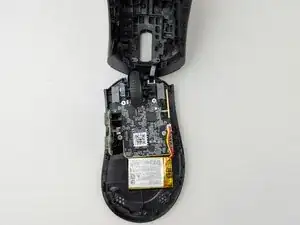
Slowly lift the top shell but do not remove it yet; the cables are still attached to the circuit board.
-
Carefully pull the shells apart to unplug the cable in the front.
-
-
-
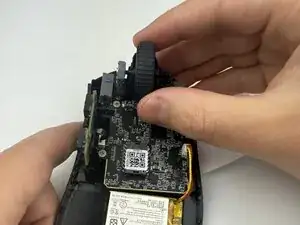
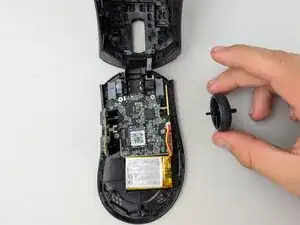
Using a small pry tool or your fingers, gently pop the scroll wheel up and out of its housing
-
-
-
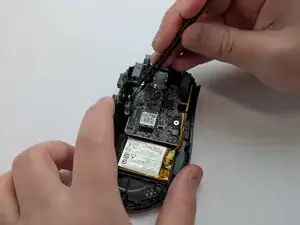
Unplug the ribbon cable connected to the side macro buttons from its raised position on the left.
-
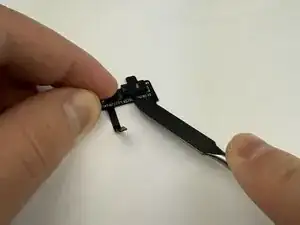
Remove the macro buttons.
-
-
-
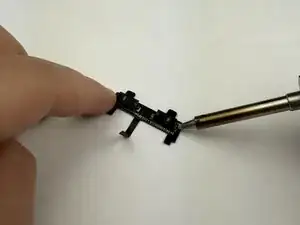
Use a spudger to remove the solder covering the switch, then pop off the faulty switch.
-
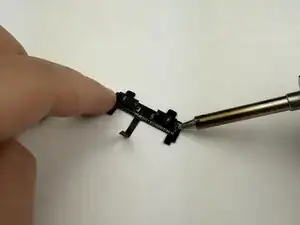
Apply flux, then use a soldering iron to heat the old solder.
-
Clean off the melted solder.
-
-
-
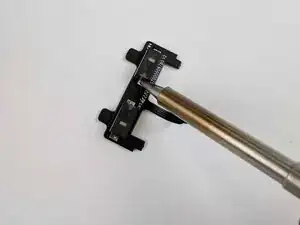
Apply flux to the removal sites of the switches.
-
Solder the new switches into the areas where the original switches were removed.
-
To reassemble your device, follow these instructions in reverse order.
