Introdução
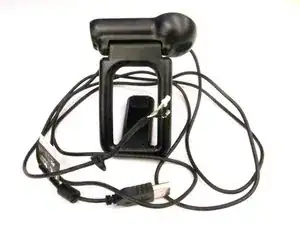
Follow this guide to remove and replace the Webcam Pro 9000 USB Cable of your webcam. If your webcam is not being detected by your device or there is physical damage to the USB, it is time to replace it. You must have prior knowledge on how to solder - a filler metal used to join two metal pieces - in order to install a new cable. If you don’t know how to solder, here is a how to link. This cable is required to connect a webcam to your computer to transmit audio and visual data for things like web conferences, video recording, and photos.


-
-
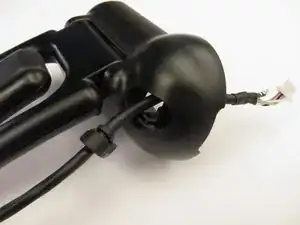
Wedge the pointy end of the spudger between the sliver E-ring and USB attachment base to extract the E-ring and release the USB cable.
-
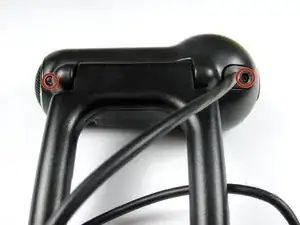
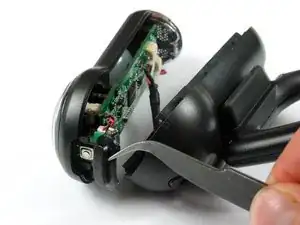
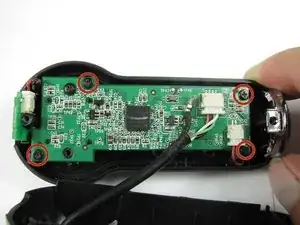
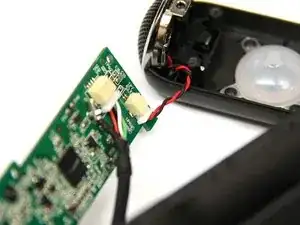
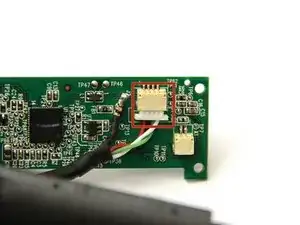
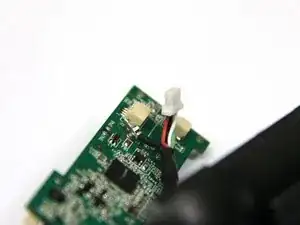
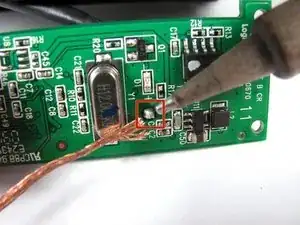
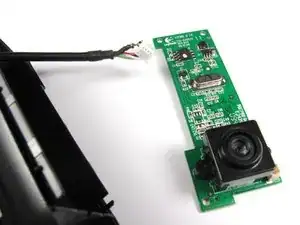
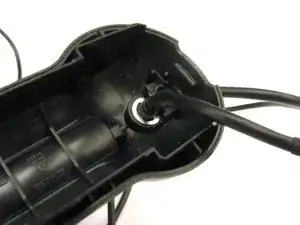
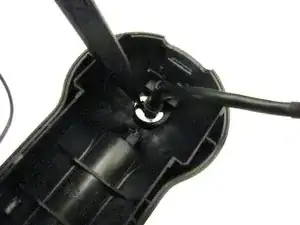
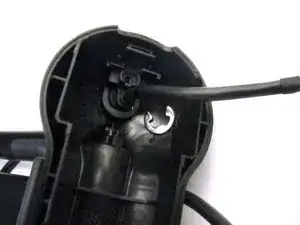
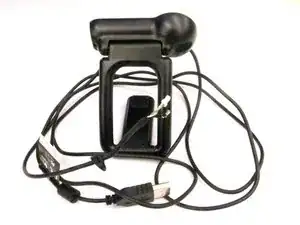
To reassemble your device, follow these instructions in reverse order.

4 comentários
Ich habe auch. ich braucht neu Kabel für C910 aber wo finden?
where i baught pro 9000 Cable
In hindsight, I wish I had just ordered a new camera. It is more difficult than these instructions make it look. I found a replacement cable on Amazon. Disassembly and removal of the old cable was easy. Soldering of the single wire on the new cable was difficult. I'm not as steady as I used to be, and the tiny cable and small board made it a difficult task. Once I finished the soldering, reassembly was easy except for the cable clip. Once done and I plugged it in, the camera would not work--USB device not recognized. I don't know whether the cable was incorrect or if I messed something up during the soldering. I finally trashed the old camera and ordered a new Logitech c920s. Wasted $10 on the failed cable and spent $70 on the new camera.
If you are unsure, it might be worth spending the money to upgrade instead of wasting time and money on a failed replacement cable like I did.