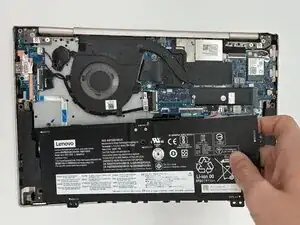
Introdução
A battery provides its device with electric power by storing energy in their positive and negative terminals. In laptop batteries, these qualifications are measured in voltage (V), milli-Amp hours (mAh), and Watt-hours (Wh).
A defective laptop battery may cause overheating due to insufficient power being distributed. This issue can often be attributed to natural age and deterioration, whereas more complex problems include malware or improper charging.
Some signs that you may need to replace your laptop's battery are:
- The laptop dies unexpectedly.
- The laptop overheats easily.
- The battery's capacity has decreased, meaning its charge does not last as long as it used to.
- The battery is slow to charge.
An important note to make regarding a battery change is that the replacement battery's voltage must match exactly, or nearly approximate, the stock battery's voltage.
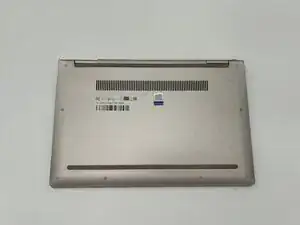
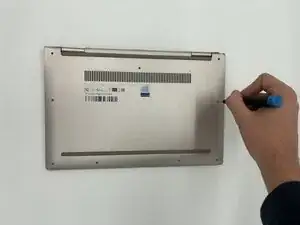
Before you begin, power off your laptop and disconnect the charger.


-
-
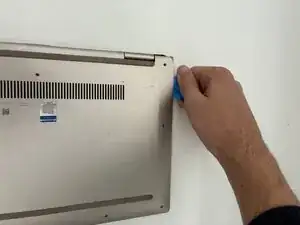
Insert an opening pick or opening tool between the top and bottom covers, then slide it around the perimeter to release the clips.
-
-
-
Use the point of a spudger to push on alternating sides of the connector to "walk" it out of its socket.
-
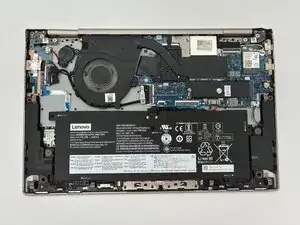
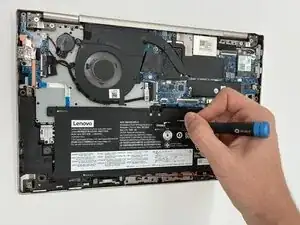
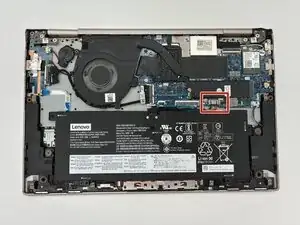
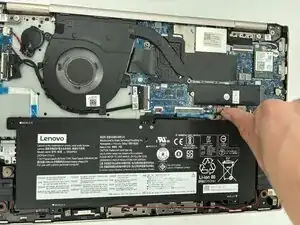
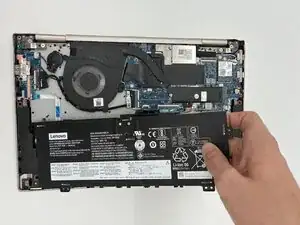
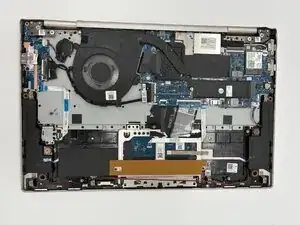
To reassemble your device, follow these instructions in reverse order. Take your e-waste to an R2 or e-Stewards certified recycler.