Introdução
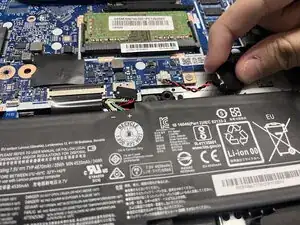
If your Lenovo IdeaPad 3-15IML05 can’t find boot drives, displays wrong time, and keeps losing its BIOS settings, use this guide to replace your CMOS Battery.
The CMOS Battery provides continuous power to a chip within your motherboard. This allows it to store information regarding boot drives, time, and BIOS settings. Over time, the CMOS Battery can degrade and stop supplying power to the CMOS chip. Replacing the CMOS Battery allows the computer to store BIOS information, even when powered off. After replacement, you may need to manually configure BIOS settings.
Working with lithium-ion batteries can be hazardous. A connected or swollen battery may catch fire if damaged. Before beginning this repair, discharge the battery below 25%, power off the laptop, and unplug all peripherals.
If you encounter a swollen battery, refer to this guide for disposal.


-
-
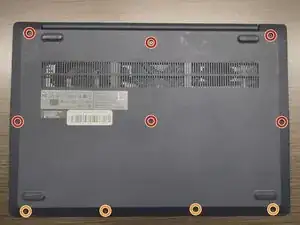
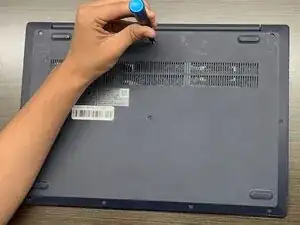
Use a Phillips #1 screwdriver to remove the following screws:
-
Six 7 mm screws
-
Four 4 mm screws
-
-
-
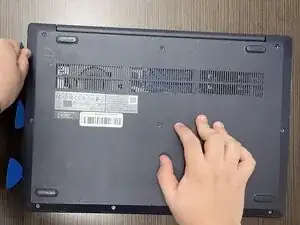
Insert an opening pick into the seam between the lower case and chassis.
-
Slide the pick around the entire perimeter until all of the plastic retaining clips release.
-
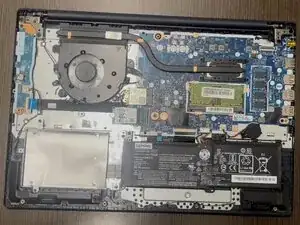
Remove the lower case.
-
-
-
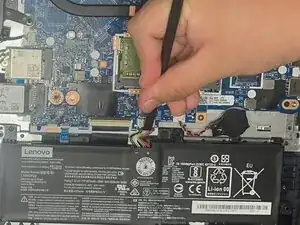
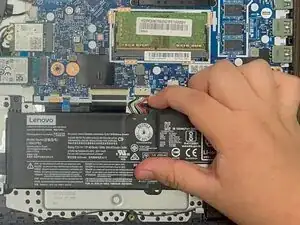
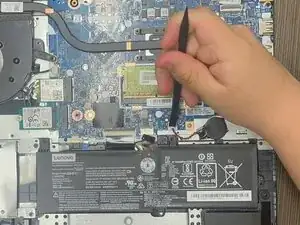
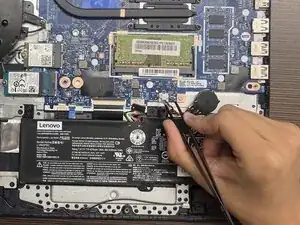
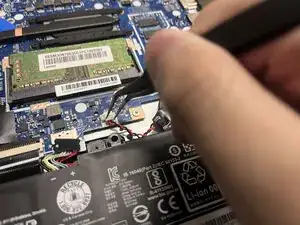
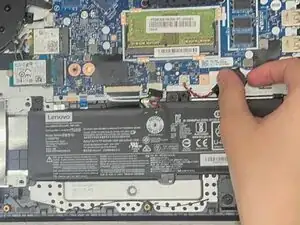
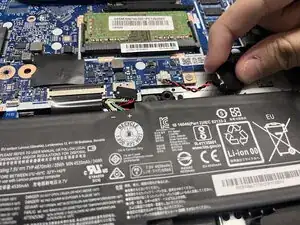
Use a plastic spudger or your fingernail to gently push the JST battery connector out of its socket.
-
To reassemble your device, follow the above steps in reverse order.
Take your e-waste to an R2 or e-Stewards certified recycler.
Repair didn’t go as planned? Try some basic troubleshooting or ask our Answers community for help.