Introdução
If you're working on your Lenovo IdeaPad 3-15IML05, use this guide to safely disconnect the internal lithium-ion battery.
Before beginning any internal repairs, we recommend troubleshooting and confirming the issue with your device. For additional diagnostic help, check out the device’s troubleshooting page.
Working with lithium-ion batteries can be hazardous. A connected or swollen battery may catch fire if damaged. Before beginning your repair, discharge the battery below 25%, power off the laptop, and unplug all peripherals.
If you encounter a swollen battery, refer to this guide for disposal.


-
-
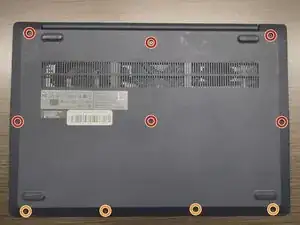
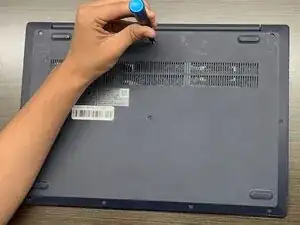
Use a Phillips #1 screwdriver to remove the following screws:
-
Six 7 mm screws
-
Four 4 mm screws
-
-
-
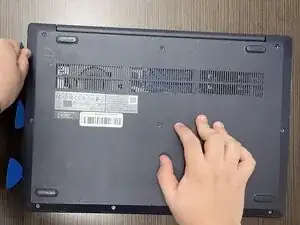
Insert an opening pick into the seam between the lower case and chassis.
-
Slide the pick around the entire perimeter until all of the plastic retaining clips release.
-
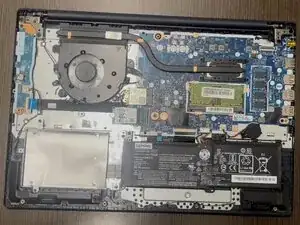
Remove the lower case.
-
-
-
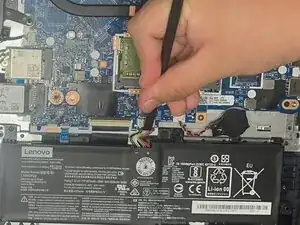
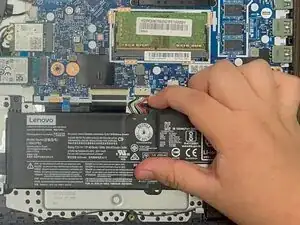
Use a plastic spudger or your fingernail to gently push the JST battery connector out of its socket.
-
To reassemble your device, follow these instructions in reverse order.