Introdução

This Kocaso M750B guide will show you how to replace the display assembly of your tablet. If you dropped your device and cracked the display, you may need to replace the screen to continue using it.

This repair requires soldering soldering and desoldering connections. For safety purposes, there are guidelines on how to solder, visit this page for more information.

Before you begin this repair, power off your tablet and unplug it from the charging adaptor.

  1. IMyqjRdUQj65KAfk
    IMyqjRdUQj65KAfk
    EOCsnsCgJssxUXDF
    5QHXxDcFLgEcF5Cy
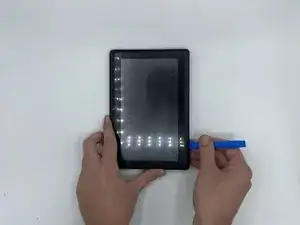
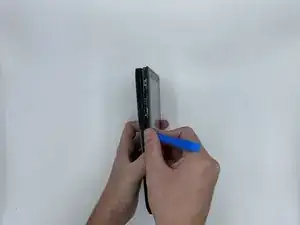
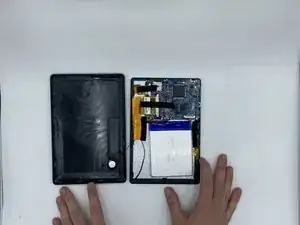
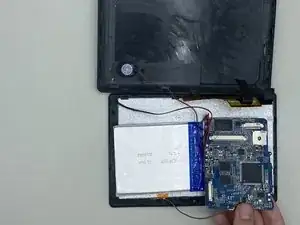
    • Pry the edges of the tablet apart using an iFixit opening tool.

  2. cYbhPfA56Xdx3m1p
    cYbhPfA56Xdx3m1p
    lwIaIMgqfRqRcJ4n
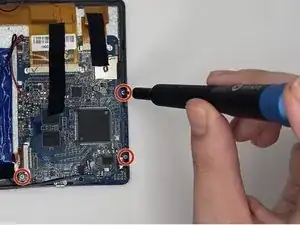
    • Remove three 1.2 mm screws from the motherboard using a Phillips #000 screwdriver.

  3. 2sOnDxyCA5MVJYQ1
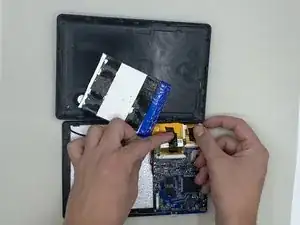
    • Disconnect the ribbon cables.

    • This guide will help you identify what type of ribbon cables the tablet uses and helps you on how exactly to remove different types of ribbon cables. The exact ribbon cables you are looking for are called ZIF connectors.

  4. MvHACBDcLD4KHQxu
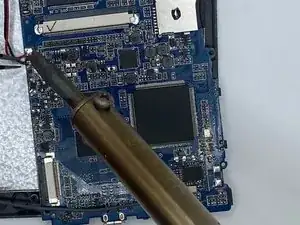
    • Desolder the connections to the motherboard and the display.

    • When using the soldering iron, make sure to review the safety guidelines provided in the introduction. Work carefully and precisely to avoid any electrical discharge, puncture of the battery, or heating of the motherboard.

  5. 6GCPY4LIyLGTpVIY
    6GCPY4LIyLGTpVIY
    T2XUKjDwHsxZAEAU
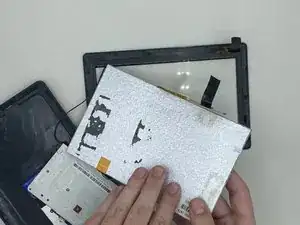
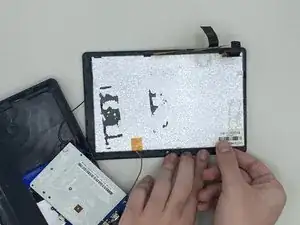
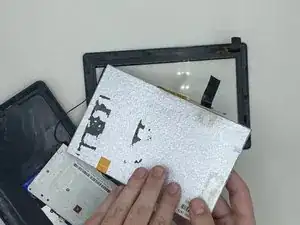
    • Remove the display by loosening the tabs surrounding it.

Conclusão

To reassemble your device, follow these instructions in reverse order.

Syeda Anosha Ali

Membro desde: 12/09/23

399 Reputação

0 comentários