Introdução
If the charging port on your JBL Go 3 speaker becomes loose, damaged, or stops working, you can use this guide to remove and replace it.
Ferramentas


-
-
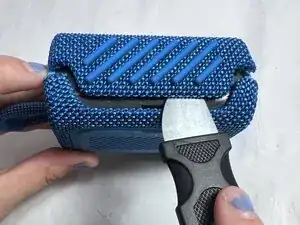
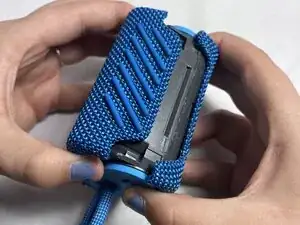
Use a Jimmy to remove the hard shell, working around the sides of the mesh cover.
-
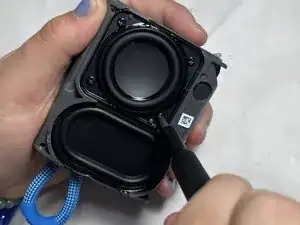
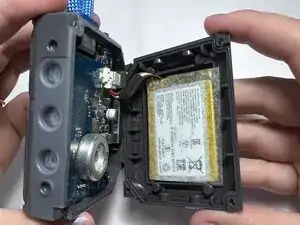
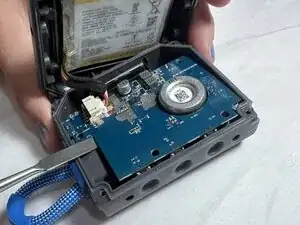
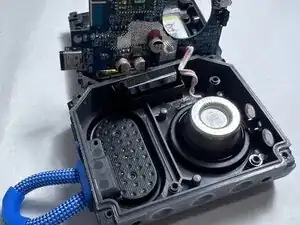
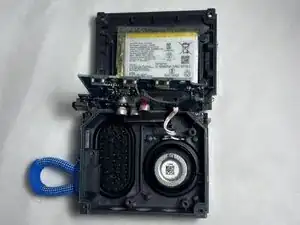
Finally, unscrew the internal screws and gently lift off the back panel.
-
-
-
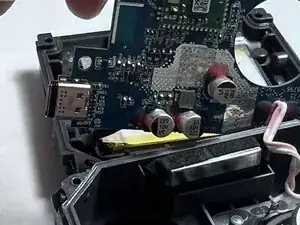
Locate the charger port on the circuit board.
-
Carefully desolder the old port. If necessary, use an iFixit Opening Tool to gently dislodge and remove it.
-
-
-
Locate the charging port, typically mounted on a small PCB (printed circuit board).
-
Take a picture and make a detailed note of all connections.
-
Carefully remove the charging port using an iFixit Opening Tool if Necessary.
-
Test the charging functionality before fully reassembling the device.
-
To reassemble your device, carefully place the new charging port and follow the instructions in reverse order.