Introdução

Learn how to replace the toner cartridge of a HP LaserJet Pro MFP M428fdw Printer

  1. vhWoejXKkAEagmUN
    vhWoejXKkAEagmUN
    4CGdjRMjOwYUnrjU
    AqFLMdb5WC1iS2N4
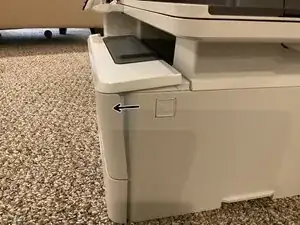
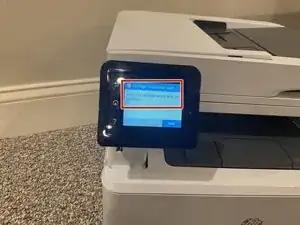
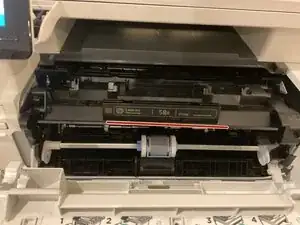
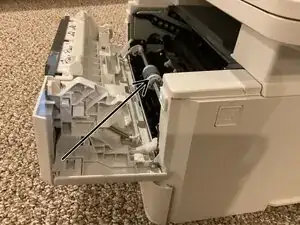
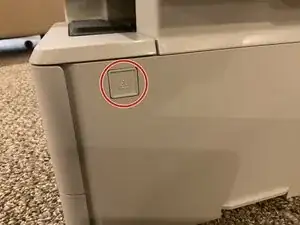
    • Press the button shown on the picture to open the cartridge compartment. The door should open like on the second picture.

    • An error message will pop up on the dashboard like on the third picture. This is OK.

  2. VKtbEbfeLD5BkHVI
    VKtbEbfeLD5BkHVI
    1AbhVYffgRuVbCMI
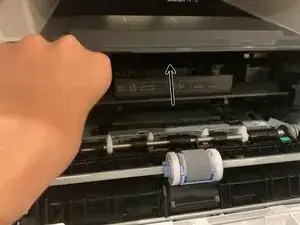
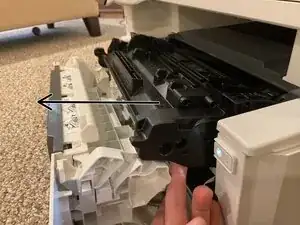
    • Pull the cartridge up then pull out

  3. TCeQLTAdNfl2fkbT
    TCeQLTAdNfl2fkbT
    o1GFZiyKtMMsFLVN
    • Recycle the cartridge.

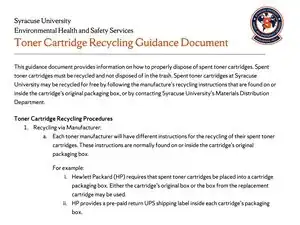
    • Please read the toner cartridge recycle guide from Syracuse University to learn how to recycle your cartridge properly.

  4. sBTU2S3DAH4PcjeO
    • Insert the new cartridge making sure the HP label is facing up, and push in.

  5. MLltv2EaRFgPONjG
    • Close the compartment.

  6. TDr4D4FUTr4Bq2J5
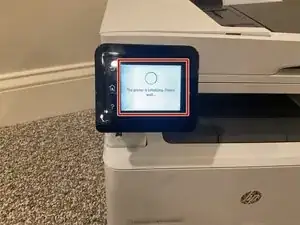
    • Your dashboard should say, your printers initializing. Please wait…

Conclusão

Thank you for completing my guide! 😀

myusername123

Membro desde: 15/08/25

472 Reputação

0 comentários