Introdução

If the power button does not respond, this guide explains how to replace the faulty power button on the Garmin Nuvi 2589LMT. Replacing the power button should restore functionality; if the issue persists, the problem may be related to the motherboard.

  1. SAWKMkPvCRiNEs1J
    SAWKMkPvCRiNEs1J
    ZhJ3DihuqhZWH1Vo
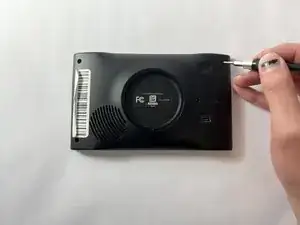
    • Remove the four 6 mm screws from the back panel using a T5 Torx screwdriver.

  2. c4OZVgbcBc6PUphA
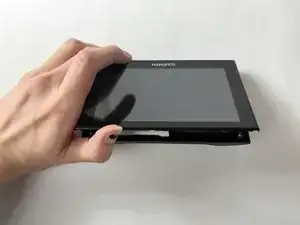
    • Use an opening tool to pry the shorter sides of the device apart.

  3. SJd4CI5SvOIrdNiS
    SJd4CI5SvOIrdNiS
    rHDG4NwtLScOup1v
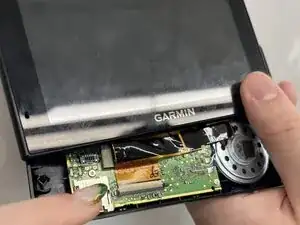
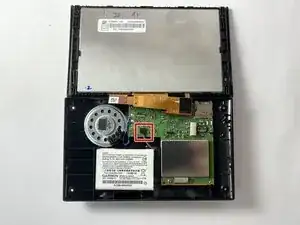
    • Use a plastic opening tool to detach the cable that is connected to the motherboard.

  4. 2XowIoDqalVgVgh2
    2XowIoDqalVgVgh2
    GSeQlXuAsUPdWgvW
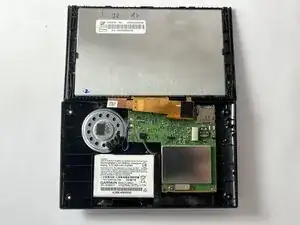
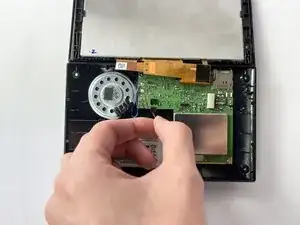
    • Using the angled tweezers, grasp the connector containing the red, black, and green wires that link the battery to the motherboard, then carefully pull the connector away from the motherboard.

  5. fQqHxpejP3cW4ZPX
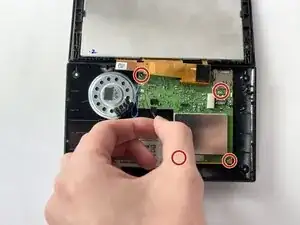
    • Using the T5 Torx screwdriver, remove all four of the screws from the motherboard.

  6. pNDEUgoYFUqJndZM
    • Using the plastic opening tools, gently pry the motherboard away from the case.

  7. wZWA1BfFBhj5UHeC
    wZWA1BfFBhj5UHeC
    PRtxhnJ5Tb1aFAkh
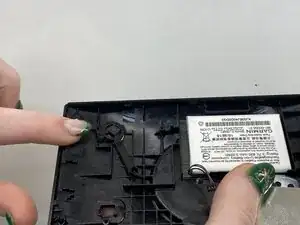
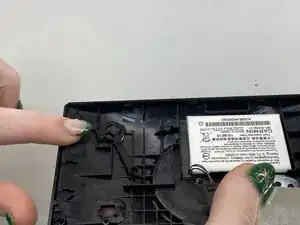
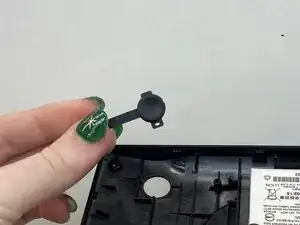
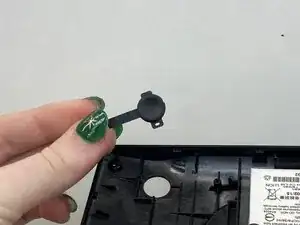
    • Using tweezers, lift the power button out of its socket.

Conclusão

To reassemble your device, follow these instructions in reverse order.

Amelia Breese

Membro desde: 04/11/25

289 Reputação

0 comentários