Introdução

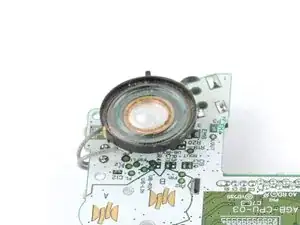
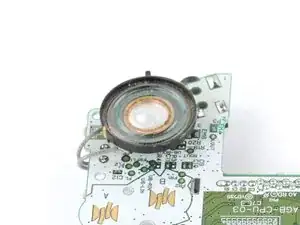
Follow this guide to replace the speaker in your Nintendo Game Boy Advance.

If the sound coming through your iPhone sounds like static or crackling, or if there's no sound at all, you may need to replace the speaker.

Note that replacing the speaker requires soldering. If you're new to soldering, check out our guide on soldering and desoldering connections.

The Game Boy Advance uses JIS screws. If you use a non-iFixit Phillips driver in JIS screws, you'll risk stripping them. iFixit's Phillips bits are designed to be compatible with JIS screws.

  1. 2cYB63PN1uNIqGSi
    2cYB63PN1uNIqGSi
    sQLHMsNXISQspZDV
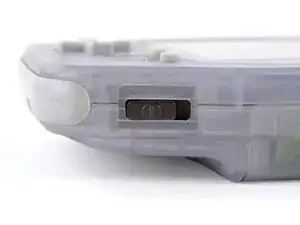
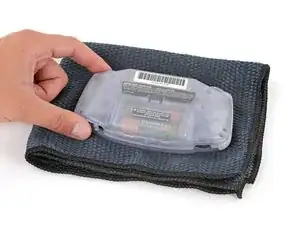
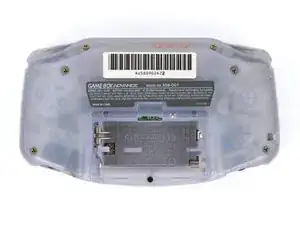
    • Before working on your Game Boy, turn the power switch to the OFF position and unplug any cables.

    • If you have a game cartridge installed, remove it.

    • Since your Game Boy will be laying screen‑side down for most of your repair, consider placing it on a clean cloth for protection.

  2. W5xHDkFFxsZPAfqJ
    W5xHDkFFxsZPAfqJ
    YLRFrpXTUJnvKIMt
    sVYy54cZhr1yVDYY
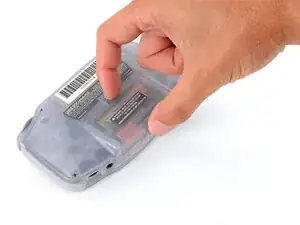
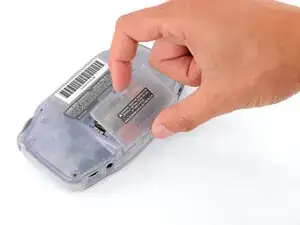
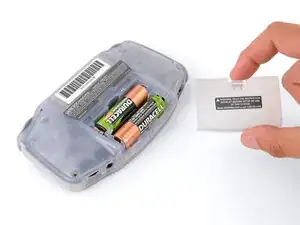
    • Release the battery cover tab with your finger and swing the cover away from your Game Boy to remove it.

    • During reassembly, insert the tabs on the bottom edge of the cover into their cutouts and press the cover into place.

  3. maxmprfVqllPKMpO
    maxmprfVqllPKMpO
    IWHASUO3UyEVPZNr
    lLsZLi2bYgQJgD5N
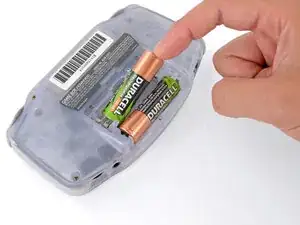
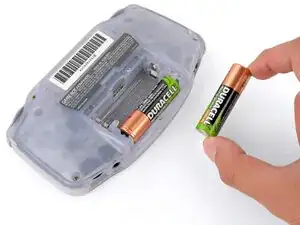
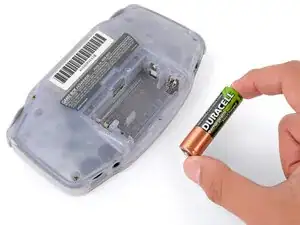
    • Remove the two AA batteries.

    • If the metal terminals are corroded, follow this guide to clean them.

    • When installing batteries, use the diagram in the battery well to properly orient them.

  4. h2MTNWGvbhaMV3al
    h2MTNWGvbhaMV3al
    ADgFcLpctBX6Itv2
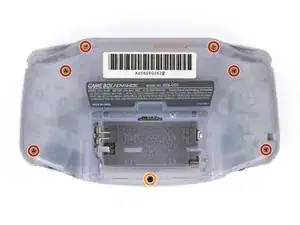
    • Remove the seven screws securing the back shell:

    • Six 9.4 mm‑long tri‑point Y0 screws

    • One 8.5 mm‑long JIS 1 screw

    • You can try to use a non-iFixit Phillips driver in a pinch, but you risk damaging or stripping screws. Push down firmly on the driver and twist slowly.

  5. VETTuXWgjPcRKRfw
    VETTuXWgjPcRKRfw
    4QEfBiByXkhUWxru
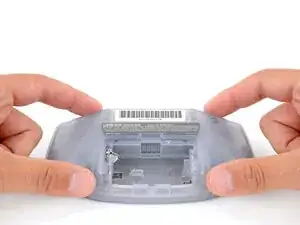
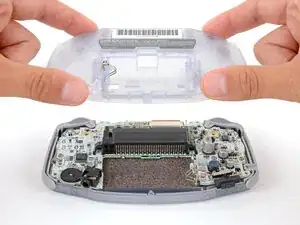
    • Lift the back shell straight up and remove it.

    • During reassembly, squeeze the shell firmly around the edges and ensure the shoulder buttons and bumpers are properly seated with no large gaps. Gently test the buttons to make sure everything feels correct.

  6. Y5WFeNDPWxBtpXt2
    Y5WFeNDPWxBtpXt2
    LxlqlNkJLmBQcdE2
    lfMfVUBt5GjWI6n2
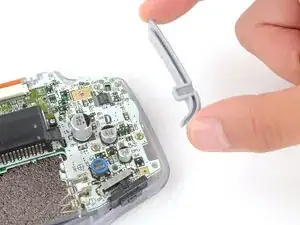
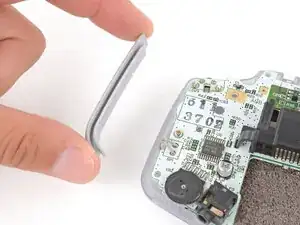
    • Lift the shoulder buttons (aka L and R buttons) straight up to remove them.

    • During reassembly:

    • Since your Game Boy is laying upside down, the L button will go on your right‑hand side, and the R button will go on your left‑hand side.

    • Slide the buttons into place, making sure the peg on the button goes into its circular cutout and the button itself is over the actual button mechanism.

    • The shoulder buttons will sit on the inside edge of the side bumpers.

    • Gently test the buttons to make sure they feel correct. If they don't, reposition them and make sure the metal arms aren't stuck in a weird position under the board.

  7. xN3iiIYkJVNenrCN
    xN3iiIYkJVNenrCN
    xG5GhJXloMFJlyZc
    PALxBj6f4Qbx3NDc
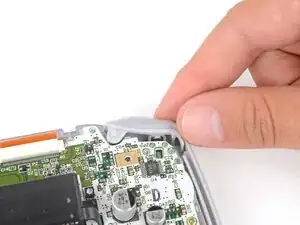
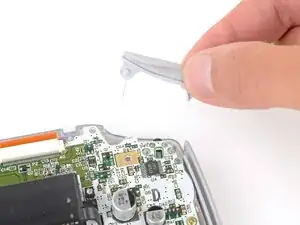
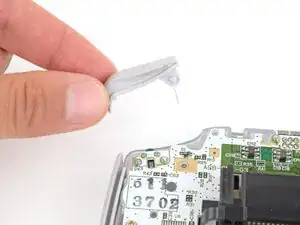
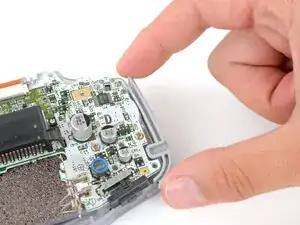
    • Remove the side bumpers.

  8. ZD5nS3XZbV3yfrZE
    ZD5nS3XZbV3yfrZE
    YIyyRruJpVDdjEpa
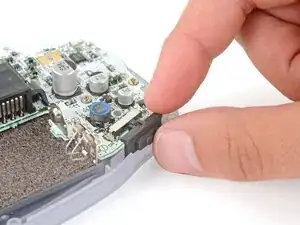
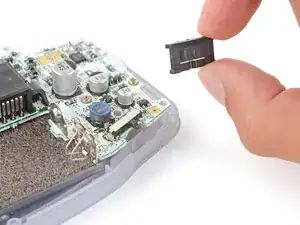
    • Remove the power switch cover.

    • During reassembly, make sure the switch cover is properly slotted around the arm on the switch mechanism.

  9. mqioEeVYsEgqHhpD
    mqioEeVYsEgqHhpD
    WqEc6TiRjMcicXj3
    y2SsGgeLbJE6TfpI
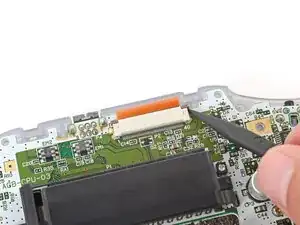
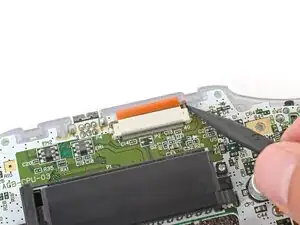
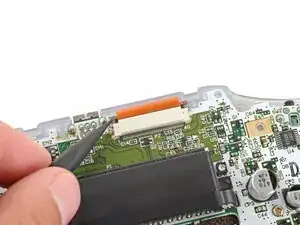
    • Use the point of a spudger to fully push up both locking tabs on either side of the screen cable connector.

    • You should feel the tab click into its unlocked position. Don't push too far, or the tab may slide completely out of the connector.

  10. bkB5ZJaBImgO52Rx
    bkB5ZJaBImgO52Rx
    C3FQGQPUXD4ehllt
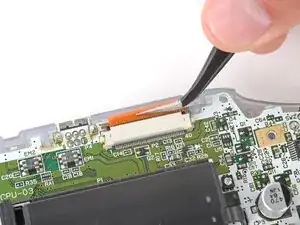
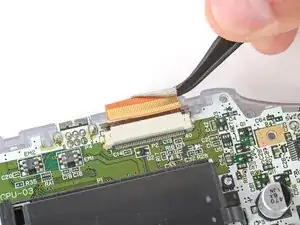
    • Use tweezers to slide the cable straight out of its socket.

    • The cable should come out with little to no force. If you feel resistance, the tab may not be fully unlocked.

  11. rFQnihNDYRRNKXWU
    rFQnihNDYRRNKXWU
    gEHGXfBjEAAVAdTh
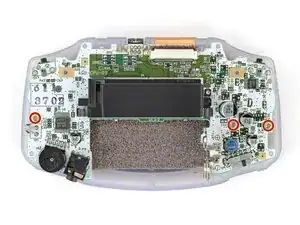
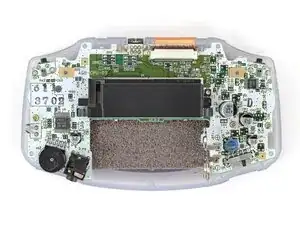
    • Use a JIS 1 screwdriver to remove the three 7 mm‑long screws securing the motherboard.

  12. 126BDe1AMHWmwKyL
    126BDe1AMHWmwKyL
    FAgLSOMoHRdwcmFX
    IqodWyqoyeta3t6V
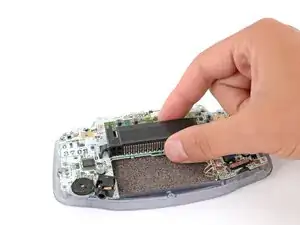
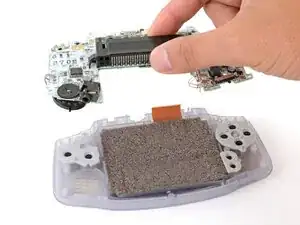
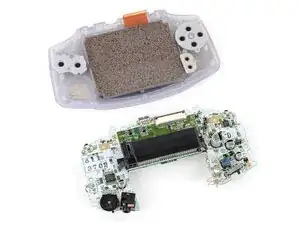
    • Use your fingers to grip the cartridge reader and lift the motherboard straight up to remove it.

    • During reassembly, make sure the speaker gets correctly slotted into its circular cutout (including a small tab on the bottom) when lowering the motherboard into place.

  13. J3DEbILgglvISm3P
    J3DEbILgglvISm3P
    BhnUerFoPwC2ysgk
    FTdRXsRH52ODUUgT
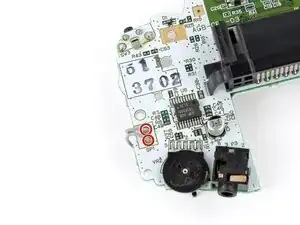
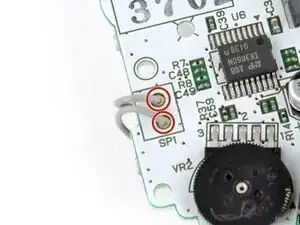
    • Use a soldering iron to desolder the two speaker wires from the motherboard.

    • Remove the speaker.

    • During reassembly, solder your replacement speaker's wires to the motherboard.

Conclusão

To reassemble your device, follow these instructions in reverse order.

Take your e-waste to an R2 or e-Stewards certified recycler.

Repair didn’t go as planned? Try some basic troubleshooting, or ask our Answers Community for troubleshooting help.

Spencer Day

Membro desde: 14/09/22

165242 Reputação

4 comentários

When no sound in GBA. Is the broken speaker the most common problem ? Or some SMD part in circuit board ? What to do if the new replaced speaker emits no sound ?

Pekka Hollola -

I'm just going to say it. this guide kind of sucks fr. What am I supposed to do after the desolder? Why do I need the desoldering braid? Like you end it with step 8 "Slightly move the speaker to the right and desolder the two wires from the logic board." What temp should my iron be??

Stanton Finch -

We've fully revamped this guide, including links on how to solder and desolder. Hopefully this helps!

Spencer Day -

I have a funny playing screen I put in my GBA. I don't think that's relevant, but I have speaker buzz. Or it's noticable for me now. How can I get rid of it?

Isaac -