Introdução

  1. NmgbCjUMH55mvsRo
    NmgbCjUMH55mvsRo
    1k6AqIjtF4MBQOyB
    BuFpvmZhSvqQlUVH
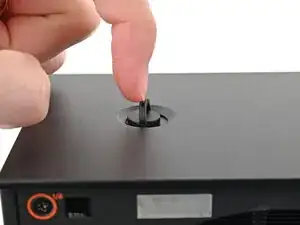
    • Your replacement case requires some disassembly before transferring the internals. The next 12 steps will show how to disassemble the case.

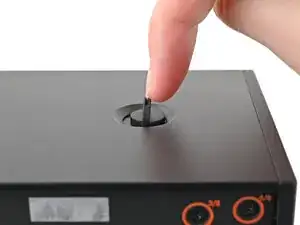
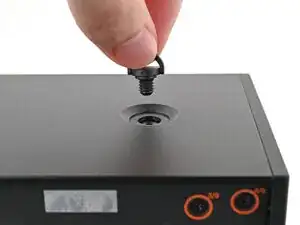
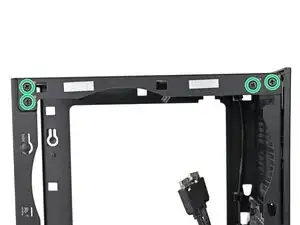
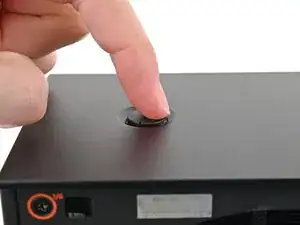
    • Use your finger to lift up the two D-rings on the Top Panel screws.

  2. FdxbgJCJXNw132NW
    FdxbgJCJXNw132NW
    nQCFDgTLgK4vFjVY
    RfSONySQl1UJPJH2
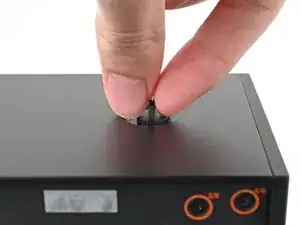
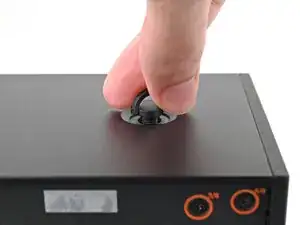
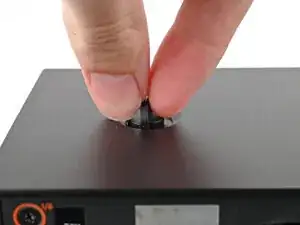
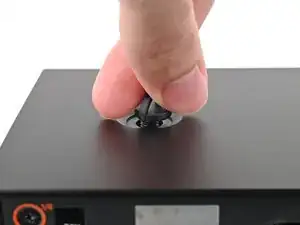
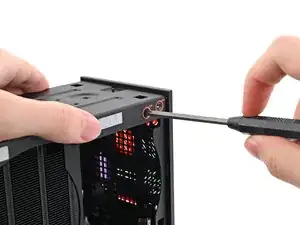
    • Use your fingers to twist the screw counter-clockwise and loosen it.

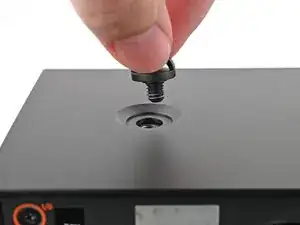
    • Remove the Top Panel screw.

  3. OYomxiZsWsCGFW5X
    OYomxiZsWsCGFW5X
    lVJsKOciPNLmkA5d
    BOtJHMfNH4uCg6rn
    • Repeat the same procedure for the other Top Panel screw.

  4. U3sQosQcXYnP15GY
    U3sQosQcXYnP15GY
    FwfSeorOeDuTbiZi
    t63ar63sgw54xLve
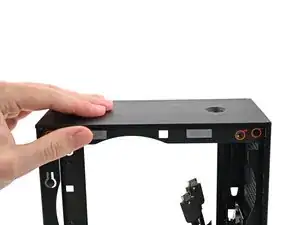
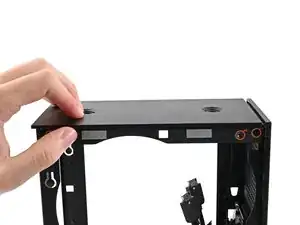
    • Slide the Top Panel towards the rear of the computer to release the clips securing it to the chassis.

    • If you're having a hard time gripping the Top Panel, use the screw holes to get a better handhold.

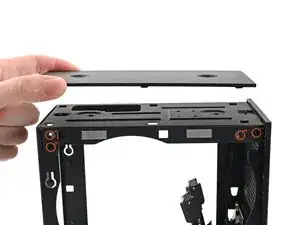
    • Lift the Top Panel off the chassis and remove it.

  5. vCDY1RLaBEKlcO5P
    vCDY1RLaBEKlcO5P
    KGKTolXJsrmiMkEU
    i5bIScKEjg6TKmKj
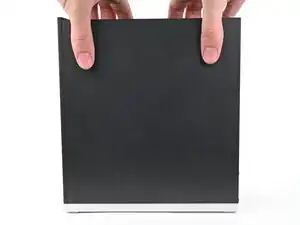
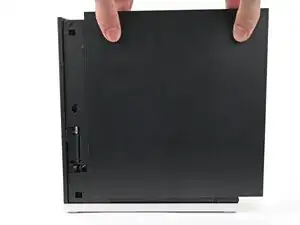
    • Use your fingers to grip the top of the Right Panel and slide it upward to release its clips.

    • Remove the Right Panel.

  6. mojHmQSykVaQm3qL
    mojHmQSykVaQm3qL
    FgeQOLefPHDJEf2B
    CRlKeM6rGKSUX5ov
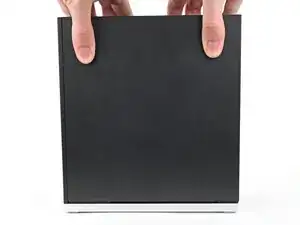
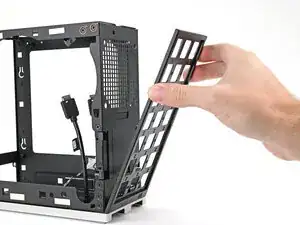
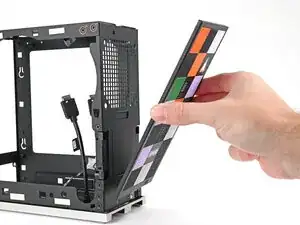
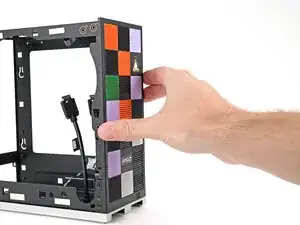
    • Use your fingers to pull the Front Panel off the magnets securing it to the chassis.

    • Follow this guide to transfer your Tiles to the new Front Panel or to install the old Front Panel.

  7. 1Rp3naiSbPXHq2bE
    1Rp3naiSbPXHq2bE
    4cCqLDRKipnLNARa
    XcFKEIBLjJ1dNC6s
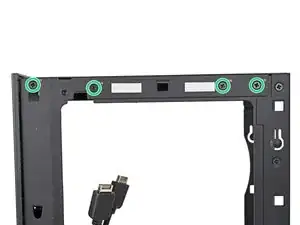
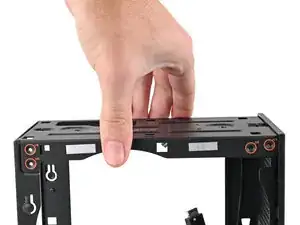
    • While holding the Desktop steady, use your Framework Desktop Screwdriver to remove the eight 4.0 mm‑long Phillips screws securing the top plate.

  8. 2YODOn1OWiXApWwY
    2YODOn1OWiXApWwY
    tZOqiuESZpuP14EP
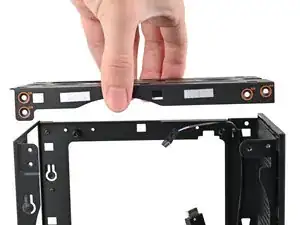
    • Lift the top plate off the Desktop and remove it.

  9. SvLaFfQ3jpjgD5iY
    SvLaFfQ3jpjgD5iY
    hT26q3DRpSBGjeIQ
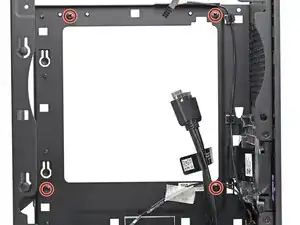
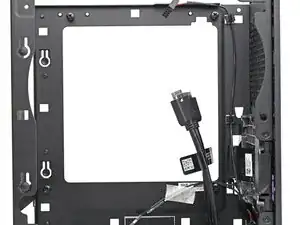
    • Use your Framework Desktop Screwdriver to remove the four 8.2 mm‑long Phillips screws in the Mainboard screw posts.

  10. hXkP1P2uJkVFcFJ2
    hXkP1P2uJkVFcFJ2
    fDLBtjhZb5eMGWxj
    • Optionally, you can remove the six 4.0 mm‑long screws securing the rear plate to make removing the power supply easier.

    • If you don't remove the rear plate screws, skip the next step.

  11. wl6TEPORSCif1LhK
    wl6TEPORSCif1LhK
    DuJM3ZNnWBfDhbeG
    • Pull the rear plate off the back of the Desktop and remove it.

  12. lOAyFRlS1jIHElKj
    lOAyFRlS1jIHElKj
    RWLD3SOrNYPGLmXQ
    1gLKg1vnD2WXUMPE
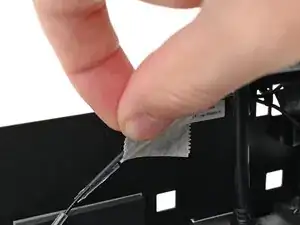
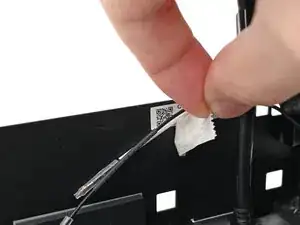
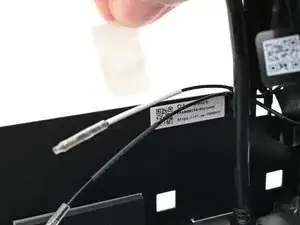
    • Peel off the tape covering the antenna cables.

Conclusão

To reassemble your device, follow these instructions in reverse order.

Alex Diaz-Kokaisl

Membro desde: 16/01/22

227430 Reputação

0 comentários