Introdução
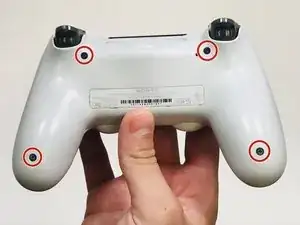
This guide will show the reader how to remove and replace the rumble motors for a DualShock 4 controller.


-
-
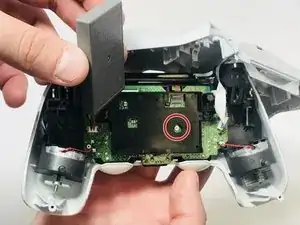
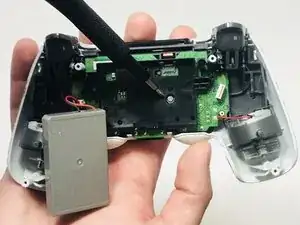
There is a hidden screw underneath the battery pack that attaches the faceplate to the motherboard.
-
Lift the pack and remove the 10mm screw using the #000 Phillips screwdriver.
-
-
-
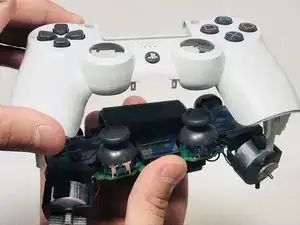
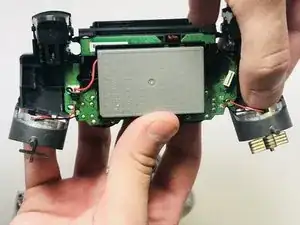
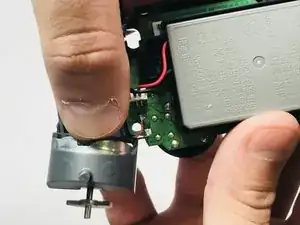
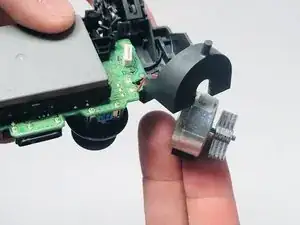
With some added pressure, push down and outward in order to free and remove the rumble motors from their socket.
-
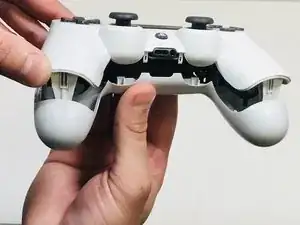
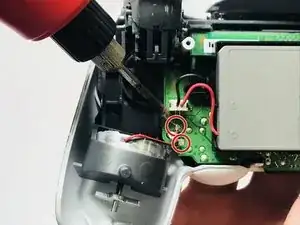
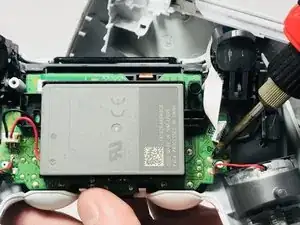
To reassemble your device, follow these instructions in reverse order.

3 comentários
I’d recommend adding removal instructions for the touchpad also
the rumble packs are stuck with an adhesive on my controller. The best way to remove the rumble pack in this case? thanks
Ka Erd -
I'm most likely way too late, but if there is an adhesive, I would probably use something that breaks glue down and is safe for electronics