Introdução

This guide will be showing you how to replace the charging port for the Digital2 D2-861G model. Be sure to carefully remove parts to avoid damaging the device.

  1. eOoaPJkXCvYCaU3H
    • Working on your device while powered on may result in electric shock. Make sure to unplug and power down your device before you begin.

    • Place your device on a soft cloth to avoid scratching the screen.

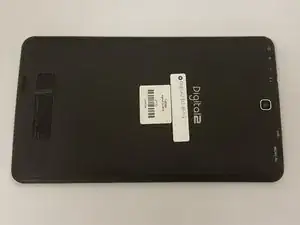
    • Flip your device over so back panel is facing upwards.

  2. YFKB3XjsdKKIrGrA
    • Do not use a lot of force as it can break the clips or the back panel.

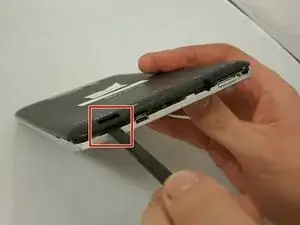
    • Insert spudger in the slot below the micro SD card.

    • You should hear clips releasing as you pry along the edges.

    • With the spudger tool, run along the edges of the backing undoing 20 plastic clips.

  3. PbvOrSwrGNmAJX3i
    PbvOrSwrGNmAJX3i
    QfXWROKCElDXQGJU
    Rv31RAZTI1qwDfCW
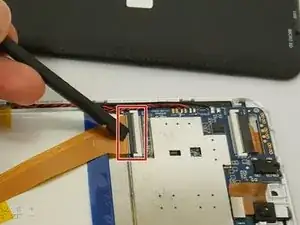
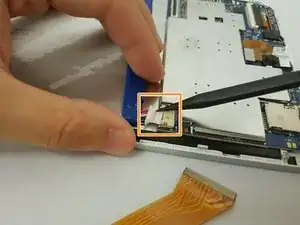
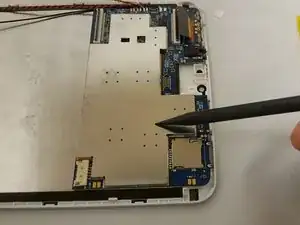
    • Locate the gold colored ZIF (Zero insertion force) connector and disconnect it from the motherboard.

    • To disconnect the ZIF connector, go under the black tab and lift up. Then pull the connector out.

    • Locate the bundled cable connector and disconnect it by simply pulling it gently or using a spudger.

    • Disconnecting the bundled cable connector helps avoid short circuiting anything on the device.

  4. kgXoiaIgGFpUaQKH
    kgXoiaIgGFpUaQKH
    hKZRUanP4oZ4MTLJ
    AoCF5iCaXdgRAiEE
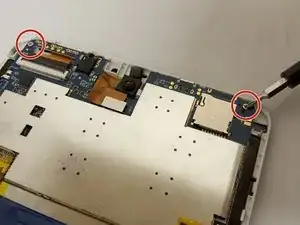
    • Make sure to have your magnetic board to hold your screws.

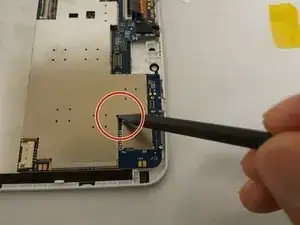
    • Remove two 3.51mm screws that are located on the top corners with your Phillips #00 screwdriver.

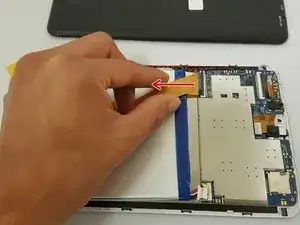
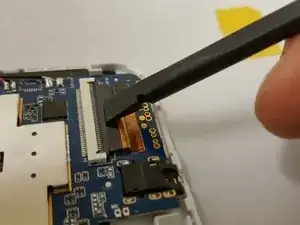
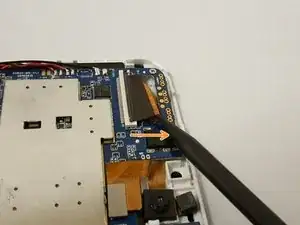
    • Next, unplug the ZIF connector by going under the black tab and simply lift up.

    • Slide the connector out with the pointed side of the spudger.

  5. TO42vrrtKIEethkP
    TO42vrrtKIEethkP
    Kny2bHgwrXFEYqXk
    WVsYgd2FsDErGNRe
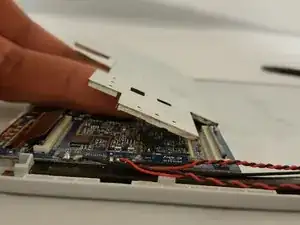
    • This step is optional if you want to remove the metal casing.

    • Insert the pointed side of the spudger in the corner and gently lift.

    • Once one side is lifted, use your fingers and with little force, lift up to remove the case.

  6. tFPJtnDNtNWjjlRF
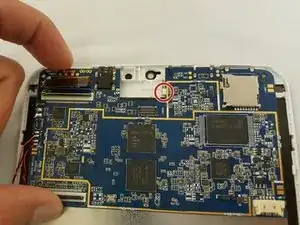
    • Use little force or else you risk breaking the motherboard.

    • Watch out for the ZIF connector!

    • There is a white clip holding the motherboard.

    • To remove the motherboard, grab the component on the top left and gently lift while pushing or pulling to the right.

  7. qq3pXvxHgDRFV5J1
    • Refer to iFixit's guide on how to Solder Como soldar e dessoldar contatos

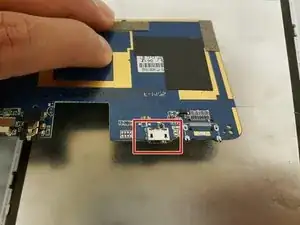
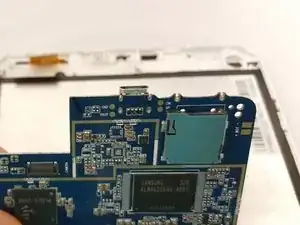
    • To replace the charging port, you can either replace the motherboard or desolder the port.

Conclusão

To reassemble your device, follow these instructions in reverse order.

Eduardo Duran

Membro desde: 29/09/16

600 Reputação

0 comentários