Introdução
If the battery in your Dell Latitude E5520 is draining quickly or not lasting as long as it should, you may need to look into completely replacing the battery. You can safely do this in a few easy steps. Since the battery is an important part that connects to many other components, it’s helpful to know how to safely remove and replace it. The best part about this repair is that it doesn’t require any tools, and none of the steps are too difficult. This guide will walk you through everything you need to know to replace the battery safely and correctly.
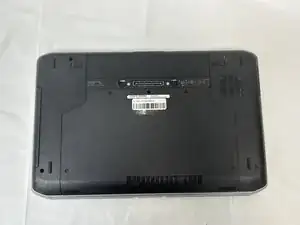
Before you begin, ensure that your device is completely powered off.

-
-
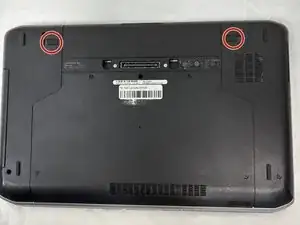
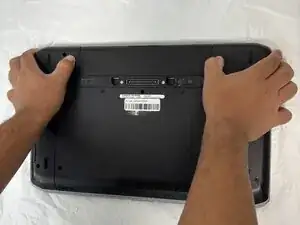
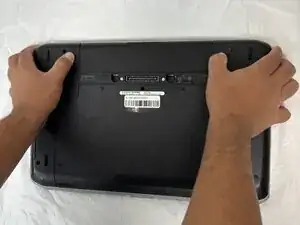
You will find two push clips near the top edge on the bottom side of the laptop.
-
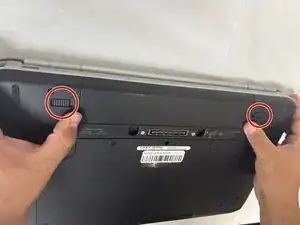
Place fingers on each of these clips at the same time.
-
-
-
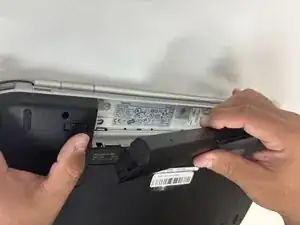
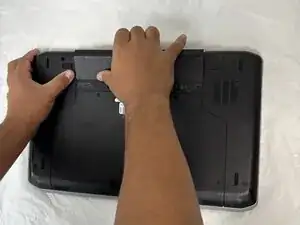
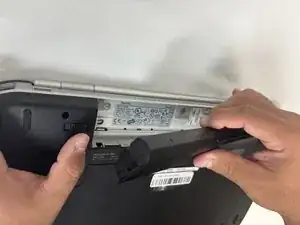
Push the two clips outward with pressure at the same time and pull up on the battery.
-
The battery will be released to safely remove the part.
-
To reassemble your device, follow the above steps in reverse order.
For optimal performance, after completing this guide, calibrate your newly installed battery.
Take your e-waste to an R2 or e-Stewards certified recycler.
Repair didn’t go as planned? Try some basic troubleshooting or ask our Answers community for help.