Introdução
This guide provides step-by-step instructions for replacing the hard drive in your Dell Latitude 14 Rugged 5414. Replacing the hard drive is an important part of maintaining reliable storage and overall system performance, especially in a device built for harsh environments like the Rugged series.
Because the hard drive stores your operating system, files, and applications, installing a new one can improve speed, increase storage capacity, or resolve issues caused by failing or outdated drives. Before beginning, it’s essential to identify whether your system uses a 2.5-inch SATA drive or an M.2 SSD, as the replacement process and required tools may differ.
Make sure to work on a clean, static-free surface to protect internal components from electrostatic discharge. During the replacement, pay close attention to cable routing, screw sizes, and connector alignment to avoid damaging delicate parts. With the right preparation and careful handling, replacing the hard drive is a straightforward upgrade that can significantly extend the lifespan and performance of your computer.
Before you begin the repair, power off and unplug your laptop from the charger and any peripheral devices. You should also back up any important data beforehand, since removing the existing drive will make its contents inaccessible.
-
-
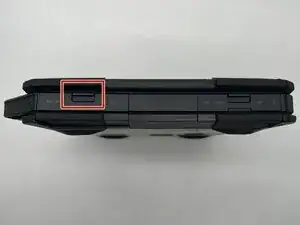
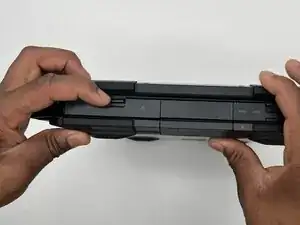
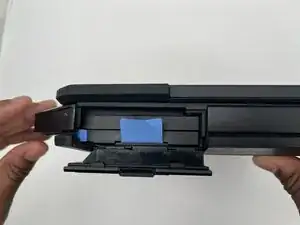
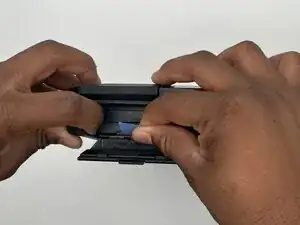
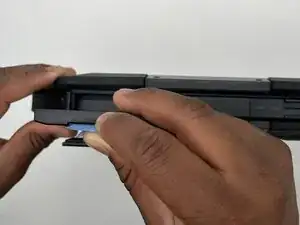
Push aside the small blue latch on the left side of the hard drive while carefully pulling up on the blue tab attached to the center of the drive.
-
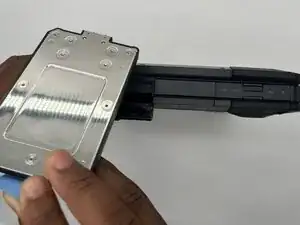
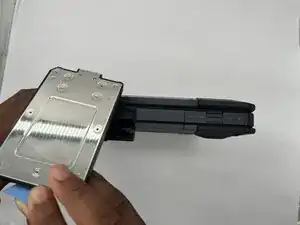
Completely pull out the hard drive from the socket.
-
To reassemble your device, follow these instructions in reverse order.
Take your e-waste to an R2 or e-Stewards certified recycler.
Repair didn’t go as planned? Try some basic troubleshooting or ask our Answers community for help.