Introdução

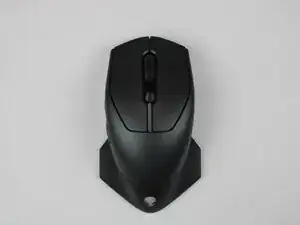
The side buttons on the Alienware AW610M are responsible for providing short-cuts and in-game actions. After some time, the side buttons may stop working due to wear or build up of debris. Replacing the side buttons allows the mouse to be reliable and work at its best ability.

Before you start replacing the side buttons, make sure the mouse is turned off and unplugged. If you are unsure about the side button being the source of the problem, refer back to our troubleshooting page before you continue.

  1. 2A6AZKyhweJFMhKZ
    2A6AZKyhweJFMhKZ
    HrOdJZZRB3SRJsd3
    FRFIQlQSEKsQ3sjI
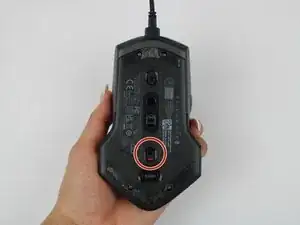
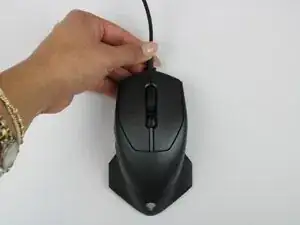
    • Power off the mouse and disconnect any wired connections.

  2. MSdEVxhKPqGNHNOx
    MSdEVxhKPqGNHNOx
    So4l3OlrgJpVMAUS
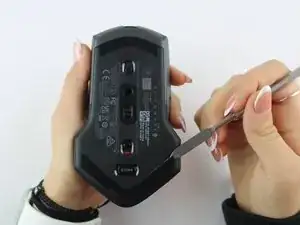
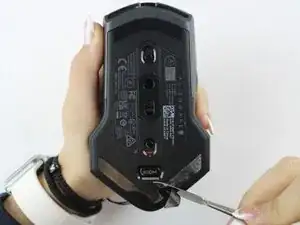
    • Use a spudger to gently lift and remove the old mouse feet.

    • If the feet are sticky, try lifting slowly from one corner to avoid tearing them.

    • Be careful not to scratch the mouse surface or damage the plastic housing.

  3. 5MNFYVBVWFUBdgRr
    5MNFYVBVWFUBdgRr
    mDIihvjrWnxO6Wab
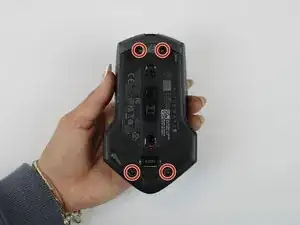
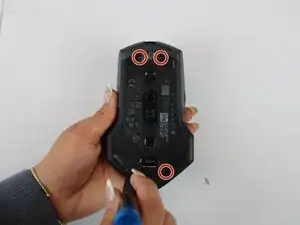
    • Remove the four 6.5 mm screws using a Y1 Tri-Point screwdriver.

  4. qyNLugjpvloc4Zyb
    qyNLugjpvloc4Zyb
    lBpmfpwlWptj5Vqr
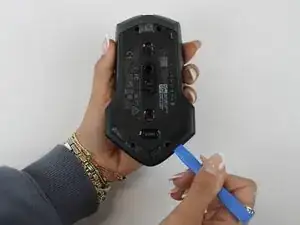
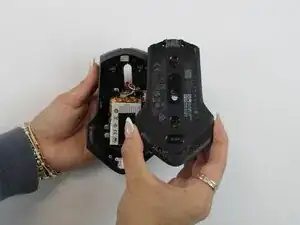
    • Using an opening tool, gently pry apart the two halves of the mouse case. Start at the seam and work your way around until the housing is separated.

    • Don't pull the halves completely apart, as internal wires still connect them.

  5. OfNhuX1PeYjBNvmb
    OfNhuX1PeYjBNvmb
    UyrFB1sMEBrVcWdA
    ZYSZPKxUN1RGgURj
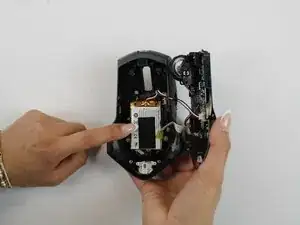
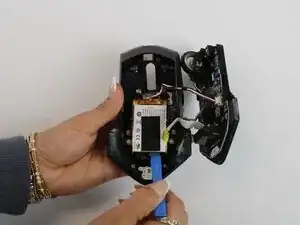
    • Remove the battery pack inside the mouse.

    • If you are having trouble, use a small flat tool to help ease it out.

    • The battery is lightly glued to the mouse, so ease it out gently to avoid breaking the battery or wiring

  6. mfGNbylKHLJZQLjJ
    mfGNbylKHLJZQLjJ
    LMDQ65HiA1UUtgfo
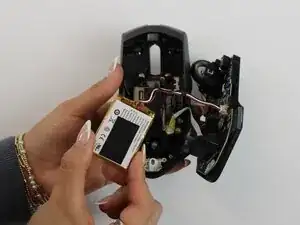
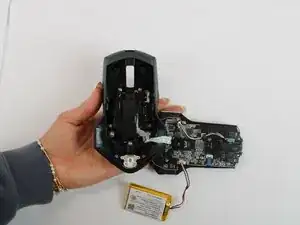
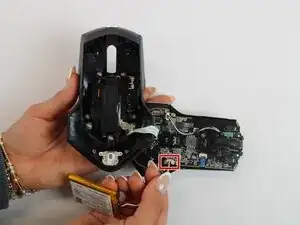
    • Remove the old battery from its spot. Lift the wire connector away from the mainboard to disconnect it.

    • Make sure all wires are inside the mouse before sealing it shut for easy reassembly.

  7. SZwxmgfWNOiZfVfi
    SZwxmgfWNOiZfVfi
    JrpIRtTqjQCyAsHT
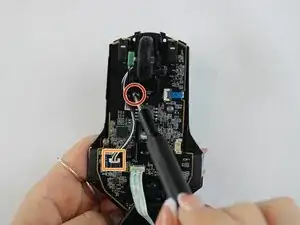
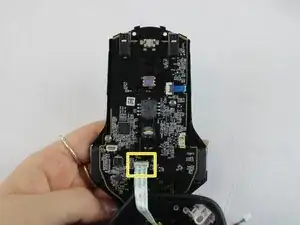
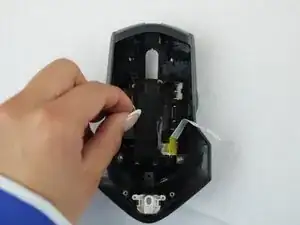
    • Remove the single 5.4 mm screw using a Phillips #1 screwdriver.

    • Detach the cable connector, and remove the scroll wheel.

    • Gently detach the last connector using your fingers.

    • Be careful when unplugging all connectors to prevent tearing them.

  8. VDZfVtuehEXw2qAU
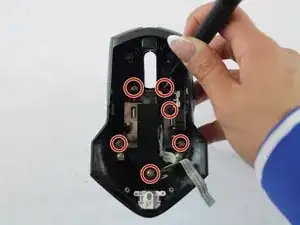
    • Turn the large shell casing so that the inside faces you.

    • Using a Phillips #1 screwdriver, remove six 5.4 mm screws.

  9. ge6WAQLfGAYEuKcR
    ge6WAQLfGAYEuKcR
    YwcauGAnguKGSRwx
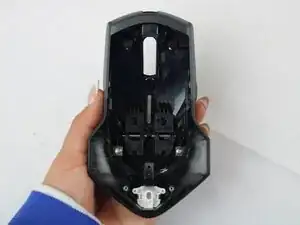
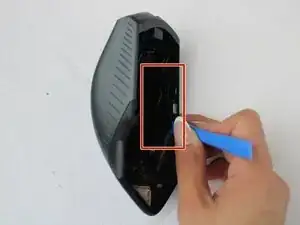
    • Using your fingers, disconnect the plastic tab in the middle of the large shell casing to access the side buttons.

  10. v54613CET1q2lHyY
    v54613CET1q2lHyY
    YWaevts5SN2INPGp
    Mo6vHFEnsikdRxFT
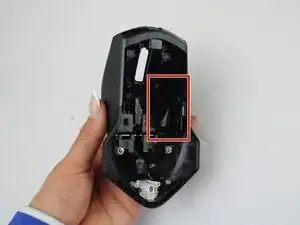
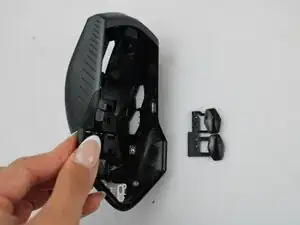
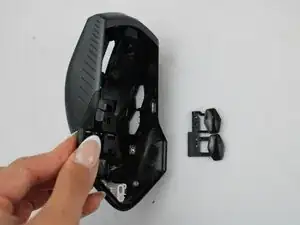
    • Remove the side button on the inner side of the wall using a plastic opening tool.

    • Be gentle prying the side buttons off to avoid breaking them.

    • When reassembling, position the new side button assembly into the slot, aligning it with tabs. Snap it securely into place using a plastic opening tool or your fingers.

Conclusão

To reassemble your device, follow these instructions in reverse order.

Darby Brandt

Membro desde: 24/09/25

391 Reputação

0 comentários