Introdução

If your Alienware AW610M mouse won’t power on, can’t hold a charge, or it drains rapidly, then the built-in rechargeable battery likely needs replacement. Our guide will walk you through disassembling the mouse and installing a new battery. Before beginning the guide, make sure to power off the device and unplug it from any charging cables. If you are unsure about the battery being the source of the problem, refer back to our troubleshooting Alienware AW610M Doesn’t Power On page before you continue.

  1. 2A6AZKyhweJFMhKZ
    2A6AZKyhweJFMhKZ
    HrOdJZZRB3SRJsd3
    FRFIQlQSEKsQ3sjI
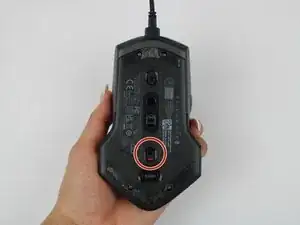
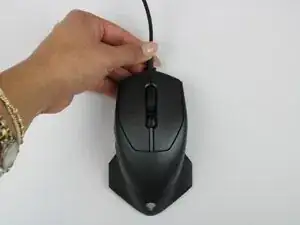
    • Power off the mouse and disconnect any wired connections.

  2. MSdEVxhKPqGNHNOx
    MSdEVxhKPqGNHNOx
    So4l3OlrgJpVMAUS
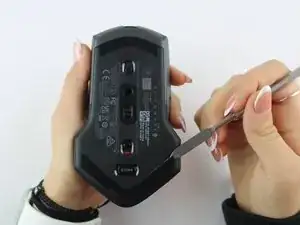
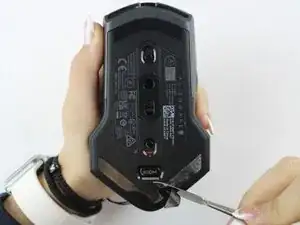
    • Use a spudger to gently lift and remove the old mouse feet.

    • If the feet are sticky, try lifting slowly from one corner to avoid tearing them.

    • Be careful not to scratch the mouse surface or damage the plastic housing.

  3. 5MNFYVBVWFUBdgRr
    5MNFYVBVWFUBdgRr
    mDIihvjrWnxO6Wab
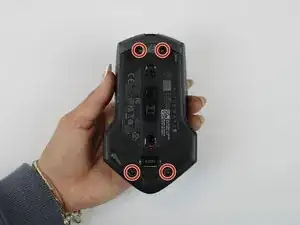
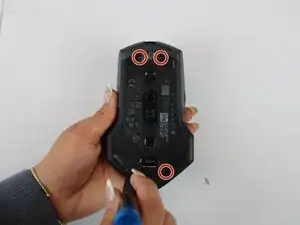
    • Remove the four 6.5 mm screws using a Y1 Tri-Point screwdriver.

  4. qyNLugjpvloc4Zyb
    qyNLugjpvloc4Zyb
    lBpmfpwlWptj5Vqr
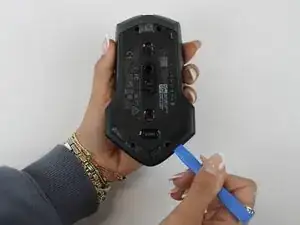
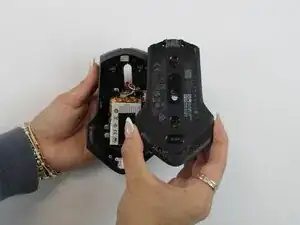
    • Using an opening tool, gently pry apart the two halves of the mouse case. Start at the seam and work your way around until the housing is separated.

    • Don't pull the halves completely apart, as internal wires still connect them.

  5. OfNhuX1PeYjBNvmb
    OfNhuX1PeYjBNvmb
    UyrFB1sMEBrVcWdA
    ZYSZPKxUN1RGgURj
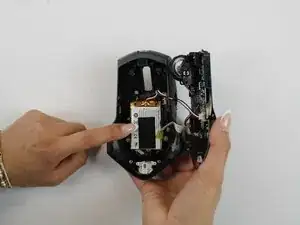
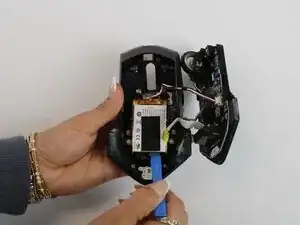
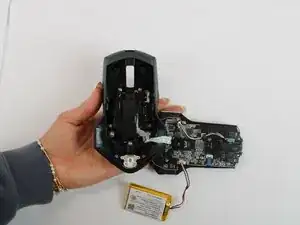
    • Remove the battery pack inside the mouse.

    • If you are having trouble, use a small flat tool to help ease it out.

    • The battery is lightly glued to the mouse, so ease it out gently to avoid breaking the battery or wiring

  6. mfGNbylKHLJZQLjJ
    mfGNbylKHLJZQLjJ
    LMDQ65HiA1UUtgfo
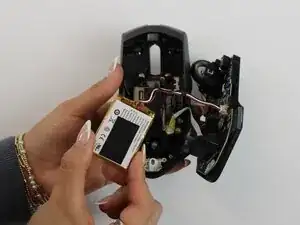
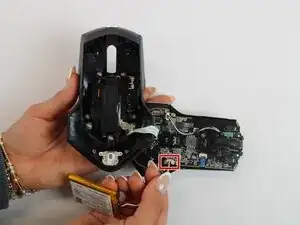
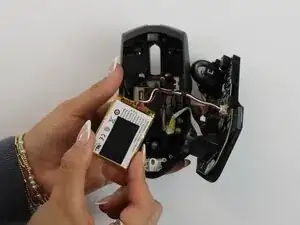
    • Remove the old battery from its spot. Lift the wire connector away from the mainboard to disconnect it.

    • Make sure all wires are inside the mouse before sealing it shut for easy reassembly.

Conclusão

To reassemble your device, follow these instructions in reverse order.

Darby Brandt

Membro desde: 24/09/25

391 Reputação

0 comentários