Introdução
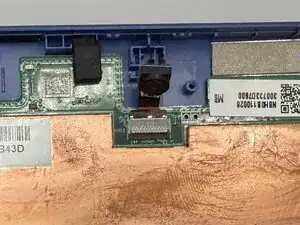
In this guide, we’ll walk you through how to replace the front-facing camera in your Acer Chromebook Tab 10 N18Q1.
If your tablet is experiencing issues such as faulty videos, blurry video calls, or pixelated videos, check the troubleshooting pages first to confirm that the motherboard is the cause before proceeding.
A front-facing camera is a camera located on the front of devices such as smartphones, tablets, and laptops. In this guide, we’ll show you how to access and remove the existing board.
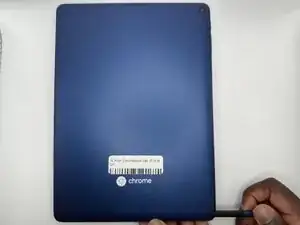
Before you begin, power off your tablet and disconnect the charger.


-
-
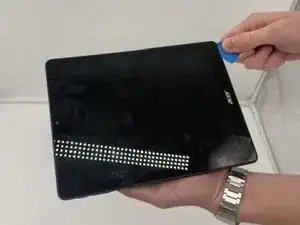
Insert an opening pick into the gap between the screen and the bottom case. Slide it around the edge to release the clips securing the two parts together.
-
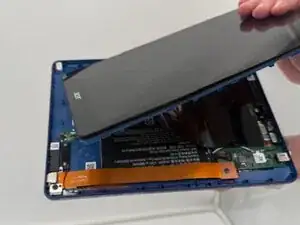
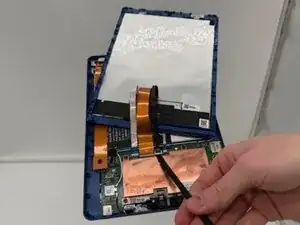
Gently separate the screen from the bottom casing.
-
-
-
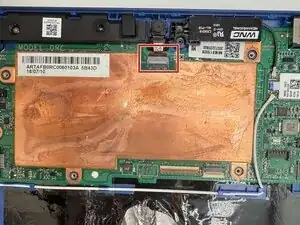
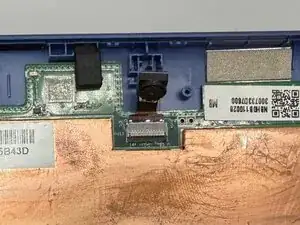
Use a spudger or a clean fingernail to flip up the locking flap on the front camera connector—this is the unlocked position.
-
Once the flap is in the unlocked position, use tweezers or your fingers to gently pull the cable out of its socket and remove the front-facing camera.
-
To reassemble your device, follow these instructions in reverse order. Take your e-waste to an R2 or e-Stewards certified recycler.