Introdução
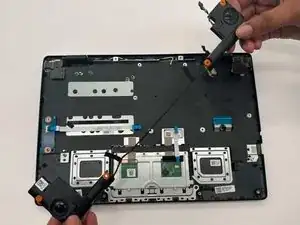
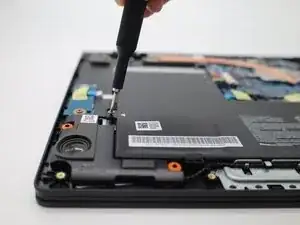
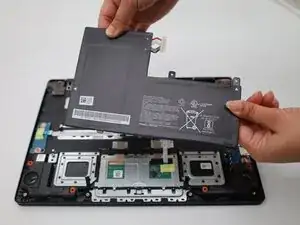
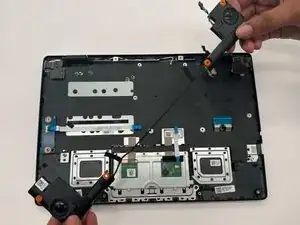
If the Acer Chromebook CBOA311-1H-C90F shows issues like distorted, buzzing, cutting out sound or no sound at all, your speaker might be faulty. You can replace the faulty speaker easily by following this replacement guide. Before getting to the speaker, you should check our Battery Replacement guide and remove the battery for safety. If the battery is not properly disconnected from the motherboard, it poses a risk of short circuit.
Ferramentas


-
-
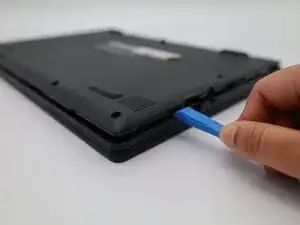
Turn the Chromebook over so the bottom is facing up.
-
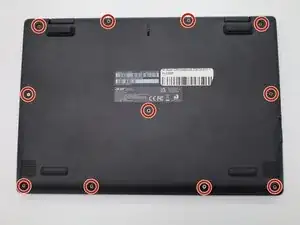
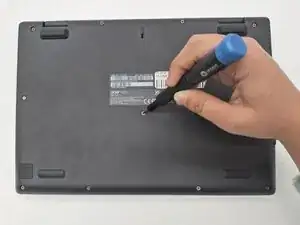
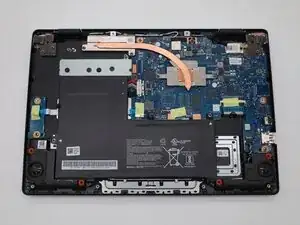
Remove eleven 6 mm screws from the back using a Phillips #00 screwdriver.
-
-
-
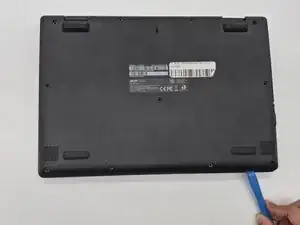
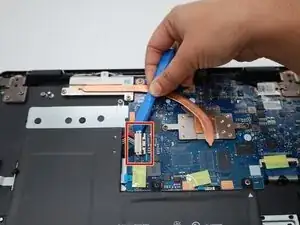
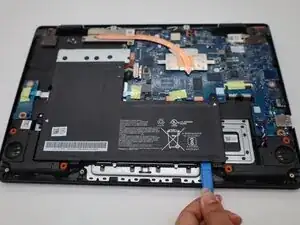
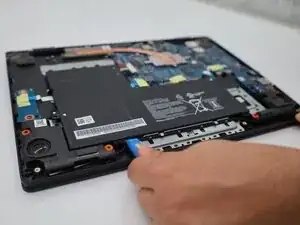
Use a plastic opening tool to lift the tiny locks on the bottom that hold the battery in place.
-
-
-
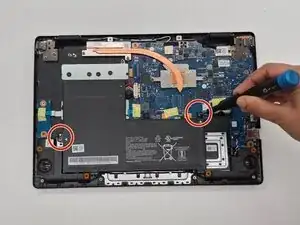
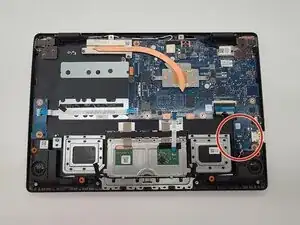
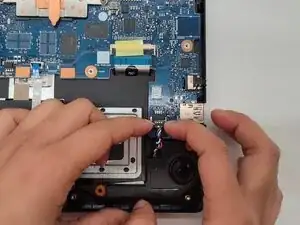
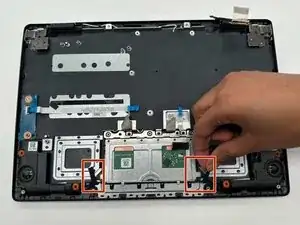
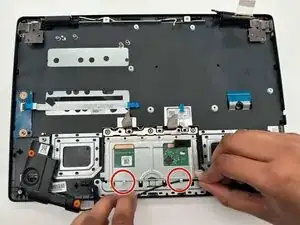
Grip the speaker connector with colorful wires on the bottom right corner of the motherboard and wiggle it gently.
-
Pull the connector straight out of the motherboard socket.
-
To reassemble your device, follow these instructions in reverse order.