Introdução

  1. xLVoWMyXTnmSWUFV
    xLVoWMyXTnmSWUFV
    KsXpqMrg2PM4vIBX
    By1xlRPwpg2OqHlL
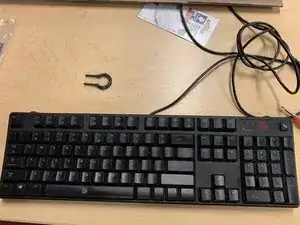
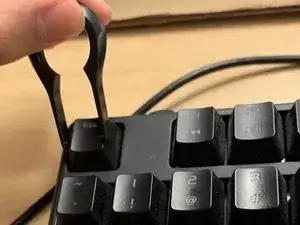
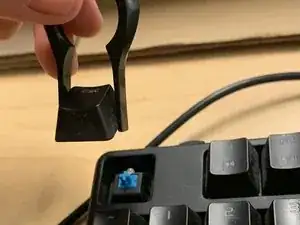
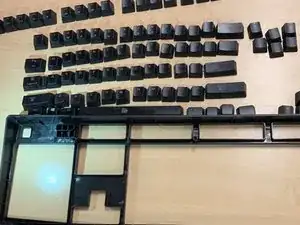
    • Use the key cap remover to pry off keys from keyboard

    • Insert firmly to hear click and pull straight out of keyboard

  2. jorr3DP4eEQYcOr3
    jorr3DP4eEQYcOr3
    pmcfWrkQfBLxIGqJ
    a51EbYS5YujPXXta
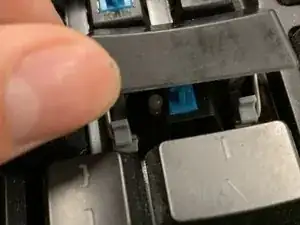
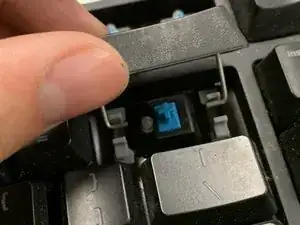
    • The space, +, enter, shift, insert, and backspace keys all have metal parts which increase removal difficulty

    • Tilt key up to disengage the metal latch

  3. HTWfBKps6bpYiTew
    HTWfBKps6bpYiTew
    PQrfdSnYsHdON5AW
    6kbsJnXDiXJAHZGq
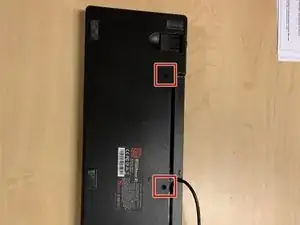
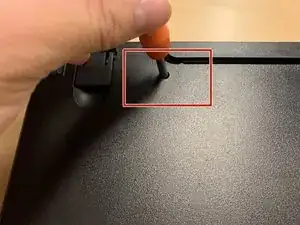
    • Flip keyboard over

    • Use standard Philips screwdriver to remove the three back screws from casing

  4. I12neuNaJZrSgrOF
    I12neuNaJZrSgrOF
    Bh5BHKTL2fHfEpbG
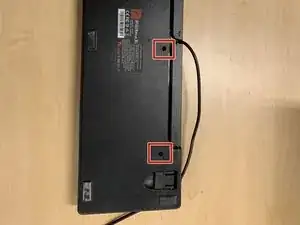
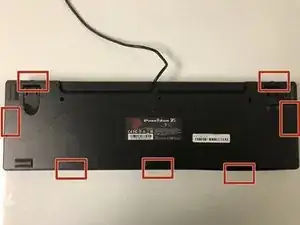
    • Unclip the two halves of the keyboard case by prying at the following points

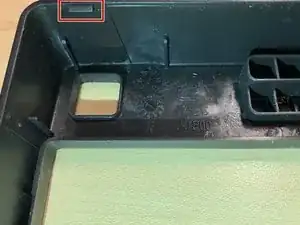
    • Need to disengage the plastic tabs holding the two sides of the casing together

  5. 5jpUC3IFiJNN2jmw
    5jpUC3IFiJNN2jmw
    MeQiRETni2MhhXWa
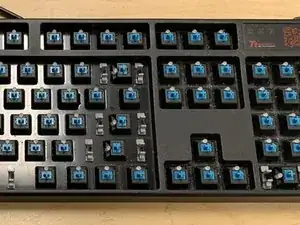
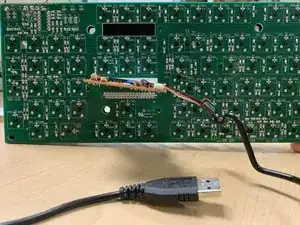
    • Expose the motherboard and internal keys

Timothy

Membro desde: 26/04/17

207 Reputação

Um comentário

Ugh this board began to bubble and rust... Not the PCB but the baseboard(?) I think it's called. The black paint is peeling off and rust is exposed beneath if I pick at it. Sadly I think it's just because of poor storage conditions and also a drink or something being spilt on it and not being cleaned properly...

It's still usable but what a mess

noltron000 -