Introdução

  1. kjMc6S6eaTHoWg1H
    kjMc6S6eaTHoWg1H
    m24Oblya51sO23Xc
    er3ljuQHTCcaTfF3
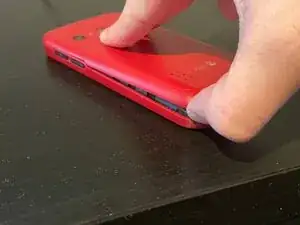
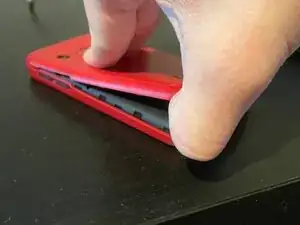
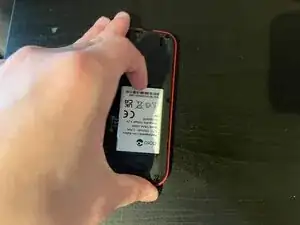
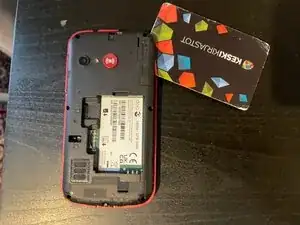
    • Theres a notch at the bottom left side of the device

    • You can simply pull up on the back cover with your fingernail

  2. uIdiuSKETBgnJYwK
    uIdiuSKETBgnJYwK
    dBZt6RmshqjTxy3a
    qooLNWvDCFFWLOIL
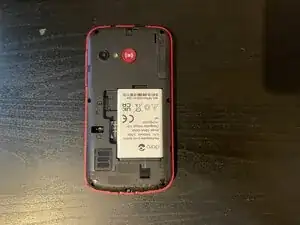
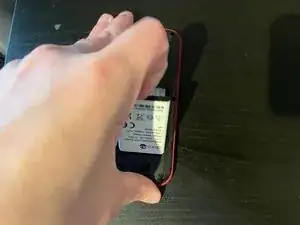
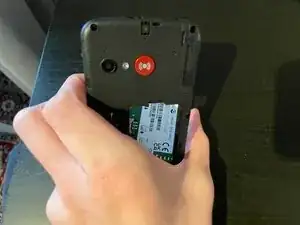
    • Theres a notch just above the battery, where you can pull the battery out

  3. qOsfcv5HRJoPCbvS
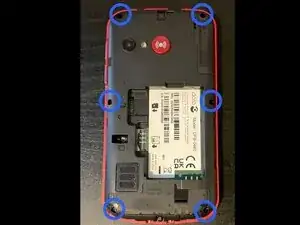
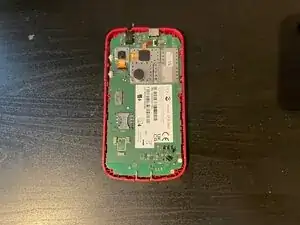
    • There are 6 phillips screws around the cover (circled in the image)

  4. LCqFkHBU2G2MTYrL
    LCqFkHBU2G2MTYrL
    HAMAvHotToukaPDN
    WDZrjCjAAGOLaNd4
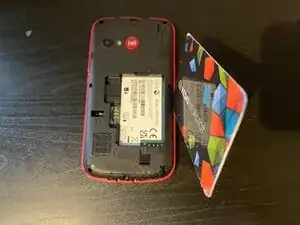
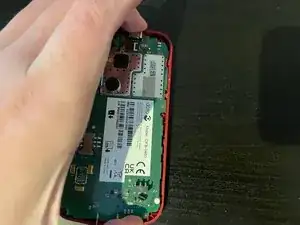
    • After removing the screws, insert an opening pick from the right side of the device

    • Drag the tool upwards

    • Once you reach the edge of the cover, pull the tool towards you

    • You should hear a click, and should be able to pull the cover off

  5. vAdjnqfVQiPfrKDB
    vAdjnqfVQiPfrKDB
    XtxOOhjUY3pCgc6m
    54SgfXwIRAoOePbn
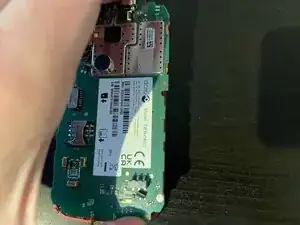
    • You can simply pull the PCB towards you

ctih1

Membro desde: 04/10/25

146 Reputação

Um comentário

After step 5 what I can do

Gad Carmel -