Introdução

PDF manual here: AGPTEK A02 Manual

  1. ajxEydkWsuymUFus
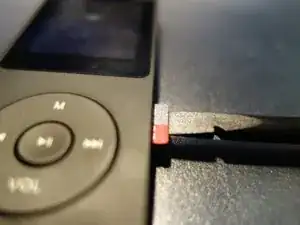
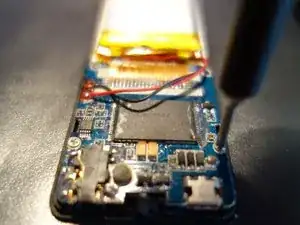
    • Remove the microSD card, if present. You can use a flat side of a spudger

  2. Ah2e4QlMEqmWPt5O
    Ah2e4QlMEqmWPt5O
    neLUmUZUqMX3gDgs
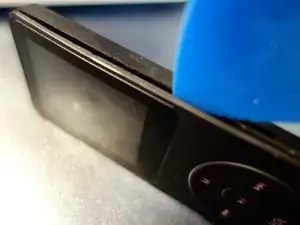
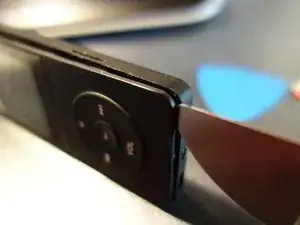
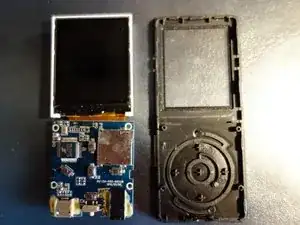
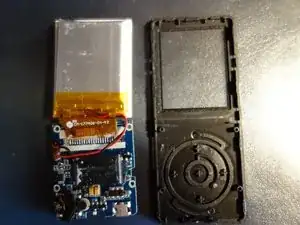
    • With a Pick, insert the tool and split the two parts that make the shell of the mp3 player

    • Use Jimmy, if the pick is too flexible for you

  3. uLisHNSWDZRnYCO4
    uLisHNSWDZRnYCO4
    AUZFGGXU3cTLqkPt
    mEVjdwVjdwSbbwg3
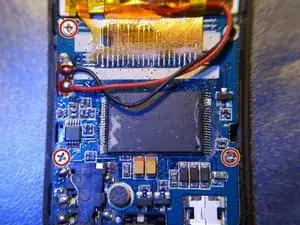
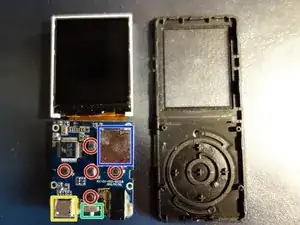
    • Remove 3 screws with a #00 Philips screwdriver

  4. qZFkPQOZUsOYVh2M
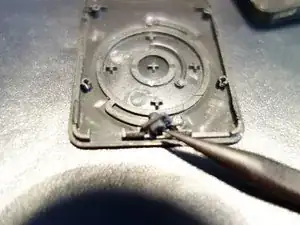
    • Remove the switch with the shape of a spudger

  5. TPJrF4ntHTFgiSbj
    TPJrF4ntHTFgiSbj
    y1gPrIpNTjXQsqyG
    KwUZEvJVIxlHKQSv
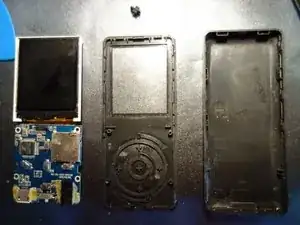
    • That's all. The screen is welded and coated with glue.

    • command bottons

    • usb port

    • the switch

    • SD card holder

  6. REh4TEeELLNRFLTx
    REh4TEeELLNRFLTx
    TZo1mlFJ3A5xIVaw
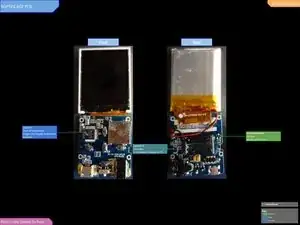
    • Full IC Identification:

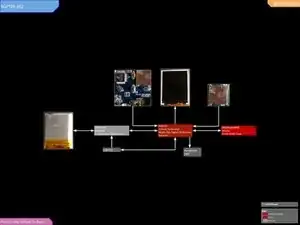
    • Predicted Block Diagram is on the 2nd image.

    • You may need to enlarge it to view the text.

    Battery 3.7V 403040

    Aurelien Raveneau -

    danke für diese Anleitung. Nun suche ich noch nach Ersatz AKKU

    Gunda Staib -

Stefano De Rossi

Membro desde: 30/11/18

484 Reputação

3 comentários

where is the radio chip and recording module?

Sussy Guy -

My headphone jack only works on one channel. I can only get both channels to work if I press very hard on the headphone plug (I've tried this with two separate headphones - the issue is definitely within the player and not with the headphones). Do I have any recourse?

Steve Baden -

same. I dropped mine and it did that. Don’t see why when I opened it up. Does anyone know what it is?

Arnav Vasishta -