Introdução

A prerequisite for removing the logic board assembly.

  1. WZ4U2JtM3XShbdBu
    WZ4U2JtM3XShbdBu
    VJdRo46GSelgtFJr
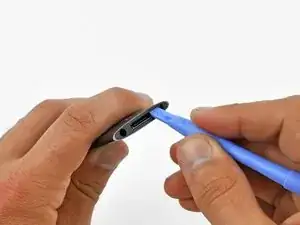
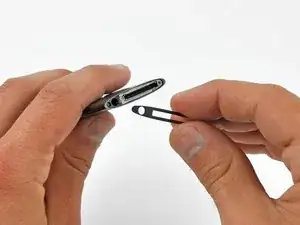
    • Use a heat gun to soften the adhesive underneath the plastic bezel at the bottom of the iPod.

    • Use a low heat setting and do not hold the heat gun in place for too long to avoid melting the plastic bezel.

    • Use a plastic opening tool to pry the bezel from the case of the iPod and remove it.

    On the Nano I worked on I had to do steps 12-14 before step 10 because the metal plate on the bottom is one of the two things holding the click wheel in place.

    ethan -

    You MUST remove the bottom plate BEFORE forcing of the wheel or you WILL tare it apart as there is a lug on the bottom plate that holds the wheel in place ( wish I had known this before I damaged mine)

    also do not lose the very small spring that is under the wheel (I DID )

    Keith -

    +1. There is a tiny piece of plastic containing a little spring just under the wheel. Remove thoses parts before extracting the main board or you will probably loose them.

    jonathanct -

  2. St4t1T5bwHN1UHTP
    St4t1T5bwHN1UHTP
    c2tgSULTXu5ObBTI
    XHyivrrHuRRYQixP
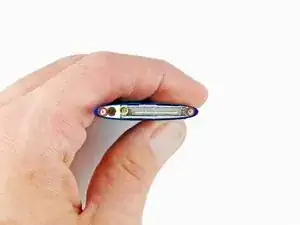
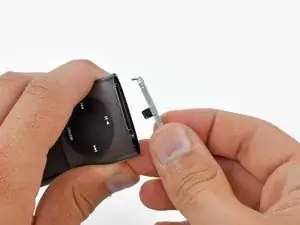
    • Unscrew three screws from the bottom of the iPod:

    • Two 4.4 mm angled Phillips screws

    • One 5.4 mm Phillips screw.

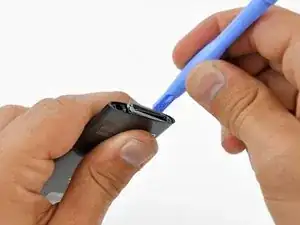
    • These screws may not come out on their own, so be sure not to lose them when removing the retainer.

    • Use a plastic opening tool to pry the metal retainer out from the bottom of the iPod and remove it.

    A flathead screwdriver or even a tooth pick will do better in this step.

    無敵可愛小松鼠 -

  3. quv2EQYjnqgDFDne
    quv2EQYjnqgDFDne
    TPCOwqZueGogqbqR
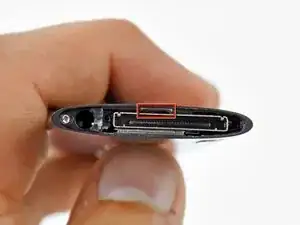
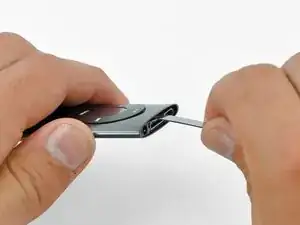
    • Insert a metal spudger into the slot at the bottom of the iPod just above the dock connector.

    • Use the metal spudger to pry up the bottom edge of the click wheel.

    For reassembly: The clickwheel is held in place with the metal retainer that you removed in Step 11. If the clickwheel won't stay in place during reassembly, try pushing down on the bottom of it while inserting the metal retainer.

    Laura Guillory -

  4. kYJLxHvWScyHSwqt
    kYJLxHvWScyHSwqt
    U1xEQXXYcOT2DJbi
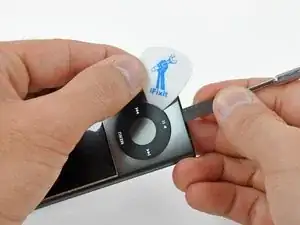
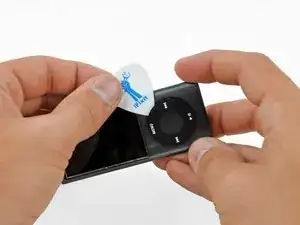
    • Place a guitar pick between the click wheel and the case of the Nano and remove the metal spudger.

    • Pry up the edges of the click wheel with the guitar pick until the click wheel comes free from the case.

    • Do not try to completely remove the click wheel yet, as it is still held in place by a ribbon cable.

    Use extreme care when inserting the metal plunger to lift up the click wheel. I ended up damaging one of the sensor pads and then needed to order a new click wheel circuit. Not very expensive to replace but I had not intended to replace this item and so my finished repair was delayed.

    Kevin Long -

    also, like someone mentioned below, be careful of the small plastic piece and tiny spring that will fall out after you remove the click wheel.

    edorp -

  5. 4OdwYbRDiEVidlMn
    4OdwYbRDiEVidlMn
    vUPEo2NUHD5SE2el
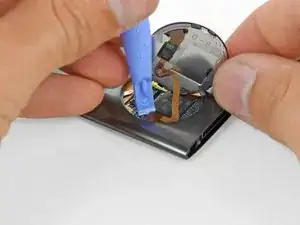
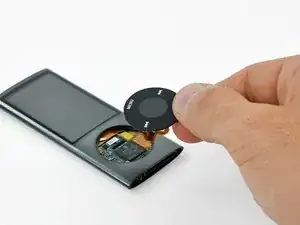
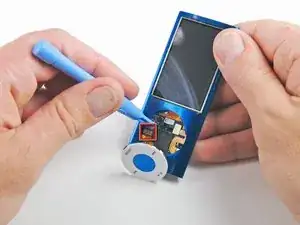
    • Lift the click wheel out of the way with one hand and use a plastic opening tool to pry the click wheel ribbon cable connector off its socket on the logic board.

    • Remove the click wheel.

    In the second photo where you can see under the click wheel, just above the square black piece with the apple on it is a black rectangle with a hole in the center. There will be a spring in the hole. Remove the spring and the black piece it is in and set aside or they will fall out and get lost.

    Cheryl Berk -

Conclusão

To reassemble your device, follow these instructions in reverse order.

Matthew Newsom

Membro desde: 06/01/10

42264 Reputação

0 comentários