Introdução

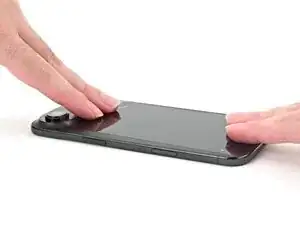
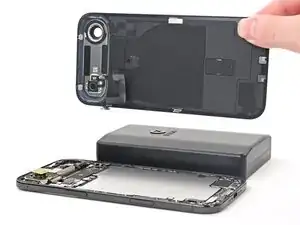
Use this guide to replace a dead or degraded battery in an iPhone Air.

iPhone batteries are rated to hold 80% of their capacity for up to 1,000 charge cycles. If your iPhone needs to be charged more often or runs slower, it might be time to replace the battery.

This iPhone uses a battery adhesive that requires an electrical charge to loosen it. Apple's repair manual recommends connecting a 9V battery for 90 seconds, but you can use a power supply or a power bank at a 5–20V output instead—the time required to loosen the adhesive will vary.

The guide uses the VoltClip to release the adhesive. If you're using a different method, such as a 9V battery, follow the guide normally and supplement your power source's operating procedures during the necessary steps.

After completing this repair, run Repair Assistant to reset the battery metrics. As of iOS 26, battery health works with both genuine and aftermarket replacement batteries.

You'll need replacement back glass and battery adhesive to complete this repair.

  1. Mk14O1JFg6Aw5N1y
    Mk14O1JFg6Aw5N1y
    SI1cIptFpfoWrfd2
    • Let your phone's battery drain below 25% before starting this repair—a charged lithium‑ion battery may catch fire if damaged.

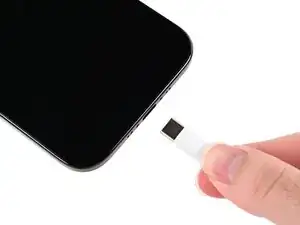
    • Unplug any cables from your phone.

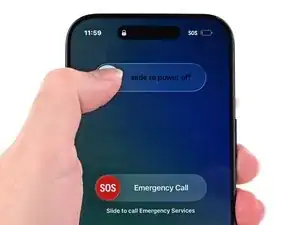
    • Hold the power and either volume button and slide to power off your phone.

  2. rWOTHR3bBbkaSllG
    rWOTHR3bBbkaSllG
    LwBJmWRODFOuilcF
    BZEYoc1nYUjAan6c
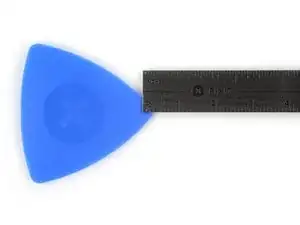
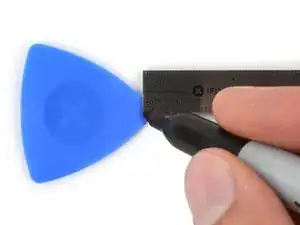
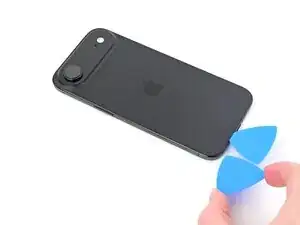
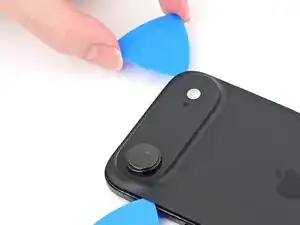
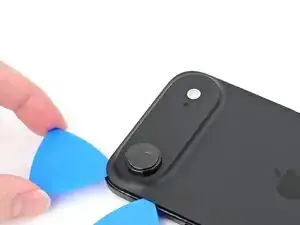
    • If inserted too far, an opening pick can damage your device. Follow this step to mark your pick and prevent damage.

    • Measure 3 mm from the tip and mark the opening pick with a permanent marker.

    • You can also mark the other corners of the pick with different measurements.

    • Alternatively, tape a coin to a pick 3 mm from the tip.

  3. NpcJRNbrrXq1QKQc
    • Glass shards can complicate disassembly—or worse, cause injury. If your phone's back glass is cracked, follow this step.

    • Apply packing tape to the cracked glass until it's completely covered—this will help keep the glass contained and allow the suction cup to stick.

    • Make sure there's a single strip (not overlapping) of tape on the bottom edge, big enough for a suction cup to fit on.

    • Only cover the glass itself—don't stick any tape to the frame.

    • Consider wearing safety glasses to protect your eyes from any glass shaken free during the repair.

  4. UhMKXmpTyoW5ewpa
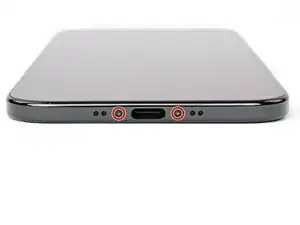
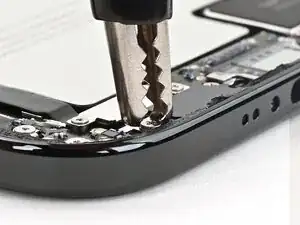
    • Use a P2 pentalobe driver to remove the two 4.9 mm-long screws on either side of the USB-C port.

  5. ZxbCHqCOhhqH2joC
    ZxbCHqCOhhqH2joC
    qjIJaCfQrhXKsMiL
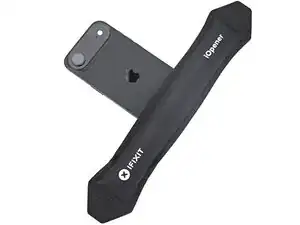
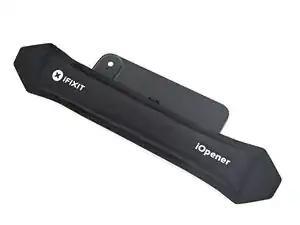
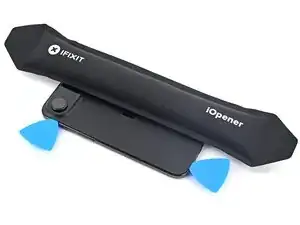
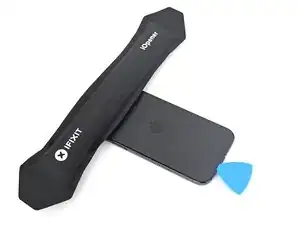
    • Apply a heated iOpener to the bottom edge of the back glass for two minutes.

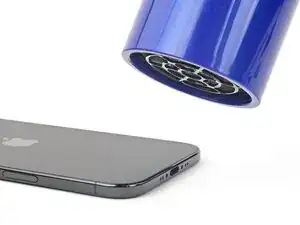
    • Alternatively, you can use a hair dryer or heat gun to heat the bottom edge of the back glass until it's slightly too hot to touch.

    • Improper use of a heat gun can destroy the display and/or battery—follow the linked instructions carefully.

  6. GGX5LLNGcScAFZIj
    GGX5LLNGcScAFZIj
    YdXUpSLkUjlvDB2c
    rBd2axyXZw1tB4ob
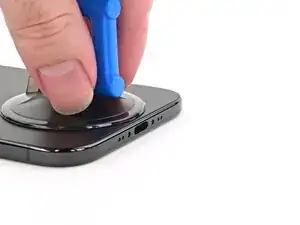
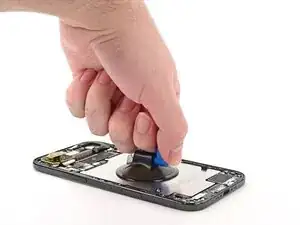
    • Apply a suction handle to the bottom edge of the back glass, as close to the edge as possible.

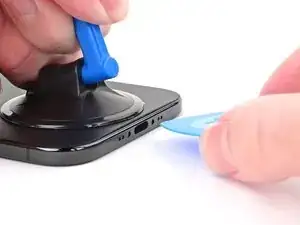
    • Pull up on the handle with strong, steady force to create a gap between the back glass and the frame.

    • If the back glass doesn't budge, reheat it and try again.

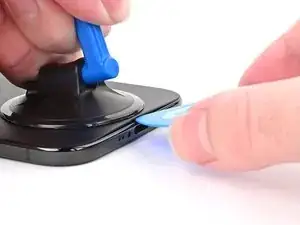
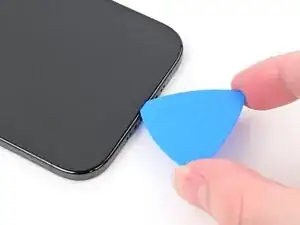
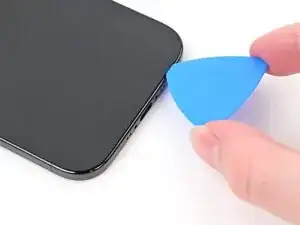
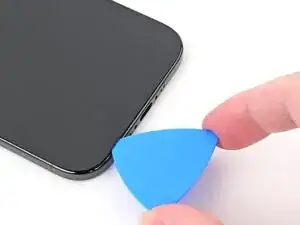
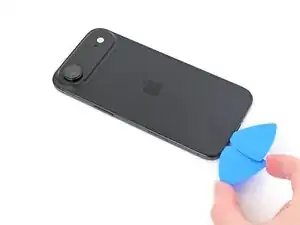
    • Insert the tip of an opening pick into the gap.

  7. XrpxLKMutOiscHnZ
    XrpxLKMutOiscHnZ
    bSLkcUPwdkxLYVPk
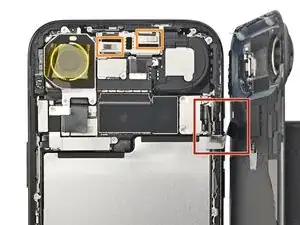
    • As you slice the adhesive securing the back glass in the next steps, be careful of the following areas:

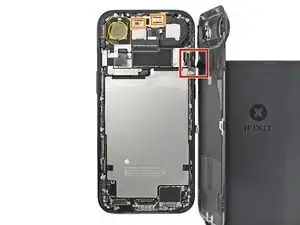
    • There's a delicate cable connecting the back glass to the phone, right next to the volume up button.

    • There are multiple spring contacts along the top edge of the phone. Be extra careful not to insert your pick deeper than instructed in each step to avoid bending these contacts.

    Can request to have the wallpaper for it on the back

    wilson wong -
  8. rkKijnTcD3ZDcARP
    rkKijnTcD3ZDcARP
    pxho1GAiUGSZI4Co
    UInbNahsEIgx2U2M
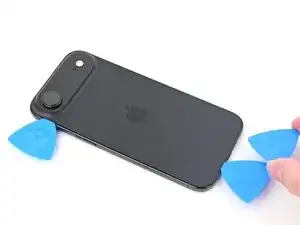
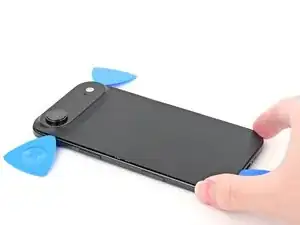
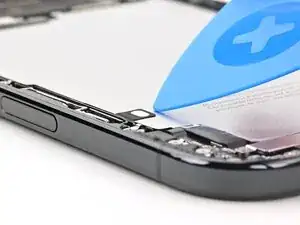
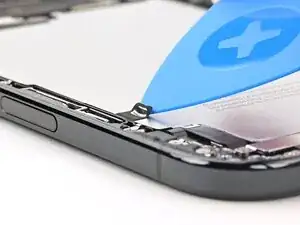
    • Slide your pick back and forth along the bottom edge to separate the adhesive.

    • Leave your pick inserted in the bottom left corner to prevent the adhesive from resealing.

  9. cLHwqYGX4hMO6wLd
    • Apply a heated iOpener to the left edge of the back glass for two minutes.

    • When using a hair dryer or heat gun, only heat the back glass until it's hot to the touch.

  10. j1HKHJLrEiSjnfVE
    j1HKHJLrEiSjnfVE
    U2jEUMVMb3ZoITOW
    neRSNVhCoPMPyWuM
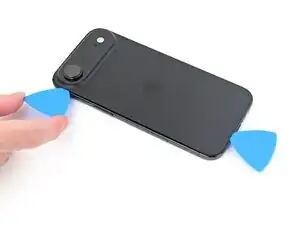
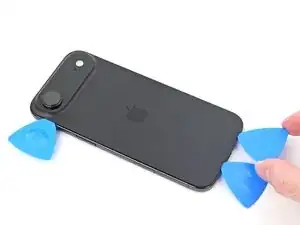
    • Insert a second opening pick to the left of the original.

    • Slide the second pick around the bottom left corner and along the left edge of the back glass to separate the adhesive and release the metal clip.

    • Leave this pick inserted at the top left corner to prevent the adhesive from resealing.

  11. DteUYQtXYlZ45IgC
    • Apply a heated iOpener to the right edge of the back glass for two minutes.

    • When using a hair dryer or heat gun, only heat the back glass until it's hot to the touch.

  12. BefXyBMTJTuKAhUh
    BefXyBMTJTuKAhUh
    mjTFWOxKdwRGEMbo
    xoupmt5mRqgi1GR2
    • Don't insert your pick deeper than 3 mm along the right edge to avoid damaging the ribbon cable.

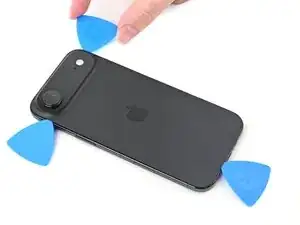
    • Insert a third opening pick to the right of the original at the bottom edge.

    • Slide this pick around the bottom right corner and along the right edge of the back glass to separate the adhesive and release the metal clip.

    • Leave this pick inserted at the top right corner to prevent the adhesive from resealing.

  13. koxwjQnxLjpWgqCQ
    koxwjQnxLjpWgqCQ
    UJI3gatVOruRFwup
    f5RfWdEta3uf2lPC
    • Don't insert your pick deeper than 3 mm along the top edge to avoid damaging the spring contacts.

    • Repeat the heating and sliding process along the top edge of the back glass to separate the adhesive and release the metal clips.

  14. JEkNSIRHIZ2IAiI5
    JEkNSIRHIZ2IAiI5
    eNLvyqiTBLHJOm1b
    ydXmBUAMuILodeJA
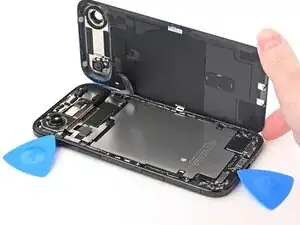
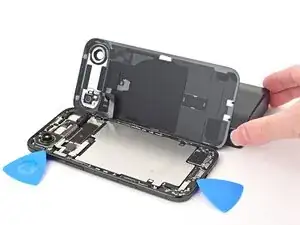
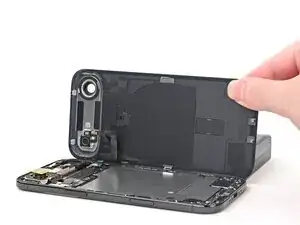
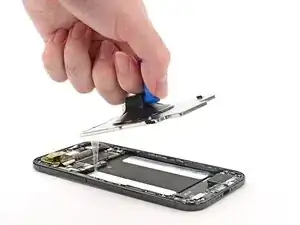
    • Don't try to fully remove the back glass just yet—it's still attached with a delicate ribbon cable.

    • If the back glass doesn't swing open easily, don't force it—go back around the perimeter with your pick to separate missed sections of adhesive or stuck clips.

    • Gently lift the back glass and swing it open towards the volume buttons.

    • Support the back glass with a clean, sturdy object like a small box to avoid straining the cable.

  15. VpHivEitIMQLYcJg
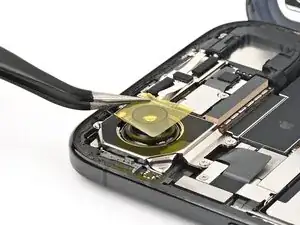
    • We recommend using polyimide (aka kapton) tape to keep the camera lens clean. If you don't have any, you may skip this step, but be extra careful not to touch the camera.

    • Set a piece of polyimide tape over the rear camera lens.

    • Don't press down on the rear camera.

    • During reassembly, carefully remove the tape without jostling the rear camera—its stabilizing mechanism is extremely fragile.

  16. pq4iNpKvcmDMNxNF
    pq4iNpKvcmDMNxNF
    3vaKxlqGDT4NGfYm
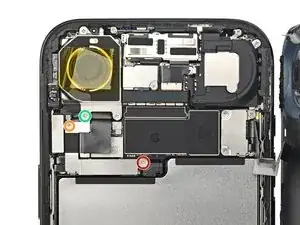
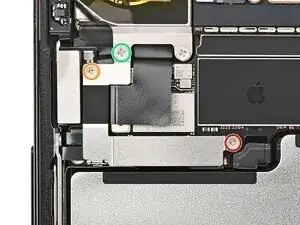
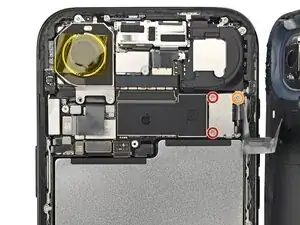
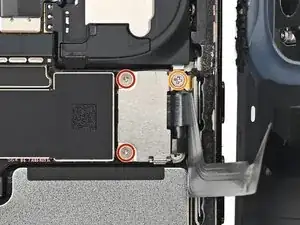
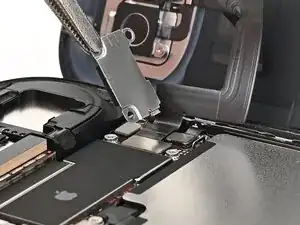
    • Remove the three screws securing the left connector cover, located below the rear camera:

    • One 1.1 mm-long tri-point Y000 screw

    • One 1.0 mm-long tri-point Y000 screw

    • One 3.2 mm-long JIS 00 screw

    • Small iFixit Phillips bits are designed to work with JIS screws, so you can use an iFixit PH 00 driver. You can try Phillips drivers from other manufacturers, but you risk stripping the screw.

  17. WOvSiFnksQ5ayIH1
    WOvSiFnksQ5ayIH1
    GQcsOVS6ocjYlnZp
    r2ENWeYOrZdJo3Dh
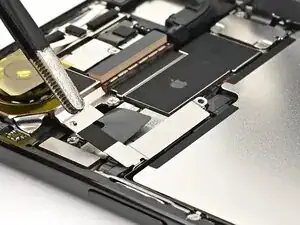
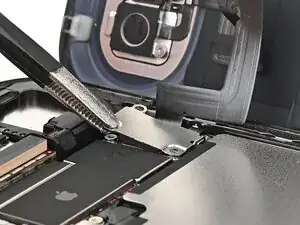
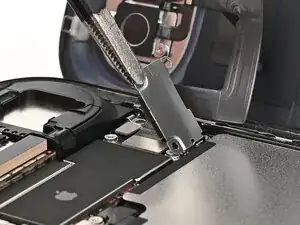
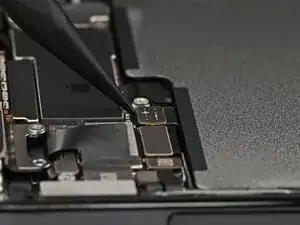
    • Use tweezers or your fingers to lift the cover to release its hook and remove it.

    • During reassembly, insert the cover's hook into its slot on the logic board at an angle, then lay the cover flat.

  18. XMvALCGgmwdcJYiP
    XMvALCGgmwdcJYiP
    DJuwkx2FgA4EUQQT
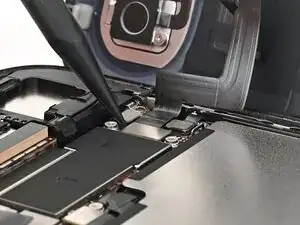
    • Use the point of a spudger to pry up and disconnect the battery press connector.

    • During reassembly, align the connector carefully over its socket and press down with your fingertip or the flat end of a spudger—first on one side, then the other—until it clicks into place. Don't try to force the connector into place. If you're having trouble, reposition it and try again.

  19. OiGNUaNerJD1myiD
    OiGNUaNerJD1myiD
    1sZLTNZUEYCZSXdt
    • Remove the three screws securing the right connector cover:

    • Two 1.1 mm-long tri-point Y000 screws

    • One 2.8 mm-long JIS 00 screw

  20. OYOyjdhkQPbpujU4
    OYOyjdhkQPbpujU4
    OomOjYCDcLncLmJm
    6TTkHyRtZai3BHFv
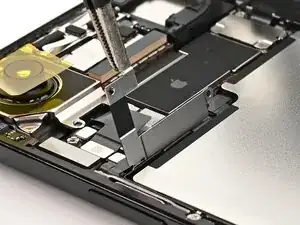
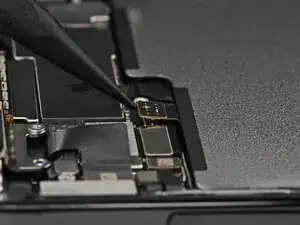
    • Use tweezers or your fingers to lift the cover to release its hook and remove it.

    • During reassembly, insert the cover's hook into its slot on the logic board at an angle, then lay the cover flat.

  21. RS5RTXHsHkEYXRJ5
    RS5RTXHsHkEYXRJ5
    HVMHkYL4CRvldtQv
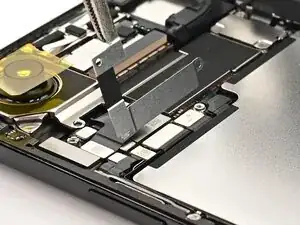
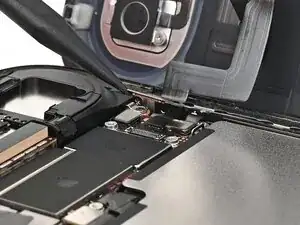
    • Use the point of a spudger to pry up and disconnect the flash and wireless charging coil press connector.

  22. wJywWtYrs2CgIAPd
    wJywWtYrs2CgIAPd
    XthQcglcrYSxl3I6
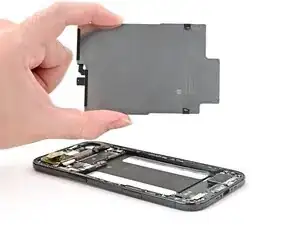
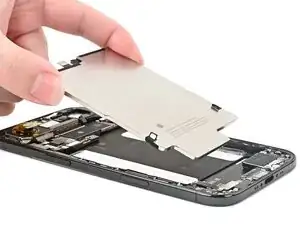
    • Remove the back glass.

    • Follow this guide to replace the adhesive and install the back glass.

  23. hlKLsmfQLOIRtqbk
    hlKLsmfQLOIRtqbk
    lIrOJmlRCRIxEABZ
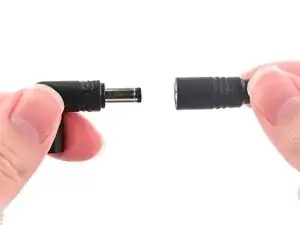
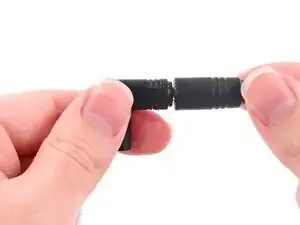
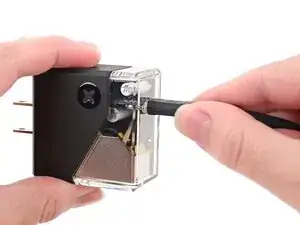
    • The guide uses the VoltClip to release the adhesive. If you're using a different method, such as a 9V battery, follow the guide normally and supplement your power source's operating procedures during the necessary steps.

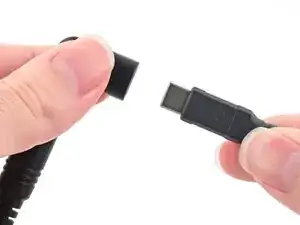
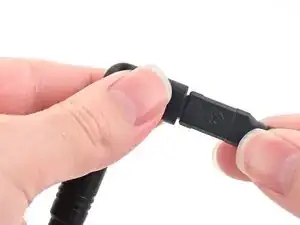
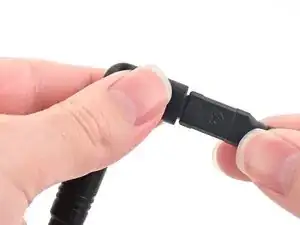
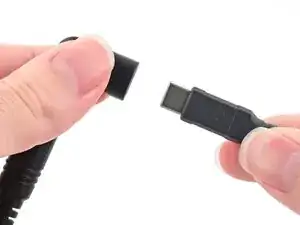
    • Plug the VoltClip's barrel connector into the USB-C elbow.

    • Don't connect the VoltClip to a power source just yet. The loose alligator clips may accidentally touch each other and cause an electrical short.

  24. otvXW6KqTKWmfZHK
    otvXW6KqTKWmfZHK
    pBM5av1EseWvLU6H
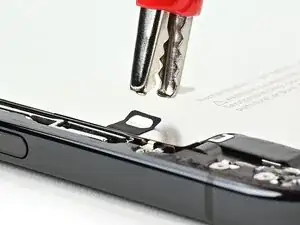
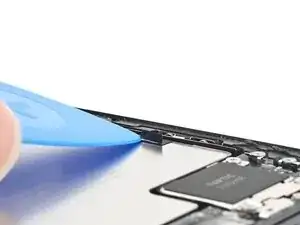
    • Use a clean fingernail or an opening pick to peel up one of the silver tabs on the battery.

  25. JuOcEYJpanaWYEbv
    JuOcEYJpanaWYEbv
    mNJJaTpgmKYrHAfK
    4uAClPcqEnpJGTYR
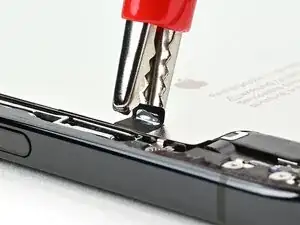
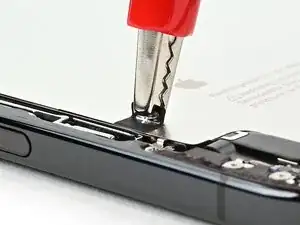
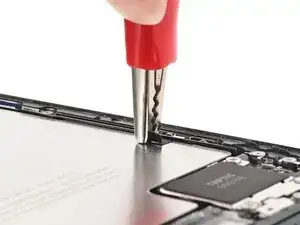
    • Attach the red alligator clip to the lifted silver tab on the battery.

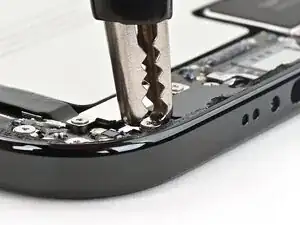
    • Attach the black alligator clip to the grounding screw located on the left side of the bottom edge.

  26. ym4coFHOYxAUdMUu
    ym4coFHOYxAUdMUu
    2p2bhlwcQ26hU2Em
    SxgBBkPxcPFMS4ah
    • Make sure the red alligator clip is secured. If the black alligator clip pops off its screw, disconnect the USB-C cable, reseat the clip, and try again.

    • Connect the USB‑C elbow to a power source (via a USB‑C cable) and wait 90 seconds for the adhesive to loosen.

  27. HqD2BCj1HesPQxcX
    HqD2BCj1HesPQxcX
    2ICBSCuesZgPfE6x
    LVv2HPxRCIbYSFRh
    • Disconnect the USB-C cable from the elbow, then disconnect the alligator clips.

  28. 2mlVjP3pUJMNLFNF
    2mlVjP3pUJMNLFNF
    WGG1dqDCRtS2y4ZQ
    P1elJ1r1kKEGyN3m
    • Repeat this procedure on the other silver tab to loosen the second adhesive strip.

  29. vYycASJdllFLbBC6
    vYycASJdllFLbBC6
    RTQbqiuVcWmKL1XB
    6ujAv5JX5ZDikJAa
    • Apply a suction handle to the center of the battery and lift it out with slow, steady force to remove it.

    • If the battery doesn't come out easily, don't force it—reconnect the VoltClip for one minute on each adhesive strip.

    • During reassembly, if your replacement battery doesn't come with pre-installed adhesive, follow this guide to install it. Afterwards, follow this guide to install the back glass.

Conclusão

After your repair, run Apple's Repair Assistant. Navigate to Settings General About Parts & Service History, tap Restart & Finish Repair, and follow the onscreen prompts.

Calibrate your newly installed battery after completing this guide.

Take your e-waste to an R2 or e-Stewards certified recycler.

Repair didn’t go as planned? Try some basic troubleshooting, or ask our iPhone Air Answers Community for help.

Nick Schultz

Membro desde: 24/03/24

45909 Reputação

2 comentários

but where do I buy a genuine battery

dupa123 -
They aren't available yet. Apple's Self Service Repair store will likely start carrying them in a month or so, and is the best place to get genuine iPhone batteries. We plan to stock aftermarket ones as soon as we can, but that won't be until later.

Nick Schultz -