Introdução

  1. Vm4uTOHRB1licYaW
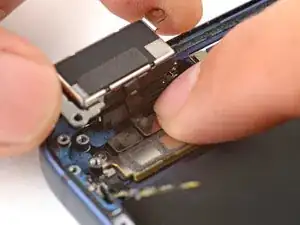
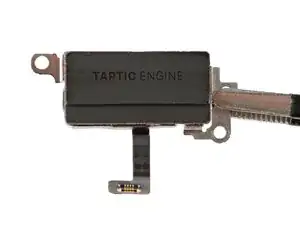
    • Place the Taptic Engine upside down on the edge of the iPhone frame.

    • While holding the Taptic Engine with one hand, use your finger to press and connect the Taptic Engine press connector.

  2. SZKOHHQ1istVmtOc
    SZKOHHQ1istVmtOc
    5WsaPUkpLKMPvt4w
    KxN4MNbcv2SlQiAk
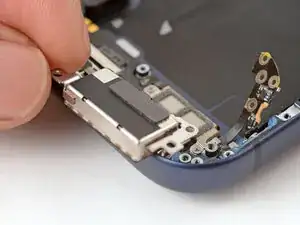
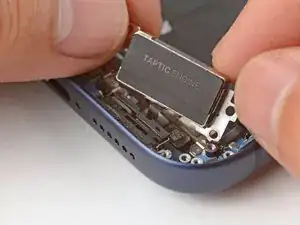
    • Flip the Taptic Engine over the frame and align it using its screw holes.

    • The Taptic Engine flex cable should fold neatly between the Taptic Engine and the frame.

  3. 6QkwnnAGhZpRtUTl
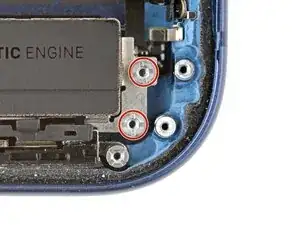
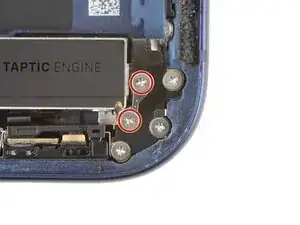
    • Use a standoff screwdriver to install the two 4.0 mm‑long Taptic Engine screws.

  4. dYPSmvaxGXpVp6Vf
    dYPSmvaxGXpVp6Vf
    1sImNyn6XZtAVnVb
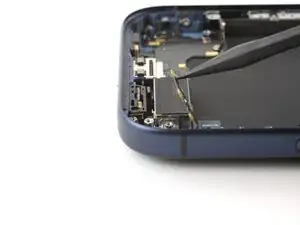
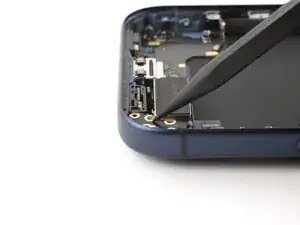
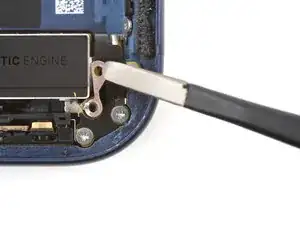
    • Use your fingers or a spudger to fold the flex antenna down in place.

  5. CMnQBGfeQKxbCGXV
    • Use a JIS 00 screwdriver to install the three 2.0 mm‑long flex antenna screws.

  6. YycYYmUB5b4NFaV4
    YycYYmUB5b4NFaV4
    t63YXFTKPBhWF5KU
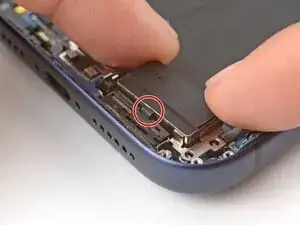
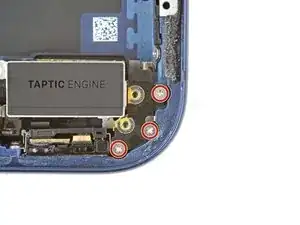
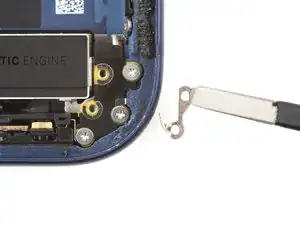
    • Use tweezers to carefully place the ground clip in place.

    • Be sure to orient this clip correctly as shown in the images.

  7. FmwgOXmPMclGVg4B
    • Use a JIS 00 screwdriver to install the two 2.0 mm‑long ground clip screws.

Conclusão

To reassemble your device, follow these instructions in reverse order.

Arthur Shi

Membro desde: 03/01/18

326111 Reputação

0 comentários