Introdução

  1. VrExQofwknVYfK6V
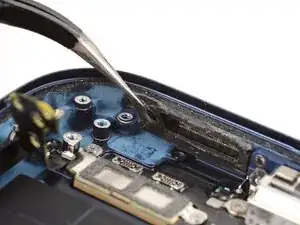
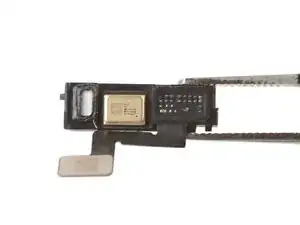
    • If the adhesive gasket isn't deformed and your lower microphone didn't come with a replacement gasket, you can keep and reuse the gasket. Be aware that you'll lose water and dust resistance.

    • Use tweezers to remove the microphone adhesive gasket from the frame.

  2. MiPIM1FI6bcQt3Tf
    MiPIM1FI6bcQt3Tf
    KxZYj6IjwIElnk2Y
    iRAEsMW3sYPYjxWs
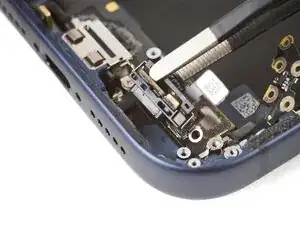
    • If your replacement lower microphone comes with an adhesive gasket pre-installed, make sure to remove any liners to expose the adhesive.

    • Use tweezers to align the microphone with the frame.

    • Slide the microphone into its recess and press it in place. There should be almost no gap between the microphone and the frame.

  3. E1JyF6Jc42QLw2cD
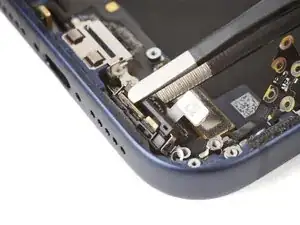
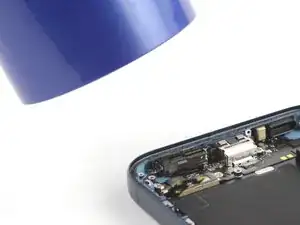
    • Use a hair dryer or an iOpener to heat the lower microphone until it's warm to the touch. This helps strengthen the adhesive bond.

  4. HeuDIN26SvrUpDyr
    HeuDIN26SvrUpDyr
    NGWsYWldDeEBlPBT
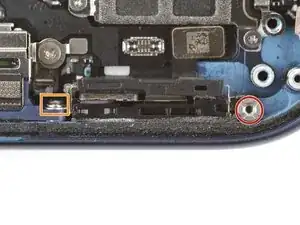
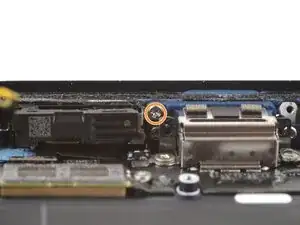
    • Install the two lower microphone screws:

    • One 3.2 mm-long standoff screw

    • One 3.1 mm-long JIS 00 screw attached to the bottom edge of the iPhone frame

  5. 22S3sEAQ4ActyQJR
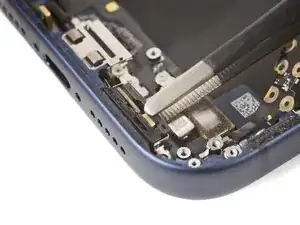
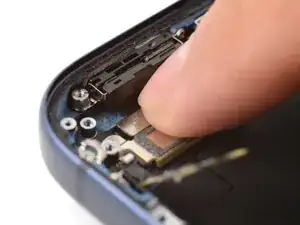
    • Use your finger to press and connect the lower microphone press connector.

Conclusão

To reassemble your device, follow these instructions in reverse order.

Arthur Shi

Membro desde: 03/01/18

326111 Reputação

0 comentários