Introdução

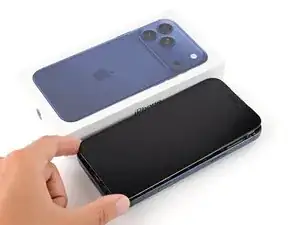
This guide shows how to remove the battery from an iPhone 17 Pro Max.

  1. JwaVsGuyCnhMXAug
    JwaVsGuyCnhMXAug
    K6oUyZ5JWwfDsMmM
    • Let your iPhone's battery drain below 25% before starting this repair—a charged lithium‑ion battery may catch fire if damaged.

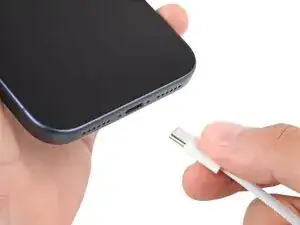
    • Unplug all cables from your phone.

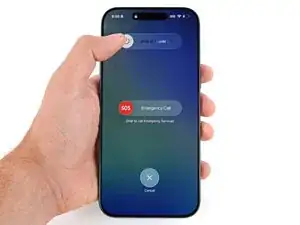
    • Hold the power and either volume button and slide to power off your phone.

  2. rQ2ZIKd6CLEgOpZM
    rQ2ZIKd6CLEgOpZM
    M31LuSxc2V4TKLZU
    nqYtVUKd3E5pDqPP
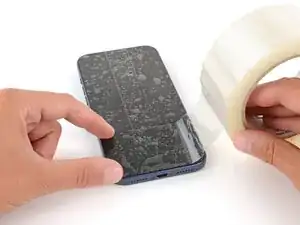
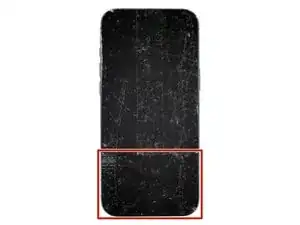
    • Glass shards can complicate disassembly—or worse, cause injury. If your phone is cracked, follow this step.

    • Apply strips of packing tape to the cracked glass until it's completely covered—this will help keep the glass contained and allow the suction cup to stick.

    • Make sure there's a single strip of tape (not overlapping) across the bottom edge, big enough for a suction cup to fit on.

    • Only cover the glass itself—don't stick any tape to the frame.

    • Consider wearing safety glasses to protect your eyes from any glass shaken free during the repair.

  3. rfjGySSoZXYHqFV4
    rfjGySSoZXYHqFV4
    TLfGlEY34P4LaLWe
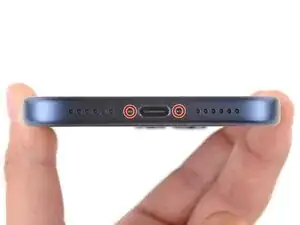
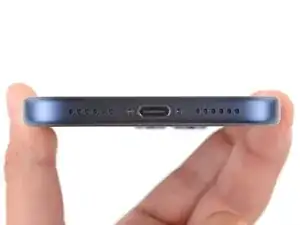
    • Use a P2 pentalobe screwdriver to remove the two 7.5 mm‑long screws on either side of the charging port.

  4. mNYMR3KqsJjrNUlm
    mNYMR3KqsJjrNUlm
    YQjBm6Jve2xfBSih
    TnvYXuXJNKjWdW3M
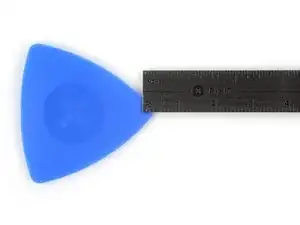
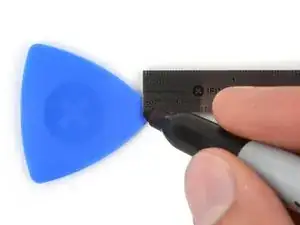
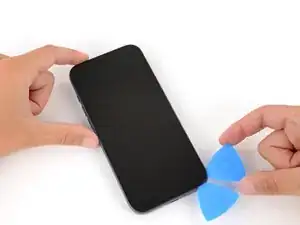
    • If inserted too far, an opening pick can damage your device. Follow this step to mark your pick and prevent damage.

    • Measure 3 mm from the tip and mark the opening pick with a permanent marker.

    • Alternatively, you can tape a coin 3 mm from the tip of the pick.

  5. MXDXXifvaJJQ4Fhn
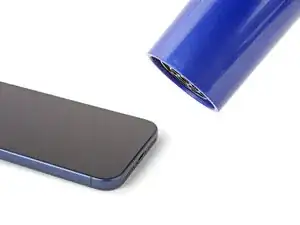
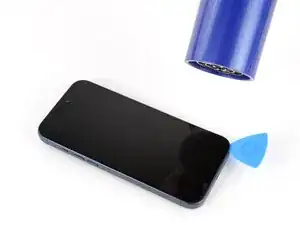
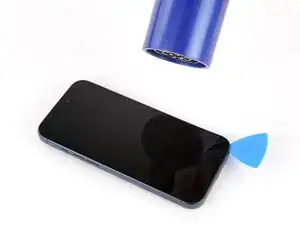
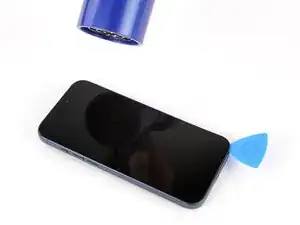
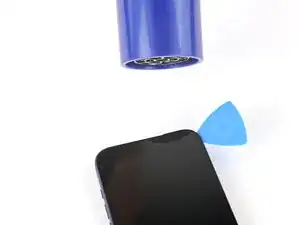
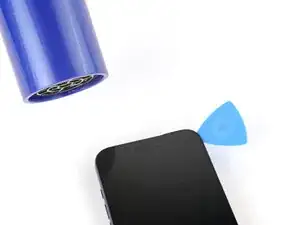
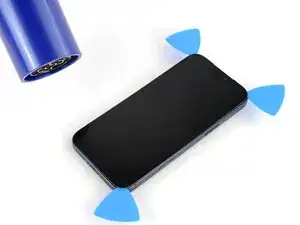
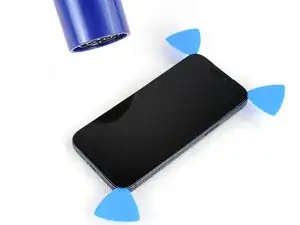
    • Use a hair dryer or heat gun to heat the bottom edge of the screen until it's slightly too hot to touch.

    • Improper use of a heat gun can destroy the display and/or battery—follow the linked instructions carefully.

  6. UKT2BPBbZa12mGKP
    UKT2BPBbZa12mGKP
    evOQmF6cF2STB5VR
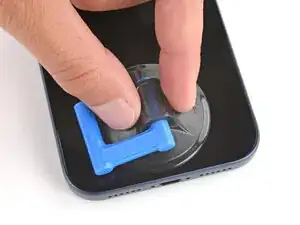
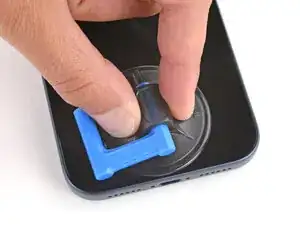
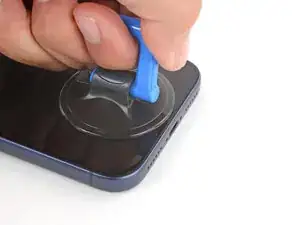
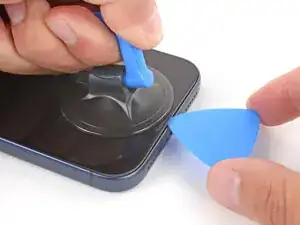
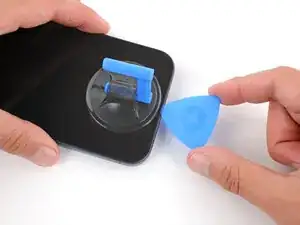
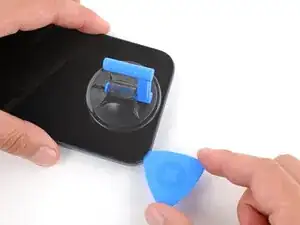
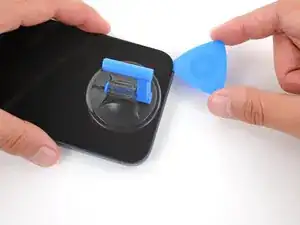
    • Apply a suction handle to the bottom edge of the screen, as close to the edge as possible.

  7. oo6HJYt5egfpBgji
    oo6HJYt5egfpBgji
    YPoNsnZLci12OADj
    vk2SuAmK3xAReXQy
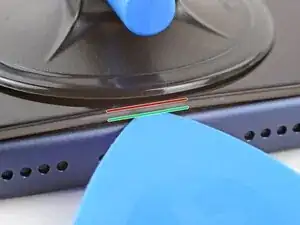
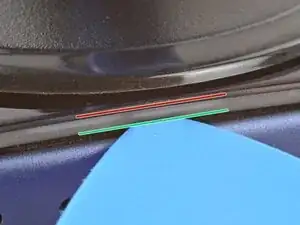
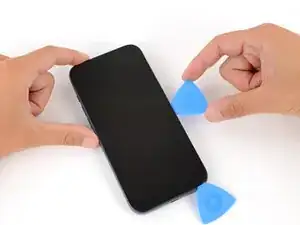
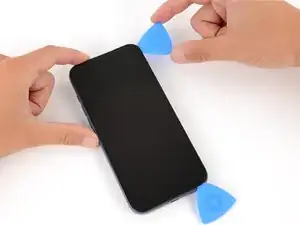
    • During the next step, make sure you're inserting your pick in the correct location:

    • There's a plastic bezel on the underside of the screen that sits on the frame. Insert your pick here, making sure it's completely under the bezel.

    • There's a seam between the plastic bezel and the display panel. Don't insert your pick here or you'll separate the two, complicating the repair.

  8. nljlvVD3VTcVUGmu
    nljlvVD3VTcVUGmu
    EQEVUhGWtCpCKl2B
    4RALpw2ftsTh4vwn
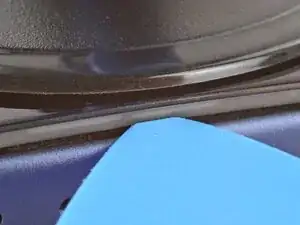
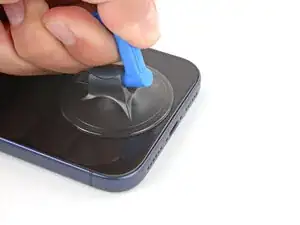
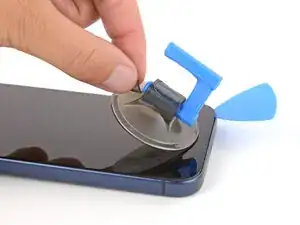
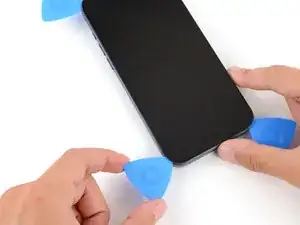
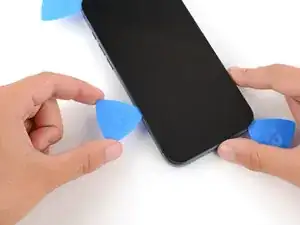
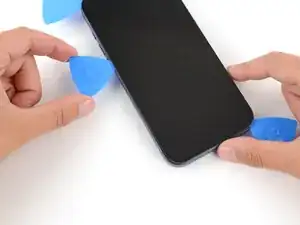
    • Pull up on the suction handle with strong, steady force until a gap forms between the screen and frame.

    • This may take significant force. If you're having trouble, reheat the screen and try again.

    • Insert the tip of an opening pick in the gap you just created.

  9. RJuRXdSW41UgJK15
    RJuRXdSW41UgJK15
    Agp43dPNK4HkfgRY
    UFvad4ZtWqZIgTKG
    • Don't insert your pick more than 3 mm under the screen to avoid damaging the following components:

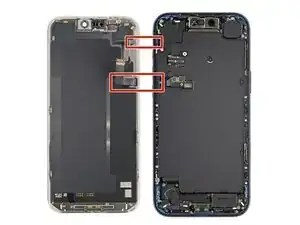
    • The screen and ambient light sensor cables are located near the volume and Action buttons.

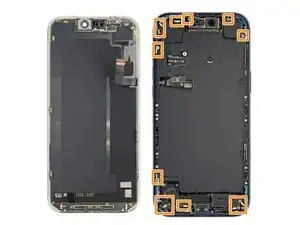
    • There are delicate spring contacts around the perimeter of the phone.

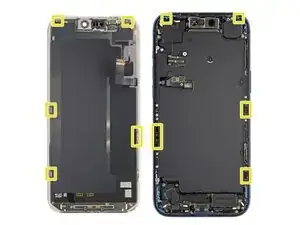
    • The underside of the screen has thin, metal clips that go into corresponding slots on the frame.

  10. tlZdpBqbRebNnOI2
    tlZdpBqbRebNnOI2
    P2Ylvcp4vF2c5VA6
    x5cAaE3eCpSEMdAA
    • Slide the opening pick along the bottom edge to separate the adhesive.

    • Leave the pick inserted under the bottom right corner to prevent the adhesive from re‑sealing.

  11. EwED5TwVoQyRWGPg
    • Pull the small nub on the suction cup to remove it from the screen.

  12. UHJxB2FHlRMONjGk
    UHJxB2FHlRMONjGk
    wIX2BGpFLi2mJxAT
    aI2JoObSD5xIA4ZD
    • Use a hair dryer or heat gun to heat the right edge of the screen.

  13. hwqsdqTKTelKx3K5
    hwqsdqTKTelKx3K5
    WpOrMuYvFnIEWsGt
    HIVt6yHFRWq4xeUH
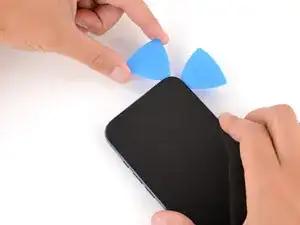
    • Insert a second opening pick under the bottom right corner of the screen.

    • Slide the pick up the right edge to separate the adhesive and release the two clips.

    • You may need to pry the screen up slightly to release the clips

    • Leave the pick inserted under the top right corner to prevent the adhesive from re‑sealing.

  14. 3tYDQ1KCpDG3Ikg6
    3tYDQ1KCpDG3Ikg6
    Q6cb5KPSScX2mCum
    • Use a hair dryer or heat gun to heat the top edge of the screen.

  15. cix2goYk5lmZYmrw
    cix2goYk5lmZYmrw
    ZZXg31IKns5YmI6t
    DqLATqSpvdAMXTWB
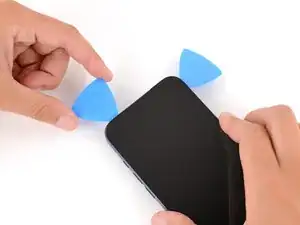
    • Insert a third opening pick under the top right corner of the screen.

    • Slide the pick along the top edge and barely around the top left corner to separate the adhesive and release the two clips.

    • Don't slide the pick farther, or you may damage the ambient light sensor cable.

    • Leave the pick inserted under the top left corner to prevent the adhesive from re‑sealing.

  16. TlbSrb1ySUetM4CC
    TlbSrb1ySUetM4CC
    gHO3oKN6x1ye1Nfu
    Y4wBWtaeMYr3yN6g
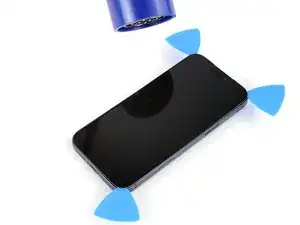
    • Use a hair dryer or heat gun to heat the left edge of the screen.

  17. reF3evcTgF1rNNnY
    reF3evcTgF1rNNnY
    AMnEUWDpYvyMcgTh
    FwlKdB51CBMOecOd
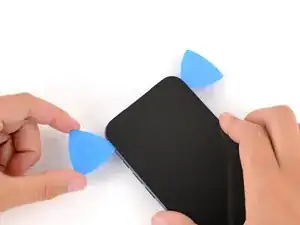
    • Insert a fourth opening pick under the bottom left corner of the screen.

    • Slide the pick up the right edge to separate the adhesive and release the clip, stopping just before the volume up button.

    • You may need to pry up the screen slightly to release the clip.

    • Don't slide the pick farther, or you may damage the screen cable.

    a little bug

    “Slide the pick up the right edge to separate the adhesive”

    should be left here.

    lolikong -
  18. yEglCXDu6fV1UuQA
    yEglCXDu6fV1UuQA
    1ICEWHaGWUQb2yKb
    UslxPGDP5dvJTsXV
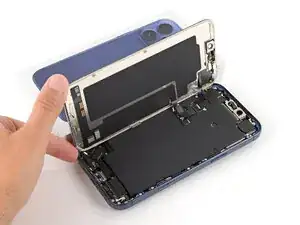
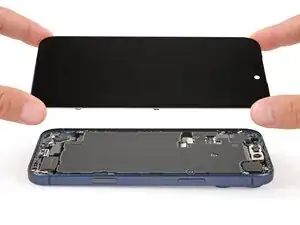
    • At this point, the screen should be completely detached from the frame. If it feels stuck, go back around the perimeter and separate any remaining adhesive or clips.

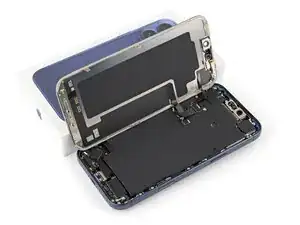
    • Lift the screen straight up and swing it over the left edge, propping it up against a sturdy box or stack of books so the cables aren't strained.

    • Alternatively, you can lay the screen down flat over the left side.

  19. FU5HPVMhD1BuM1rm
    FU5HPVMhD1BuM1rm
    K6OQiCB6fq3DZ1rl
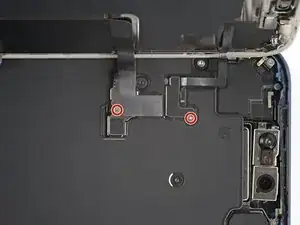
    • Throughout this repair, keep track of each screw and make sure it goes back exactly where it came from.

    • Use a JIS 00 screwdriver to remove the two 1.2 mm‑long screws securing the battery and screen cable covers (one for each cover).

    • Small iFixit Phillips bits are designed to work with JIS screws. You can try Phillips screwdrivers from other manufacturers, but you risk stripping the screw.

  20. gWGyU6CdYAUHXXOJ
    gWGyU6CdYAUHXXOJ
    NAIQhPqj5uhNvhEN
    VRcgDreLvXMOEmpS
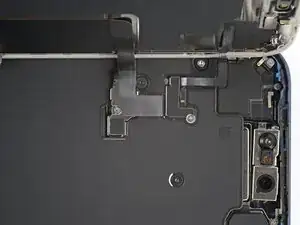
    • Remove the two covers.

  21. laNw1jMZCfXMxuQ1
    laNw1jMZCfXMxuQ1
    TYBA6ZEiGhktXCPt
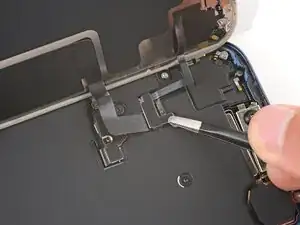
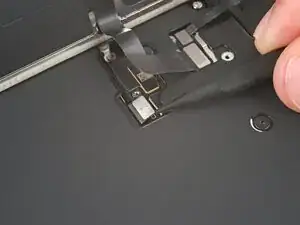
    • Use the point of a spudger to pry up and disconnect the battery press connector.

  22. XCbC2vfcW4qkGyNQ
    XCbC2vfcW4qkGyNQ
    yemBrSeyiuUDxRrN
    njTvIjyZgtEaUfSM
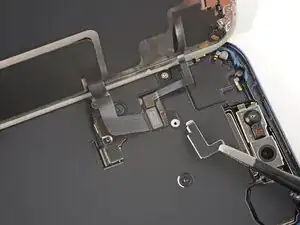
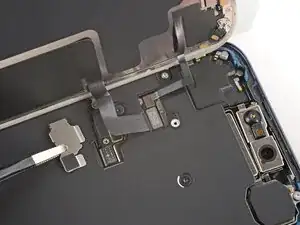
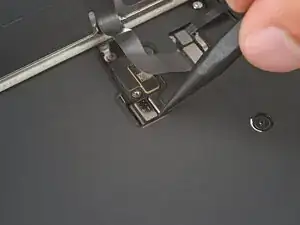
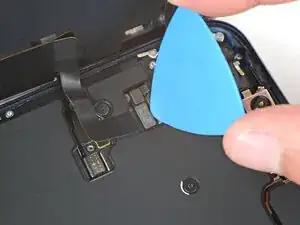
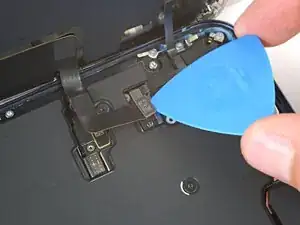
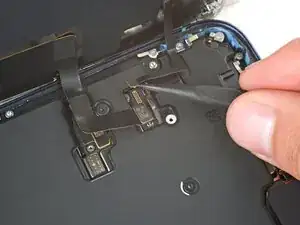
    • Use the tip of an opening pick or the point of a spudger to pry up and disconnect the screen and front sensors press connectors.

  23. w2iinqvjWUDOJIS5
    • Remove the screen.

  24. XTVU3jMxUtioq1xV
    XTVU3jMxUtioq1xV
    jTTTlRhgYKkxZTa2
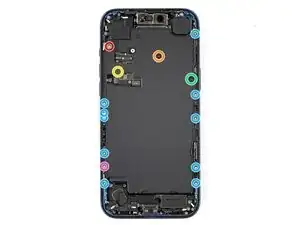
    • Use a Torx Plus 4IP screwdriver to remove the screws securing the battery tray:

    • One 7.5 mm‑long screw

    • One 5.9 mm‑long screw

    • One 3.5 mm‑long screw

    • One 2.4 mm‑long screw

    • Ten 3.7 mm‑long screws

    • One 3.7 mm‑long screw

    • iPhone models with a physical SIM card won't have this screw.

  25. WDGmZwGXwjmiLjxf
    WDGmZwGXwjmiLjxf
    fbBOKGAysCR6T6sL
    ynAskJNSiCAKvMRf
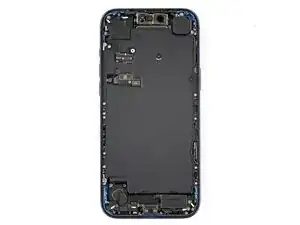
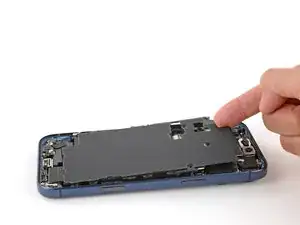
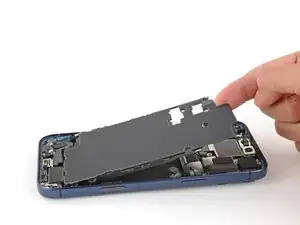
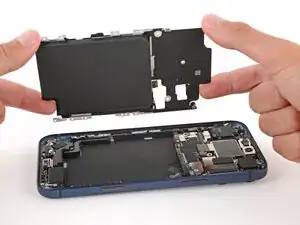
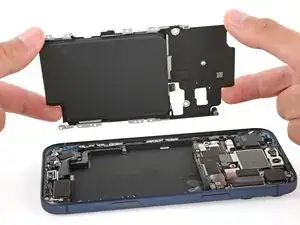
    • Use your finger to lift the top left corner of the battery tray and remove it.

    • Be careful not to smudge the front camera.

    Wenn ich ein neues Akku kaufen muss kommt es mit Akkufach oder muss ich in einem separaten schritt Akkufach und Akku voneinander lösen?

    Enis Gürova -
    Der Original Akku 661-56049 kommt mitsamt dem Akkufach.

    smart Bar -

Spencer Day

Membro desde: 14/09/22

165254 Reputação

0 comentários