Introdução

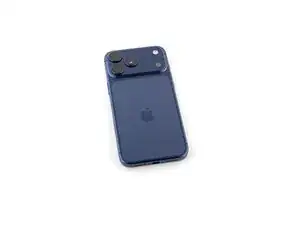
This guide shows how to remove the back glass on an iPhone 17 Pro Max.

  1. JwaVsGuyCnhMXAug
    JwaVsGuyCnhMXAug
    K6oUyZ5JWwfDsMmM
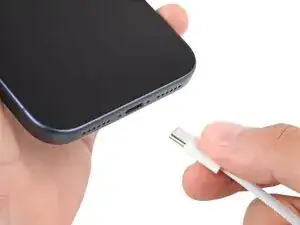
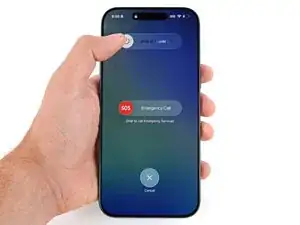
    • Let your iPhone's battery drain below 25% before starting this repair—a charged lithium‑ion battery may catch fire if damaged.

    • Unplug all cables from your phone.

    • Hold the power and either volume button and slide to power off your phone.

  2. InRXbXADRifhVKTO
    InRXbXADRifhVKTO
    akyAwXpbq2qVbe13
    nqYtVUKd3E5pDqPP
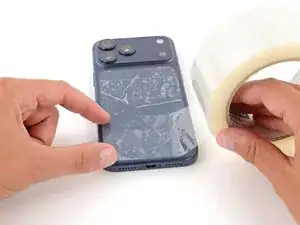
    • Glass shards can complicate disassembly—or worse, cause injury. If your phone is cracked, follow this step.

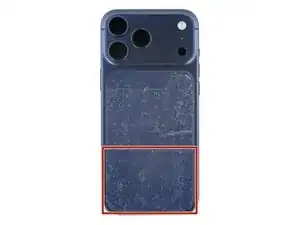
    • Apply strips of packing tape to the cracked glass until it's completely covered—this will help keep the glass contained and allow the suction cup to stick.

    • Make sure there's a single strip of tape (not overlapping) across the bottom edge, big enough for a suction cup to fit on.

    • Only cover the glass itself—don't stick any tape to the frame.

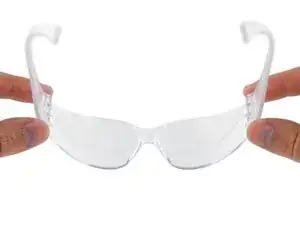
    • Consider wearing safety glasses to protect your eyes from any glass shaken free during the repair.

  3. rfjGySSoZXYHqFV4
    rfjGySSoZXYHqFV4
    TLfGlEY34P4LaLWe
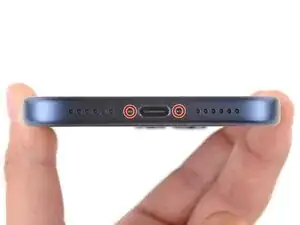
    • Use a P2 pentalobe screwdriver to remove the two 7.5 mm‑long screws on either side of the charging port.

  4. moWdGTtoRemHOBjS
    moWdGTtoRemHOBjS
    xLDWHA6YcRXD2wTv
    • Adhesive secures the back glass to the frame. Heating the glass softens the adhesive, making it easier to separate.

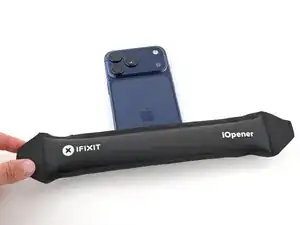
    • Heat an iOpener and lay it on the bottom edge of the back glass for two minutes.

    • Alternatively, you can use a hair dryer or heat gun to heat the back glass.

    • Improper use of a heat gun can destroy the wireless charging assembly and/or battery—follow the linked instructions carefully.

  5. 1aG4jNwNIF2A11ZJ
    1aG4jNwNIF2A11ZJ
    nYRPMq6vEwVBP2kX
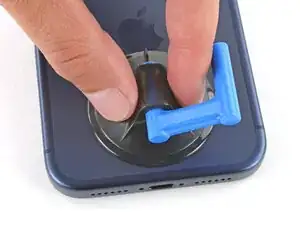
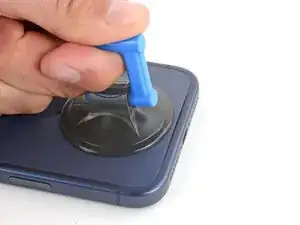
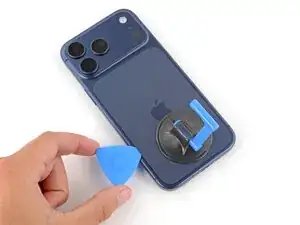
    • Apply a suction handle to the bottom edge of the back glass, as close to the edge as possible.

  6. lYa41SZdBKkRJ3xx
    lYa41SZdBKkRJ3xx
    rsA4er6TC2YuW4xU
    Ng1PCs3TCtFN3okv
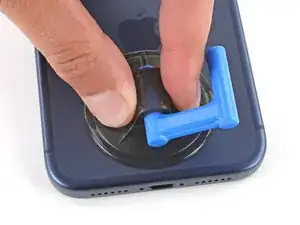
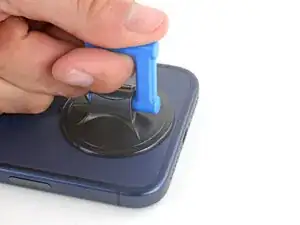
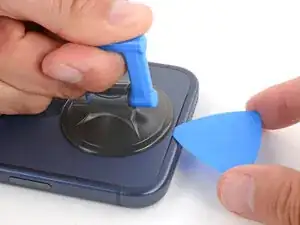
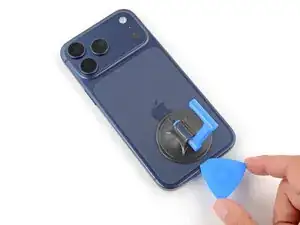
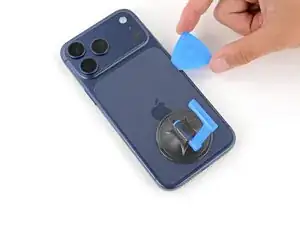
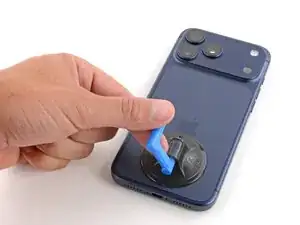
    • Pull up on the suction handle with strong, steady force until a gap forms between the back glass and frame.

    • If you're having trouble, apply more heat and try again.

    • Insert the tip of an opening pick into the gap you just created.

  7. rcH6GobcuDnGFRJs
    rcH6GobcuDnGFRJs
    bXIGOOnHcr1jpQmr
    KjOZGeiEF1JIwGx6
    • Slide the opening pick around the perimeter of the back glass to separate all the adhesive securing it.

    • Only insert your pick slightly under the back glass near the top of the left edge. Otherwise, you may damage the wireless charging ribbon cable.

  8. C1iUQ4ItTjnjZjje
    C1iUQ4ItTjnjZjje
    Bit2wZhKrpcDFMti
    6ZBiiWy5jtZdYMxg
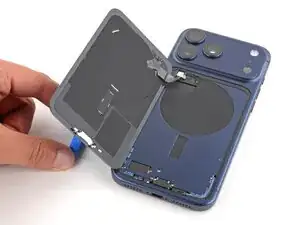
    • At this point, the back glass should be completely separated from the frame. If it feels stuck, go back around the perimeter and separate any remaining adhesive.

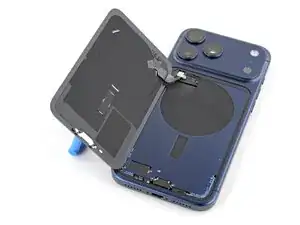
    • Flip the back glass over the left edge and use the suction handle to prop it up.

    • Alternatively, you can lay the glass down flat over the left side.

  9. SVXbJmWYWnpuHfPY
    SVXbJmWYWnpuHfPY
    nwBSrOBZmiRrB6LW
    • Be careful not to damage the exposed battery with your tools during the next few steps.

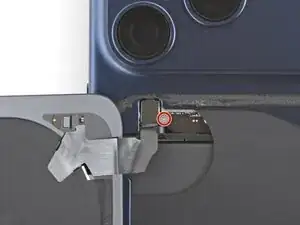
    • Use a tri‑point Y000 screwdriver to remove the 1.0 mm‑long screw securing the wireless charging connector cover.

  10. sNFdpQKoSsAXGNfi
    sNFdpQKoSsAXGNfi
    AywG61ORB2tGeEgO
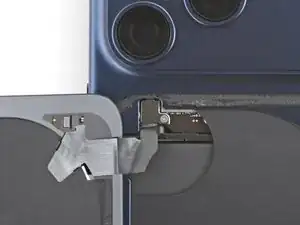
    • Remove the cover.

  11. EpJvOgkZywADXeib
    EpJvOgkZywADXeib
    kEomR2sDnOtaviOn
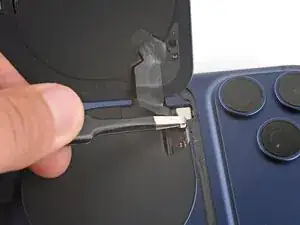
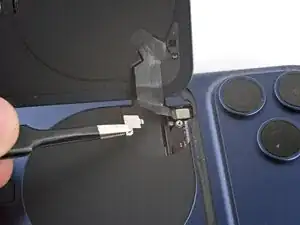
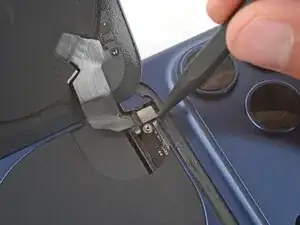
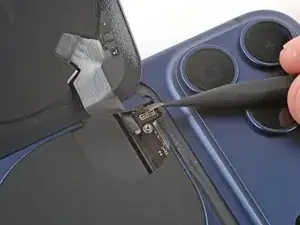
    • Use the point of a spudger to pry up and disconnect the wireless charging press connector.

  12. 54N3ahnDAjgfnFaq
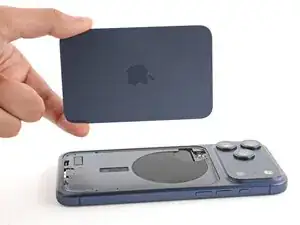
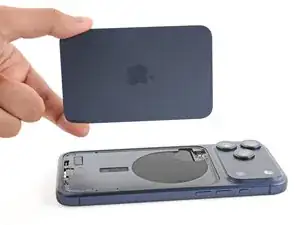
    • Remove the back glass.

Spencer Day

Membro desde: 14/09/22

165254 Reputação

0 comentários