Introdução

This guide shows how to remove the front sensors for an iPhone 17 Pro.

  1. Lj2lruBhEiFMAoFp
    Lj2lruBhEiFMAoFp
    TPlh2RFghSbhXINq
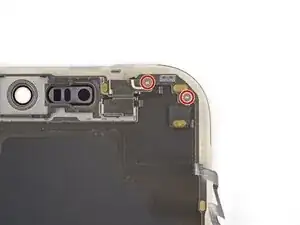
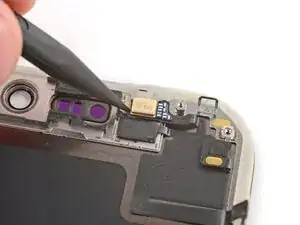
    • If your replacement screen doesn't have front sensors installed, follow the next five steps to remove them—they'll need to be transferred to your replacement screen.

    • Use a tri‑point Y000 screwdriver to remove the two 1.0 mm‑long front sensors screws.

  2. 1U2S4O2lxtsOehm4
    1U2S4O2lxtsOehm4
    TvaTNFhHYHXcAOaS
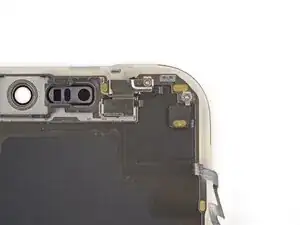
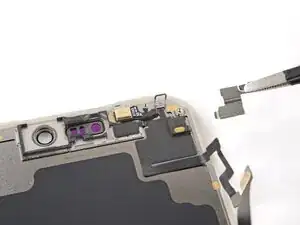
    • Remove the front sensors bracket.

  3. qBOEWZt44NrCrevn
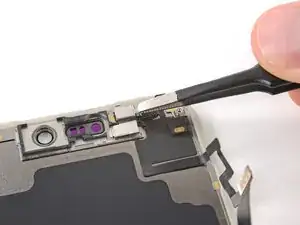
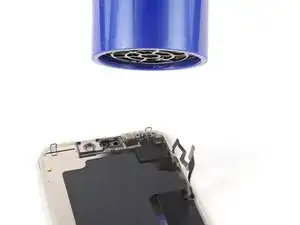
    • Use a hair dryer or heat gun to heat the front sensors.

    • You can heat the sensor directly, or heat its corresponding spot on the front of the screen.

  4. yDeOGeaJblwngpio
    yDeOGeaJblwngpio
    kHxxOXByYWhGWIbi
    VCWPGnGdWxISD5Tw
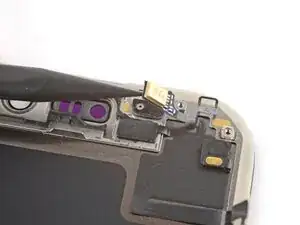
    • The front sensors are very fragile and can easily rip—be very gentle while removing them. If you're having trouble, apply more heat and try again.

    • Use the point of a spudger to pry up both front sensors.

    • Pry on the tab under the sensors—not the sensors themselves—or you may damage them.

  5. IHlOviBaFnDXRomA
    IHlOviBaFnDXRomA
    PsTVAFJgIqOqibRJ
    cvASoUKGGhBFgBN1
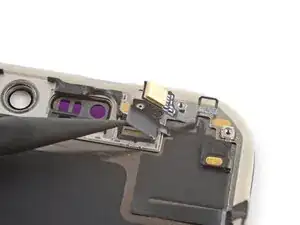
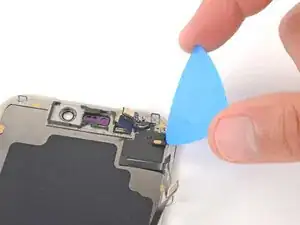
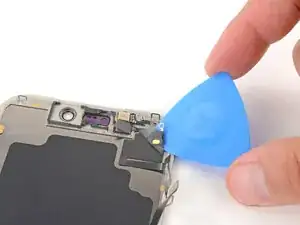
    • Insert the tip of an opening pick under the top right corner of the front sensors large, glued-down cable.

    • Slowly slide the pick under the cable and lift until you can grip it with your fingers.

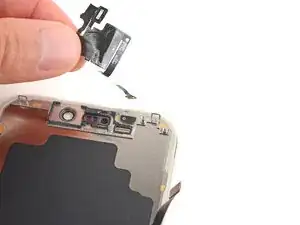
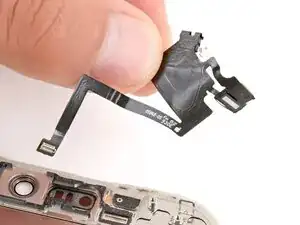
    • Use your fingers to peel up the cable and remove the sensors.

    • You can now transfer the sensors to your replacement screen.

Spencer Day

Membro desde: 14/09/22

165254 Reputação

0 comentários