Introdução

  1. qpVUtMoxhof3sFUr
    qpVUtMoxhof3sFUr
    QACrtYOWxSSV5TP1
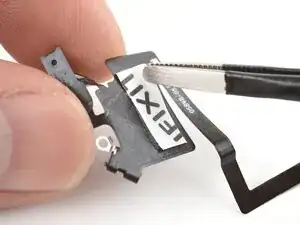
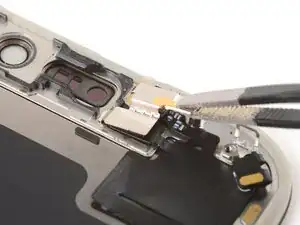
    • The next four steps show how to attach the front sensors to the replacement screen. If your screen comes with front sensors preinstalled, skip down four steps.

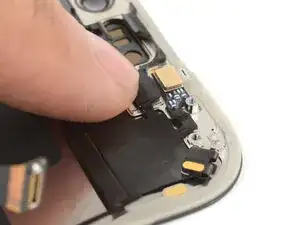
    • Use your finger to press the rectangular section of the front sensors cable onto the screen.

    • Use a hair dryer or iOpener to soften the adhesive under the cable to help it stick. It only needs to be warm—not hot.

    • If the cable isn't sticking, apply a small piece of double-sided tape to the back of the cable.

  2. yPDI6JgLxWdQVU4g
    yPDI6JgLxWdQVU4g
    1gnTW6PAceqtW1MZ
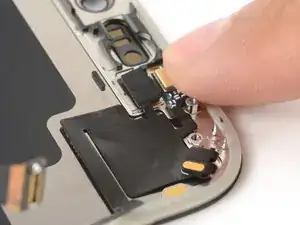
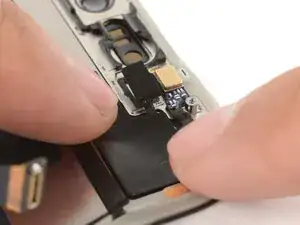
    • Use your finger or a spudger to press the ambient light sensor and microphone into their recesses.

  3. mQmMnOCBFQWgndDf
    mQmMnOCBFQWgndDf
    jJvIYmwfgjsriLMU
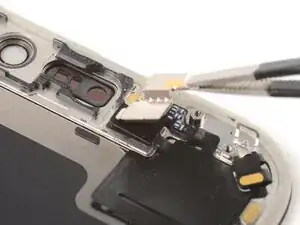
    • Hook the left tab of the front sensors bracket onto the screen and set it into place.

  4. QHYhojLjD5EmZDej
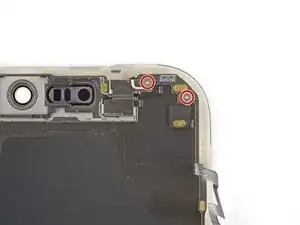
    • Use a tri‑point Y000 screwdriver to install the two 1.0 mm‑long front sensors screws.

Conclusão

To reassemble your device, follow these instructions in reverse order.

Arthur Shi

Membro desde: 03/01/18

326111 Reputação

0 comentários