Introdução

  1. WtUQDYj25DnTAwPf
    WtUQDYj25DnTAwPf
    bWPEnfoD6LXPwwBm
    mDIILSjEgAlcWGbL
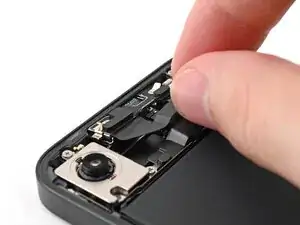
    • Slide the front camera assembly into its recess in the frame.

    • Press the assembly down so it lies flat.

  2. 5LJCv1mjQEj5yNAV
    5LJCv1mjQEj5yNAV
    AS5s6mq3hhDNQ2Ie
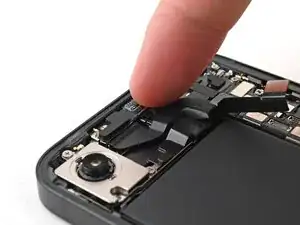
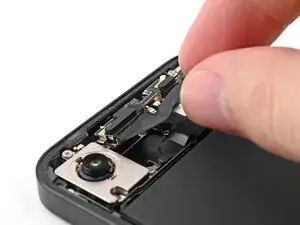
    • Slide the rear camera assembly cable into its slot along the battery.

  3. RueUKcaXtdxuSgxZ
    RueUKcaXtdxuSgxZ
    gNJDBDyaiXD2CkWn
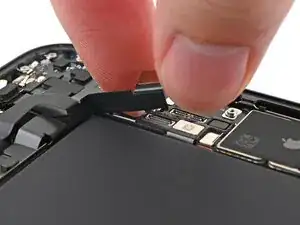
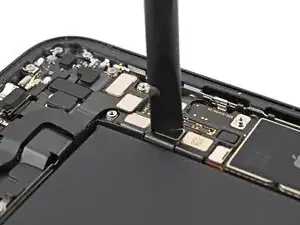
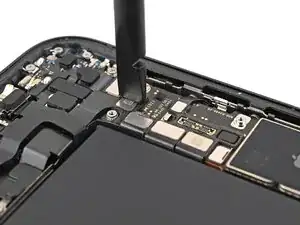
    • Use your spudger or your fingers to reconnect the front camera assembly press connectors.

  4. SlO2Tu6kD6rMYNCT
    SlO2Tu6kD6rMYNCT
    gfp4MMro16CdGEqp
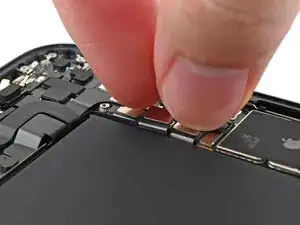
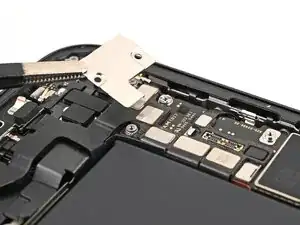
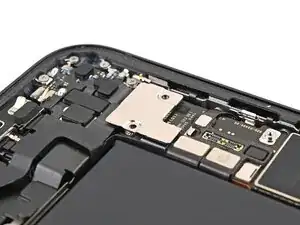
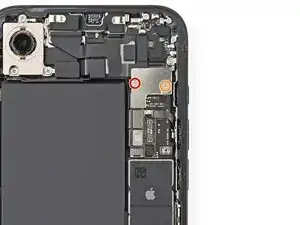
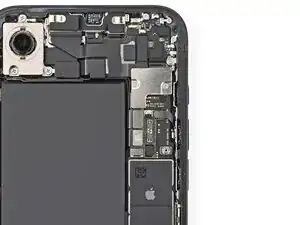
    • Place the front top connector cover onto the logic board over the three press connectors.

  5. Ef2IeLyXdWTCmLeK
    Ef2IeLyXdWTCmLeK
    gJMSJiCLX2xbNNHd
    • Use a tri-point Y000 screwdriver to install the two screws securing the top connector cover:

    • One 1.0 mm‑long screw

    • One 1.3 mm‑long screw

Conclusão

To reassemble your device, follow these instructions in reverse order.

Alex Diaz-Kokaisl

Membro desde: 16/01/22

227430 Reputação

0 comentários