Introdução

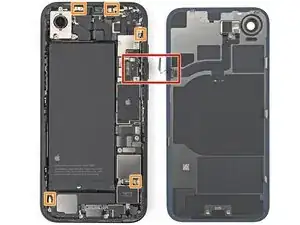
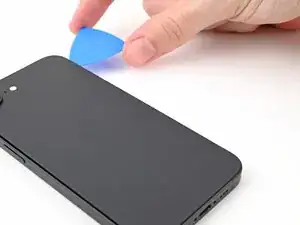
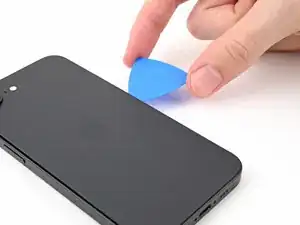
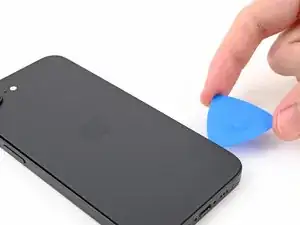
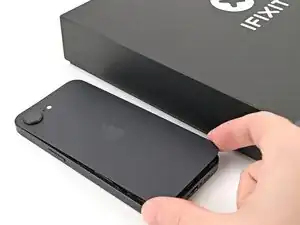
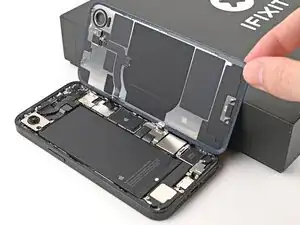
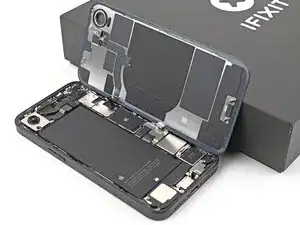
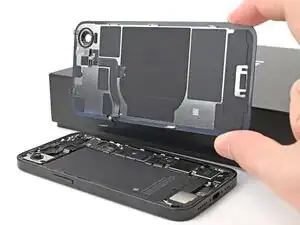
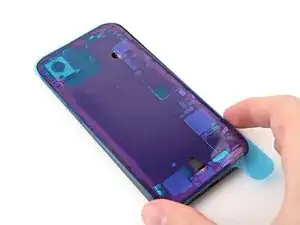
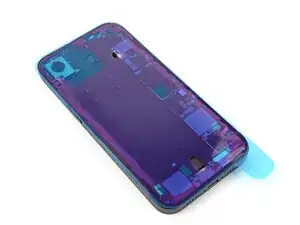
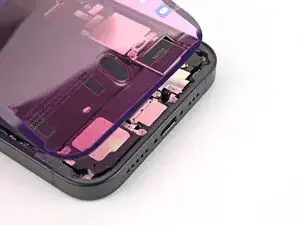
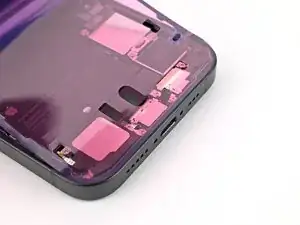
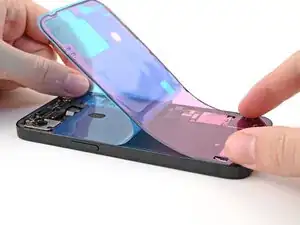
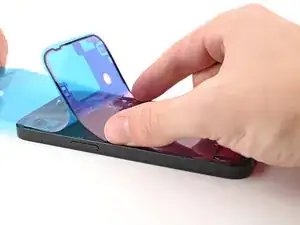
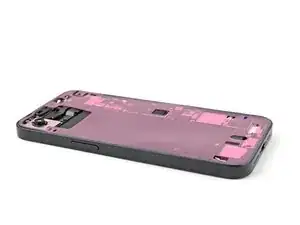
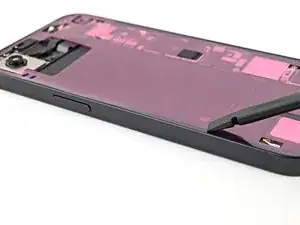
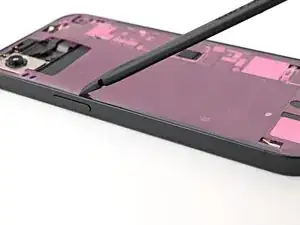
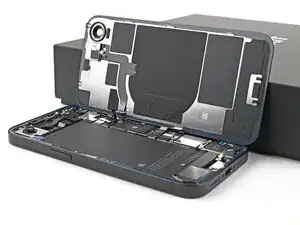
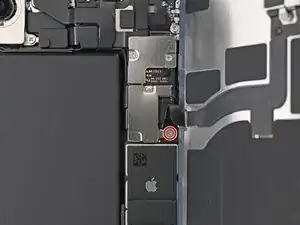
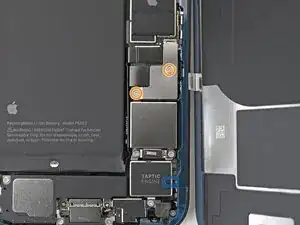
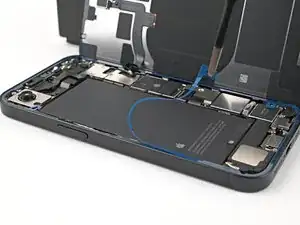
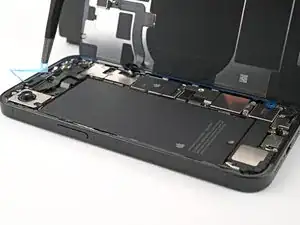
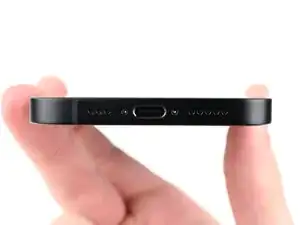
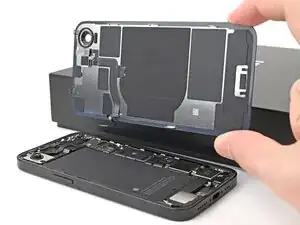
Use this guide to replace a cracked or broken back glass in your iPhone 16e.

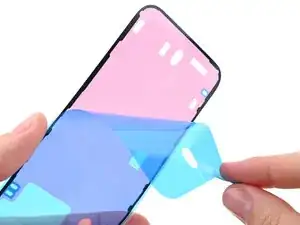
You'll need replacement back glass adhesive to complete this repair.

After your repair, calibrate authentic Apple back glasses using Repair Assistant.

Some photos in this guide are from a different model and may contain slight visual discrepancies, but they won't affect the procedure.

  1. vqhDDSOotrQC2uQs
    vqhDDSOotrQC2uQs
    a5BooPW2IBYYxxDM
    • Allow your phone's battery to drain below 25%, as a charged lithium-ion battery is a potential safety hazard.

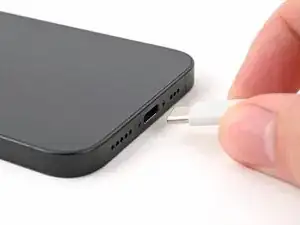
    • Unplug any cables from your phone.

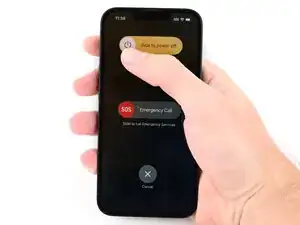
    • Hold the power button and either volume button, then slide to power off your phone.

  2. nvWjhyuFtKnLQjPS
    nvWjhyuFtKnLQjPS
    fatkaUI1sRhq1Qxm
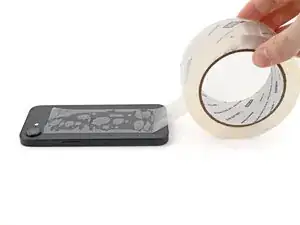
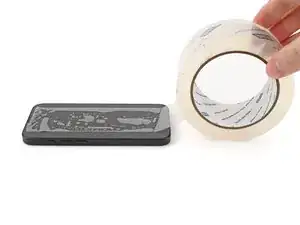
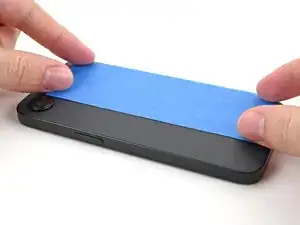
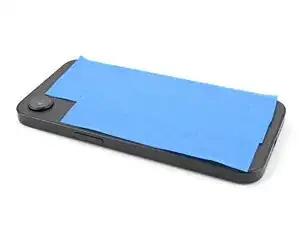
    • If your screen or back glass is badly cracked, lay overlapping strips of packing tape over the glass to protect yourself and make disassembly easier.

    • Make sure there's a smooth area near the bottom edge that's big enough for a suction cup to stick to.

  3. JfTTbrID13H2LUQx
    JfTTbrID13H2LUQx
    1wxJKOOTVo45Xceo
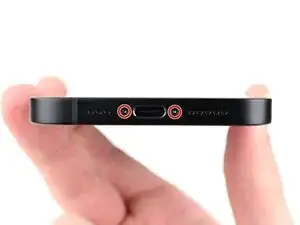
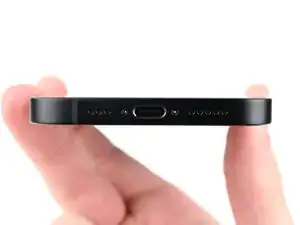
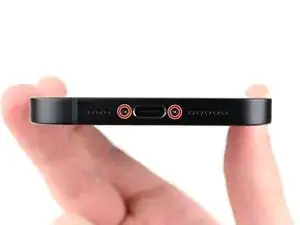
    • Use a P2 pentalobe screwdriver to remove the two 7.8 mm‑long screws on either side of the charging port.

  4. 6UPwoloGBO4tmVoS
    6UPwoloGBO4tmVoS
    BmSYPJmOy6dbHipF
    3EOdQPAGOmiuhoKU
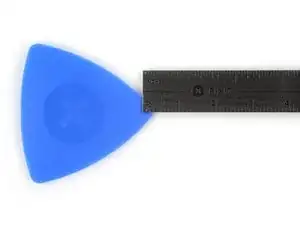
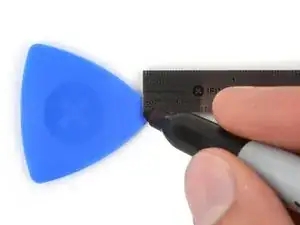
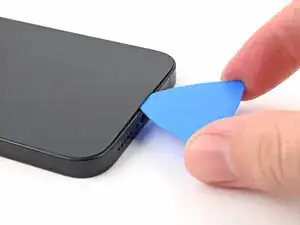
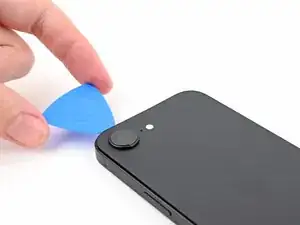
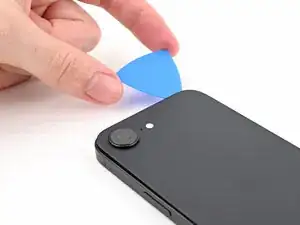
    • If inserted too far, an opening pick can damage your device. Follow this step to mark your pick and prevent damage.

    • Measure 3 mm from the tip and mark the opening pick with a permanent marker.

    • You can also mark the other corners of the pick with different measurements.

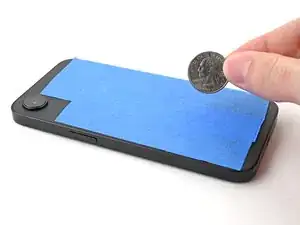
    • Alternatively, tape a coin to a pick 3 mm from the tip.

    • Apple sells an Adhesive Cutter tool for cutting the display adhesive safely in their Self Repair Store.

    Got to step 2 and realized the fix kit doesn't include an opening pick! Looks like a guitar pick, and I have those lying around. Is that expected? Looks like the pick is used in many steps below. There's a little blue crowbar that isn't mentioned in the instructions. Perhaps that replaces the opening pick?

    Sloan Looney -
    Hi! I can't see which guide you were using when writing this comment. Can you reply here with which guide and fix kit you used?

    Clay Eickemeyer -
    I see you posted this in Meta. I hope it's resolved soon! In the meantime, a guitar pick may work well enough for your repair.

    Clay Eickemeyer -
    what fix kit?

    Meow Purr -
    Super late reply to original post but my pick was with the replacement screen and not the tools kit.

    Nichol Augustus -

    My fix kit didn't include an opening pick either

    WILLIAM HARRIS -

    Make sure you check inside the black boxes after emptying them. My pick was stuck inside one of the boxes.

    AndyF -

    My AliExpress refurbished screen came with a pick that has a coin-like circle that pops out, so no modification was necessary

    Gijs Leegwater -

    the picture shows 3 cm but the description says 3 mm's. Which one is it?

    John Pena -

    That is a misunderstanding. It is a ruler with a scale for cm, it shows 0.3 cm, i.e. 3 mm.

    VauWeh -

    Oh, come ON!

    Big Ed -

    It will ALWAYS be millimeters on a phone, but this step is ridiculous, skip it!

    Leif DeWolf -

    @leifdewolf I wouldn't skip it for a first repair.

    Gabriel-Science -

    It's not an Ifixit KIT if it doesn't include everything. You'll need to order the opening pic separately. Or head to Walmart like myself and look for guitar pics. Hopefully, this will work just as well.

    Jaleeljb97@icloud.com -

    No pick in mine as well. It’s really not clear that you have to order this separately when ordering an IPhone SE 202/2022 screen repair kit. Is this the case?

    Jackson Castiglione -

    Frustrated, I ordered a compact package where everything was encapsulated. Useless suction tools could not separate the screen. If it is unable to decouple the screen, then why sucking suction tools you have provided.

    Shourob Datta -

    For my kit the triangle pick was stuck inside the box with the screen not with the other tools maybe it's also there for you

    Henry Scheibehenne -

    Y’all are getting far, FAR too detailed with some of this stuff…. Measuring and marking the pick that you won’t actually use to open the device?!? lol that’s kinda funny. Just heat it up, grab a spudger, and the back just pops right off! The iFixit tech need to stick to the KISS method more often, you know KEEP IT SIMPLE STUPID!!! Like l, for reals, I’ve been doing this stuff for YEARS and using iFixit guides regularly and this is just ridiculous at this point!

    Leif DeWolf -

    Will the phone still work if the sensor assembly on the back of the screen is damaged?

    Mutshidzi Rambau -

    I don't have a pick, but how much better are these picks than an old credit card for opening an iPhone 13 mini?

    mike eng -

    an old credit card will do that job, although you'll have to pull a little bit more if the credit card is thicker than the picks, just again, be careful and don't insert it that far

    Russ Torrez -

    The pick in my iFixIt kit was packed with the battery, not with the rest of the toolkit.

    Tony Houlihan -

    Many of these comments are PURE GOLD. Seriously y’all, if you’re not sure if it should be 3mm or 3cm or whether you could find and use an alternative pick, mending an IPhone really isn’t for you. Find a responsible adult and get back to doing something simpler…

    Alasdair Cameron -

    indeed!!!! I agreee!!!

    Lonnie -

    I bought the kit of five just in case. I used two and marking them at 3mm was definitely helpful.

    Megolina -

    Funktioniert super. Habe vorher sicherheitshalber den Akku abgesteckt.

    Lukas D -

  5. UTPGxrv1DxyEJnT4
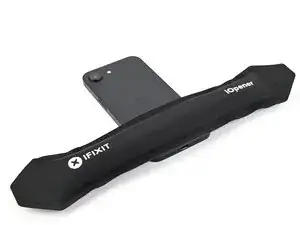
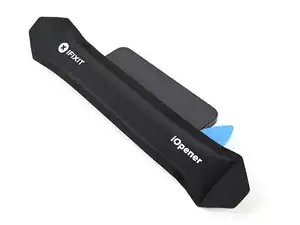
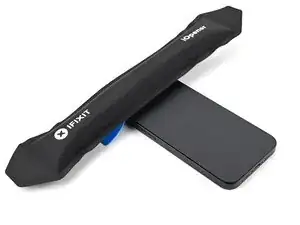
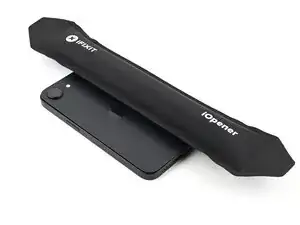
    • Apply a heated iOpener to the bottom edge of the back glass for 90 seconds.

    • Alternatively, you can use a hair dryer or heat gun to heat the bottom edge of the back glass until it's hot to the touch.

    • Be careful not to heat the phone hotter than this—the battery is susceptible to heat damage.

  6. rE5S2eMC3U4jXnYo
    rE5S2eMC3U4jXnYo
    CNgassIUGXQG2xSt
    xnUyTT2kX5JMGWIP
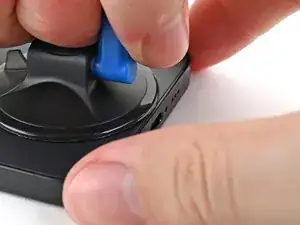
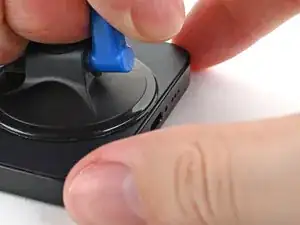
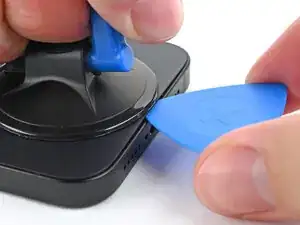
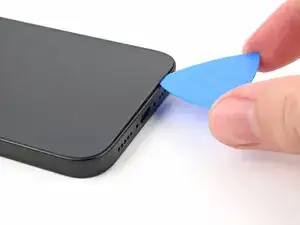
    • Apply a suction handle to the bottom edge of the back glass.

    • Pull up on the handle with a strong, steady force to create a gap between the back glass and the frame.

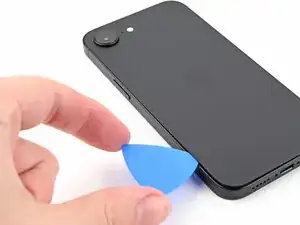
    • Insert the tip of an opening pick into the gap.

  7. iyOUQcaiph5kQEba
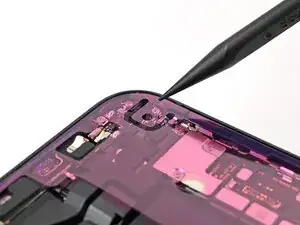
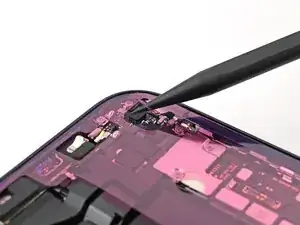
    • As you slice the adhesive securing the back glass in the following steps, don't insert your pick deeper than 3 mm to avoid damaging the following areas:

    • A delicate cable connecting the back glass to the phone, next to the volume up button.

    • Multiple spring contacts around the perimeter of the phone.

  8. P1MTQucUvHL6hFgP
    P1MTQucUvHL6hFgP
    5AjUSlr2IAatHtl5
    vj6yN6iNVGCrfWLE
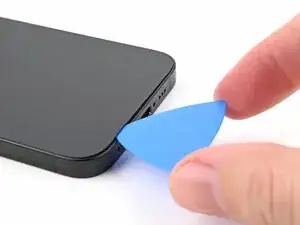
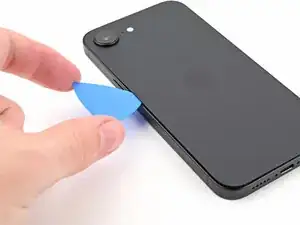
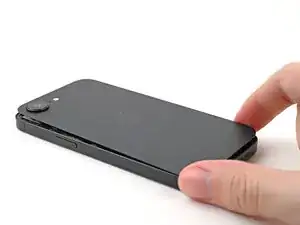
    • Slide the opening pick along the bottom of the back glass to separate the adhesive.

    • Leave the opening pick near the bottom left corner.

  9. 2w2IqvXFLWAc1xfn
    • Apply a heated iOpener to the left edge of the back glass for 90 seconds.

    • When using a hair dryer or heat gun, heat the back glass until it's hot to the touch.

  10. HrOotFkFfQVUteSv
    HrOotFkFfQVUteSv
    ILAe1l1y4L1hqbOr
    pnW5Ga2eGTXB34Vl
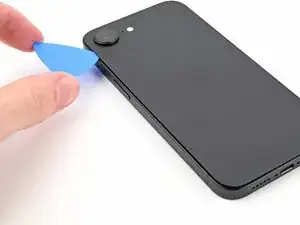
    • Rotate the opening pick around the bottom left corner and slide it along the left edge to separate the adhesive and release the metal clips.

    • You'll hear and feel the metal clips release as you pass them.

    • Leave the opening pick near the top left corner.

  11. dg1omL3YaIIhMNqi
    • Apply a heated iOpener to the top edge of the back glass for 90 seconds.

    • When using a hair dryer or heat gun, heat the back glass until it's hot to the touch.

  12. NbYVyILpF2WyGZeB
    NbYVyILpF2WyGZeB
    ZBS5fVCFXk4shkDC
    • Rotate the opening pick around the top left corner and slide it along the top edge to separate the adhesive and release the metal clips.

    • You'll hear and feel the metal clips release as you pass them.

    • Leave the opening pick in the top right corner.

  13. ZeGhKAtPMPLGwFqe
    • Apply a heated iOpener to the right edge of the back glass for 90 seconds.

    • When using a hair dryer or heat gun, heat the back glass until it's hot to the touch.

  14. tdJNq2GQIinWTCPy
    tdJNq2GQIinWTCPy
    ywLCMGbItY1DRyfg
    uaI46wqK1obmGuZ2
    • Don't insert your pick deeper than 3 mm to avoid damaging the hidden cable.

    • Rotate the opening pick around the top right corner and slide it along the right edge to separate the remaining adhesive and the metal clip.

    • You'll hear and feel the metal clip release as you pass it.

  15. sAX4cmGV4gBGIAqN
    sAX4cmGV4gBGIAqN
    BOZ4VJpvJ1nZoFh2
    BAXkSUei5HbcIi6G
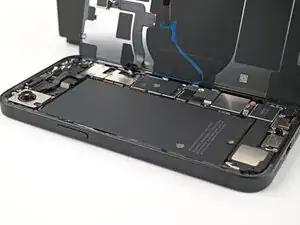
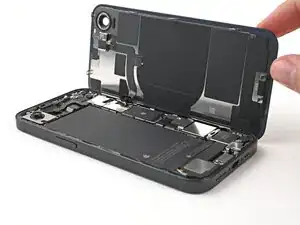
    • Your back glass adhesive should now be completely separated. If it isn't, slide your opening pick around the back glass to separate any remaining adhesive.

    • Swing open the back glass to the right of the phone and support it upright on a clean, sturdy object.

  16. LUBmXKdlKLAhCeeK
    LUBmXKdlKLAhCeeK
    HZENmvBj6GZU2UQH
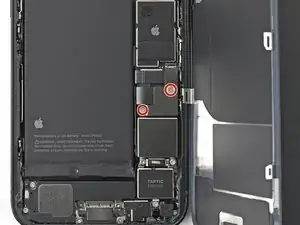
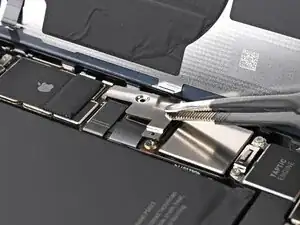
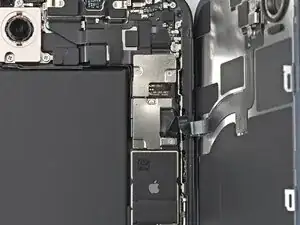
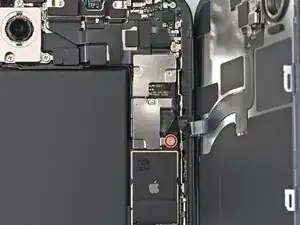
    • Use a tri-point Y000 screwdriver to remove the two 1.3 mm‑long screws securing the lower connector cover.

  17. KTj2CdlMQGPGISsy
    KTj2CdlMQGPGISsy
    LWbUBZAWfOUy5DXC
    BZQnUql63fHEYBQh
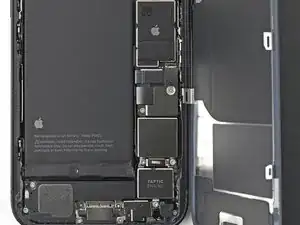
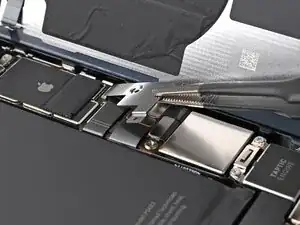
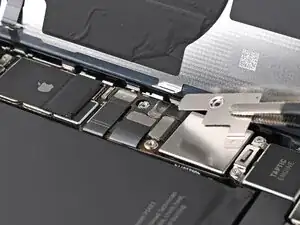
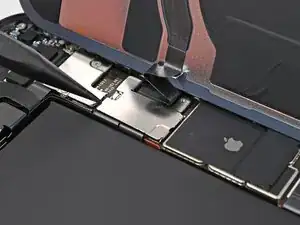
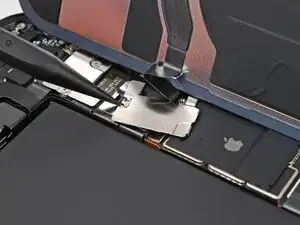
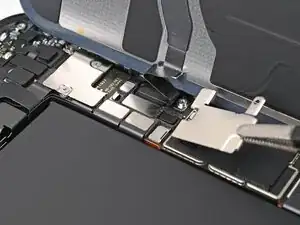
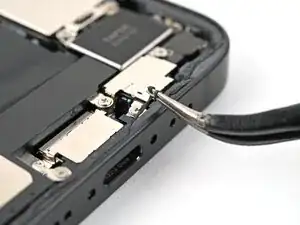
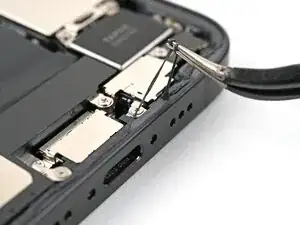
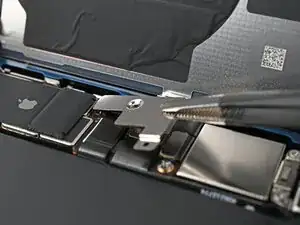
    • Use tweezers or your fingers to lift the lower connector cover and slide it toward the top of the phone to release it from its metal clip.

    • Remove the lower connector cover.

  18. SHgUSNQ3YkvKYF4X
    SHgUSNQ3YkvKYF4X
    NNiWAeDBgUgiDETI
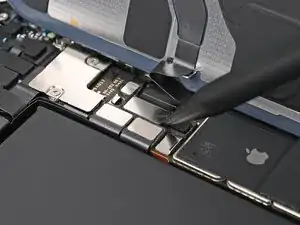
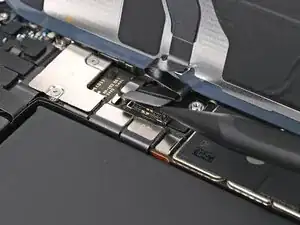
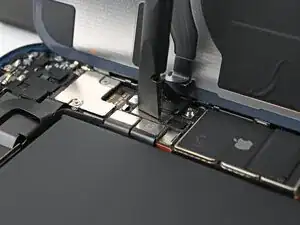
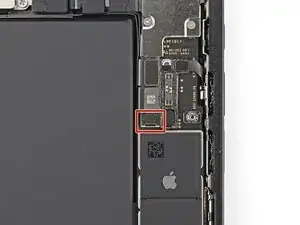
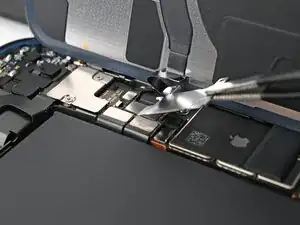
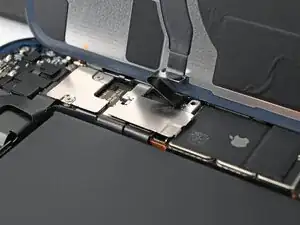
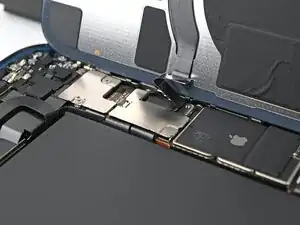
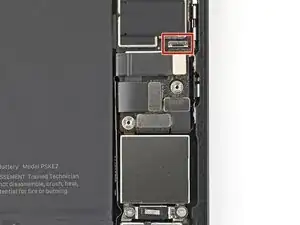
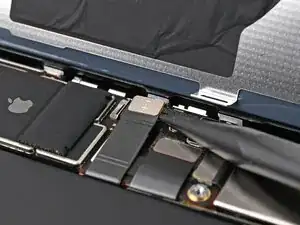
    • Use the point of a spudger to pry up and disconnect the battery press connector.

  19. UZ6MfAPLGI6ugjDt
    UZ6MfAPLGI6ugjDt
    E41INkFLsJJjLGJh
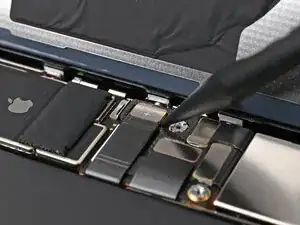
    • Use a tri-point Y000 screwdriver to remove the 1.0 mm‑long screw securing the middle connector cover.

  20. UECbAxa3XSYXYZaG
    UECbAxa3XSYXYZaG
    NuDjSU13O66g6C6P
    RyxVutuIvskY5JPA
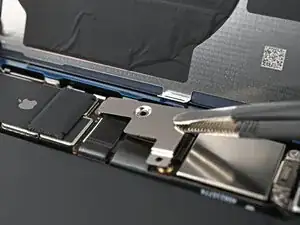
    • The middle connector cover is slotted into two metal clips on the top and bottom.

    • Use the point of a spudger to push the middle connector cover towards the bottom of the phone to release its clips.

    • Use tweezers or your fingers to remove the cover.

  21. PTZtAOqZLykZBTUa
    PTZtAOqZLykZBTUa
    1abeIsC52tUtr2Ka
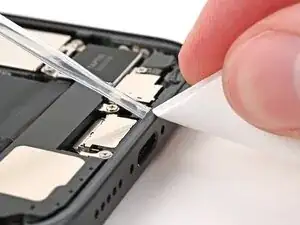
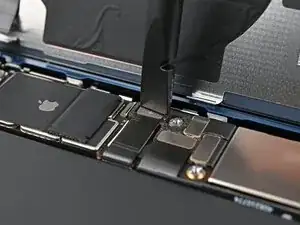
    • Use the point of a spudger to pry up and disconnect the wireless charging coil press connector.

  22. UVfJWIaIFLVOWDtL
    • Lift the back glass off the frame and remove it.

  23. ppW1tsmUPxg1msBC
    • Congratulations on completing disassembly! The remaining steps will show you how to reassemble your device.

  24. t6lAhavvC2fvTNBZ
    t6lAhavvC2fvTNBZ
    UHBEHOaWNSnCB5ub
    DRYDvcAhjvDduQZJ
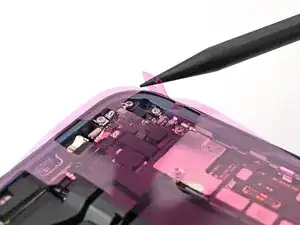
    • Use tweezers to remove the adhesive around the perimeter of the frame.

    • You may need to bunch up the adhesive with the point of a spudger before gripping it with tweezers.

    • Use a coffee filter or a lint‑free cloth and high‑concentration isopropyl alcohol (>%90) to clean off any adhesive residue.

  25. hH6ySpHJgvNOe4da
    hH6ySpHJgvNOe4da
    CLPHGUp6OLdhKhNE
    WkHKkJijHa5GUcQK
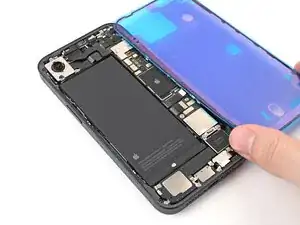
    • Orient your replacement adhesive over the frame with the larger blue liner on the underside and its pull tab in the bottom-right corner.

    • The color of your liner and the pull tab locations may be different on your adhesive.

    • Use features such as the camera cutout and notches along the edges to visualize how the adhesive will lay in the frame.

  26. ckOVwBCOTEyqStGy
    ckOVwBCOTEyqStGy
    jDO53mVVNYHCZWxg
    UAK1lPeFvLZCfk2N
    • Once the adhesive is pressed into place, you can't reposition it—you'll have to remove it and start over with new adhesive.

    • Use the pull tab to begin peeling the back liner off the adhesive starting from the bottom, but don't remove the liner all the way.

    • Hold the blue liner out of the way and align the adhesive with the bottom edge of the iPhone.

    • Lay the bottom edge of the adhesive into its recess in the frame, making sure the iPhone's spring contacts are aligned with their cutouts in the liner.

  27. AyKfFgbPKWjh3gyn
    AyKfFgbPKWjh3gyn
    hvbeWGFerjHwHtJq
    BEtPARyJJwOqXVhm
    • Continue peeling the back liner off the adhesive while pressing the adhesive into place along the edges of the iPhone's frame.

    • If you correctly aligned the lower edge of the adhesive, the side and top edges will fall perfectly into place. If the adhesive is misaligned, remove it and start over with new adhesive.

    • If your adhesive is misaligned and you don't have another set handy, it's okay to temporarily put your iPhone back together and use it normally without any adhesive, but keep in mind that your iPhone's water resistance will be compromised until you install new adhesive.

  28. HBwPQO5tJbaqOkBr
    HBwPQO5tJbaqOkBr
    aGSYRCNagPCxDe62
    • Use the flat end of a spudger to press the adhesive into place around the perimeter of the frame.

  29. lOfuZULZsJAeaguV
    lOfuZULZsJAeaguV
    Es4aveY2IsZJDoWW
    jLiQWY6ONCJERRMj
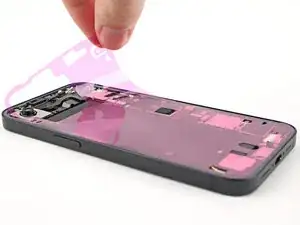
    • Use the tip of a spudger to lift up the pull tab on the top right corner of the pink adhesive liner until you can grip it with your fingers.

  30. 3b2vc4VwRBqyWs6N
    3b2vc4VwRBqyWs6N
    eE1tu1S2UEKAGlWo
    fDffHJkGx1fTCSTv
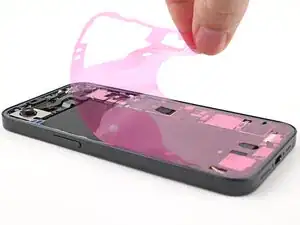
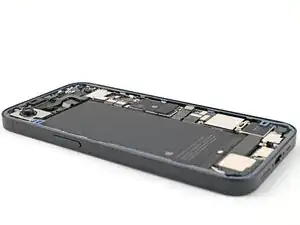
    • Use the pull tab to peel the pink liner off the frame and expose the secondary blue liners.

  31. pNcnVMq2FLlSekYX
    pNcnVMq2FLlSekYX
    lhA3mWdKMxXMmiRF
    3ptIWgfW3J2hubFZ
    • Prop up the back glass along the right edge of your iPhone, using a box or similar sturdy object to support the glass.

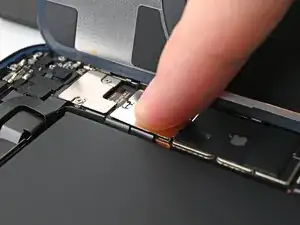
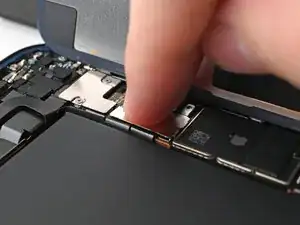
    • Use the flat end of a spudger or your finger to connect the charging coil press connector, then the battery press connector.

  32. TCXXyOEO2VrPytMx
    TCXXyOEO2VrPytMx
    MBioOIB2PjMWOvHI
    OiiHC3s1PUJpXL6q
    • Place the middle connector cover over the wireless charging coil press connector so it slightly overhangs the slot on the logic board for the bottom clip.

  33. JECJRCY6pZONUvIO
    JECJRCY6pZONUvIO
    BX2dKkRkpYjwuPcJ
    dbrrSsxRPccn6Aww
    • Use your finger to press the cover down on the logic board.

    • While pressing it down, slide the cover upward so both metal clips slot into their spots in the logic board.

  34. OqCCDyWx1cigN5vV
    OqCCDyWx1cigN5vV
    So1s2YwoLRqjAYY3
    M2PVWgSRVCKagUxN
    • Use tweezers to place the top of the lower connector cover over its slot in the logic board.

    • Lay the lower connector cover over the press connector.

  35. sQLCcXxSddkaW6nb
    sQLCcXxSddkaW6nb
    QbqZPg6ZcR2xuwav
    • Use a tri-point Y000 screwdriver to install the 1.0 mm‑long screw securing the middle connector cover.

    • Use a tri-point Y000 screwdriver to install the two 1.3 mm‑long screws securing the lower connector cover.

  36. YaBsTPpBL41sMOPd
    YaBsTPpBL41sMOPd
    gPPAR2kNFUqLYbqU
    eBFqQ3sToXiyUqG5
    • Use tweezers to grip the pull tabs on the three blue liners and peel them off to expose the adhesive.

    • You may need to hold the back glass above the frame without it touching the adhesive to remove the liner along the right edge.

  37. F2JRGnGSSU2XXvKS
    F2JRGnGSSU2XXvKS
    gO6GBpUgNWKtaVVN
    • Hold the back glass above the phone and align it with the frame.

  38. RRm61hDebiGqnSAk
    RRm61hDebiGqnSAk
    UvWdcVAT1KT1l3oa
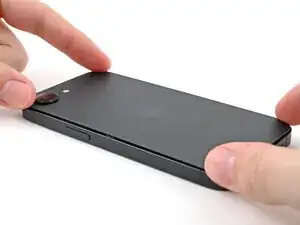
    • Lay the back glass straight down onto the frame and press until the clips engage.

    • Press around the perimeter of the back glass to engage all clips.

  39. MNEEK6LRaKTiwoXd
    MNEEK6LRaKTiwoXd
    rYxV6NjJFanI3LwF
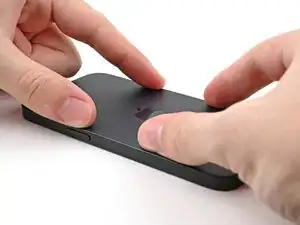
    • To help the adhesive bond, apply heat to the edges of the back glass using an iOpener, hair dryer, or heat gun until it's hot to the touch.

    • Firmly press around the perimeter of the back glass. If you have screen vise clamps, use them to strengthen the bond of your new adhesive. If not, keep reading for more ways to secure the back glass.

  40. GaJggqboZpEKHytS
    GaJggqboZpEKHytS
    dYVWWJOZ5yFQGsoX
    fpTVwief4piRdnc3
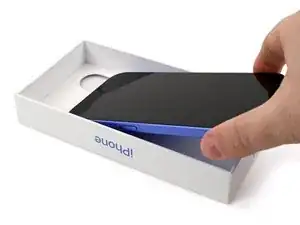
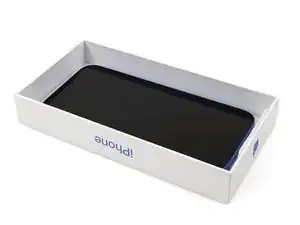
    • To evenly compress your iPhone and strengthen the bond of the back glass to the frame, you need to account for the camera bump.

    • If you have the box your iPhone came in, take the lid and place it on a flat surface.

    • If you don't have your original box, skip this step for an alternate method.

    • Place your iPhone screen-side-up in the lid of your box with the camera bump in its recess.

    • Find something close to the size of your iPhone, but taller than the sides of the box. Stack it on top of the iPhone, followed by a few heavy objects.

    • Leave the objects in place for at least thirty minutes. The lighter the objects, the longer they should be left. Ideally, leave them stacked overnight.

  41. SuVBdiXHukYZXZgR
    SuVBdiXHukYZXZgR
    JjjS2Svm3nEBZtOD
    E5qC6X1pFYFQW3B6
    • If you don't have the original box for your iPhone, follow the next three steps for another method to evenly compress the back glass.

    • Place the iPhone screen-side-down on a soft, flat surface.

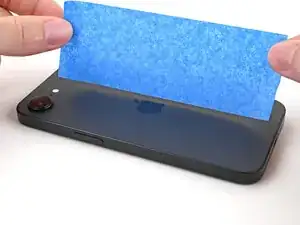
    • Apply tape to the back glass to protect its finish.

  42. dMUoIgWAGWh6b3Bv
    dMUoIgWAGWh6b3Bv
    P511I5RJnUXeTXDZ
    fF2u1pJb1NR3imXU
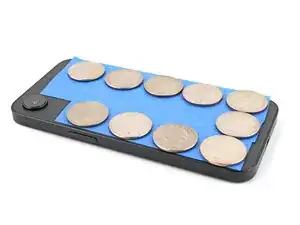
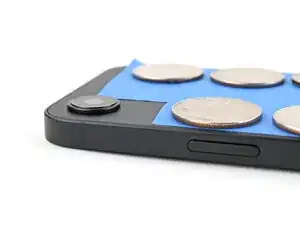
    • Place one layer of coins or similarly thick objects on the tape along the edges of the back glass.

    • Depending on the thickness of the coins, you might need multiple layers.

    • Evenly distribute the coins and make sure they are at least as thick as the camera bump.

  43. 5Rct2OSIHIwrI3fS
    • Stack multiple books or other heavy objects on your iPhone.

    • The coins may leave an impression on the bottom object, so don't use anything valuable.

    • Leave the objects in place for at least thirty minutes. The lighter the objects, the longer they should be left. Ideally, leave them stacked overnight.

  44. lwZ3VfKIPvDNWB5o
    lwZ3VfKIPvDNWB5o
    RouVvffL5pwgDV3d
    • Use a P2 pentalobe screwdriver to install the two 7.8 mm‑long screws on either side of the charging port.

Conclusão

After your repair, calibrate a genuine replacement back glass using Apple's Repair Assistant. Navigate to Settings General About Parts & Service History, tap Restart & Finish Repair, and follow the onscreen prompts.

Take your e-waste to an R2 or e-Stewards certified recycler.

Repair didn’t go as planned? Try some basic troubleshooting, or ask our iPhone 16e Answers Community for help.

Alex Diaz-Kokaisl

Membro desde: 16/01/22

227430 Reputação

0 comentários