Introdução

Prerequisite guide to remove the USB-C charging port in an iPhone 16 Pro.

  1. K4AWsftcl4n5BtIp
    K4AWsftcl4n5BtIp
    aFo1CdHnjZVIyeaI
    • Allow the phone's battery to drain below 25%, as a charged lithium-ion battery is a potential safety hazard.

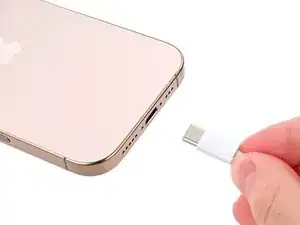
    • Unplug any cables from the phone.

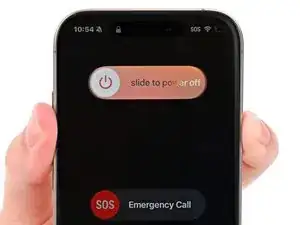
    • Hold the power and either volume buttons and slide to power off the phone.

    Wilson Demosthène

    Demosthène Wilson -

  2. EmBlBsGeBABlcwlv
    EmBlBsGeBABlcwlv
    ptNWZaLIy4EsKrcf
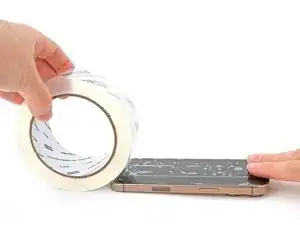
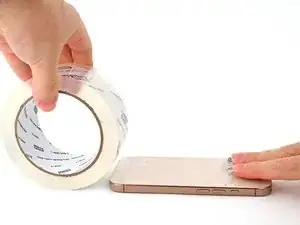
    • If the screen or back glass is badly cracked, lay overlapping strips of packing tape over the glass to protect yourself and make disassembly easier.

    • Make sure there's a smooth area near the bottom edge that's big enough for a suction cup to stick to.

  3. 2L1xyPNHbxcHDGo2
    2L1xyPNHbxcHDGo2
    pHlXkMHcKaCfppXs
    UyUfMfOFG1QtVZl1
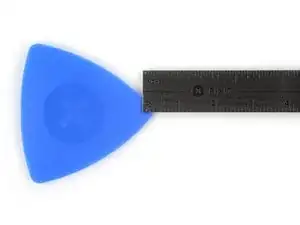
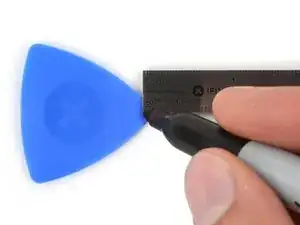
    • If inserted too far, an opening pick can damage your device. Follow this step to mark your pick and prevent damage.

    • Measure 3 mm from the tip and mark the opening pick with a permanent marker.

    • You can also mark the other corners of the pick with different measurements.

    • Alternatively, tape a coin to a pick 3 mm from the tip.

  4. 4wwMsFG3yVDMQZim
    4wwMsFG3yVDMQZim
    jXnDR5btQ4VuGNTl
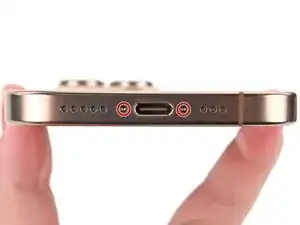
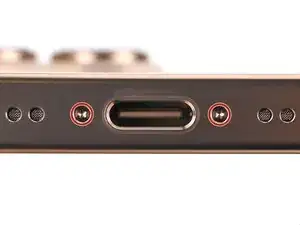
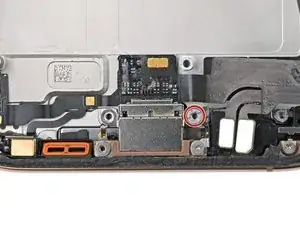
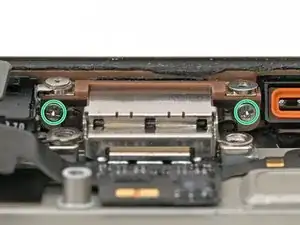
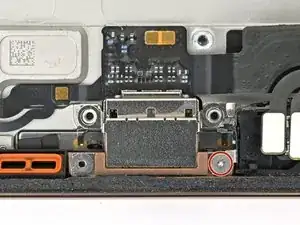
    • Use a P2 pentalobe screwdriver to remove the two 7.4 mm‑long screws on either side of the USB-C port.

  5. oZfYBND1X6BIHQIR
    • Use a standoff screwdriver to remove the 3.6 mm‑long screw securing the charging port to the frame.

  6. PRsMBW1u1wwL4Aor
    PRsMBW1u1wwL4Aor
    pJFD4VqlRVmW2NHl
    SkGJ4LYQEyLWWTmr
    • Use a Phillips screwdriver to remove the two 3.4 mm‑long screws securing the charging port to the frame.

    • These screws are tight and can be difficult to reach. Angle your screwdriver at as shallow of an angle as you can.

  7. TxJPN65IaYxuMfUq
    • Use a tri-point Y000 screwdriver to remove the 1.3 mm‑long screw securing the charging port to the frame.

  8. mYYavqZCobCMGmHh
    mYYavqZCobCMGmHh
    YQSMLZbDXwEbjrGL
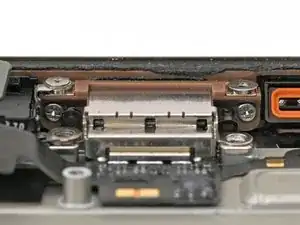
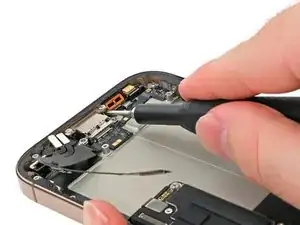
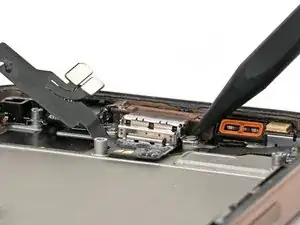
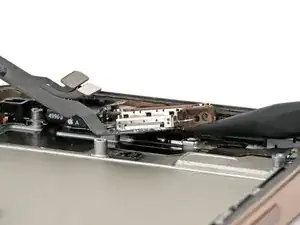
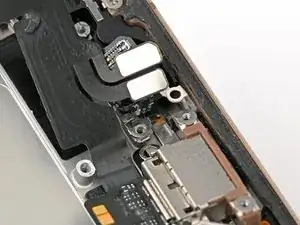
    • The charging port has an adhesive gasket that seals it against the bottom and edge of the frame. It's also tucked behind two prongs, which prevents you from pulling the port away from the frame.

    • Insert the point of a spudger under one side of the charging port.

    • Pry up gently to separate the gasket and lift the port up.

  9. NUMnNQ2VGDW1YdET
    NUMnNQ2VGDW1YdET
    GCpBvDZBVuKYTDDt
    YTLIbt11KBPdJYJp
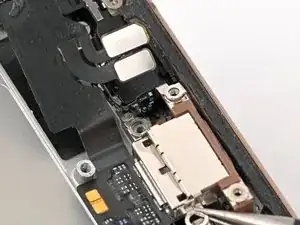
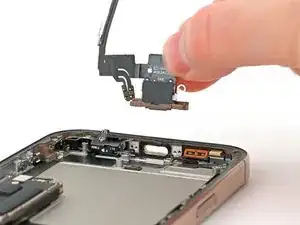
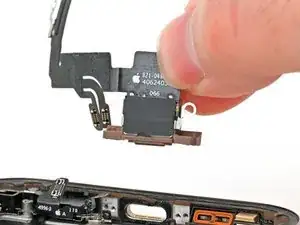
    • Don't pull the port directly away from its cut-out in the frame. There are two prongs holding it in place.

    • Pull the charging port away from the microphone.

    • Remove the charging port.

Conclusão

To reassemble your iPhone, follow these instructions in reverse order.

Take your e-waste to an R2 or e-Stewards certified recycler.

Repair didn’t go as planned? Try some basic troubleshooting, or ask our iPhone 16 Pro Answers community for help.

Nick Schultz

Membro desde: 24/03/24

45909 Reputação

0 comentários