Introdução

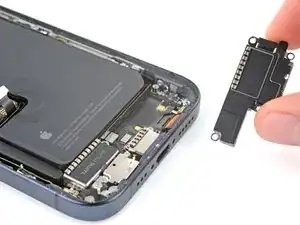
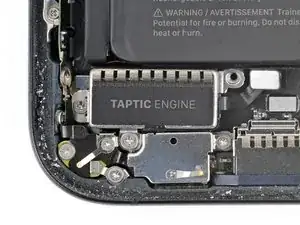
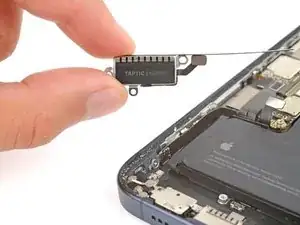
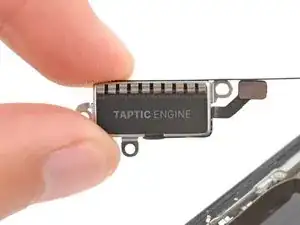
This guide shows how to remove the Taptic Engine from your iPhone 15 Pro.

  1. GPjUf5bCeCl2fQML
    GPjUf5bCeCl2fQML
    DVGCEHIRKUn3F1KO
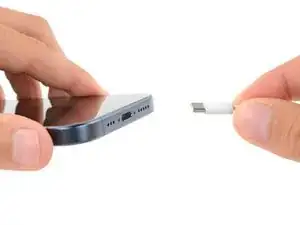
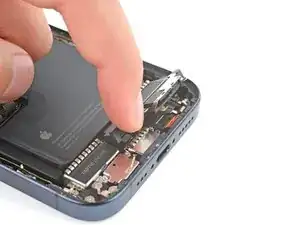
    • Let your phone's battery drain below 25% before starting this repair—a charged lithium‑ion battery may catch fire if damaged.

    • Unplug all cables from your phone.

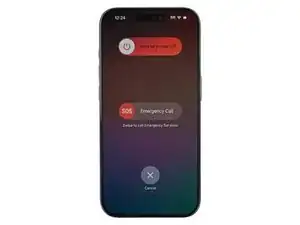
    • Hold the power and either volume button and slide to power off your phone.

    在開始維修之前,請讓手機電池電量耗盡 25% 以下——充電的鋰離子電池如果損壞可能會起火。

    拔掉手機上的所有電纜。

    按住電源和任一音量按鈕並滑動即可關閉手機。

    Ansel Lin -
  2. OpNJOhTFkDYCHrEB
    OpNJOhTFkDYCHrEB
    LVYhGAoFZdRWcZm3
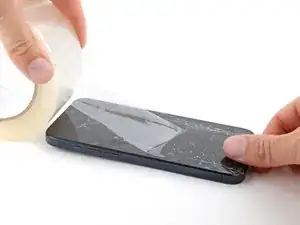
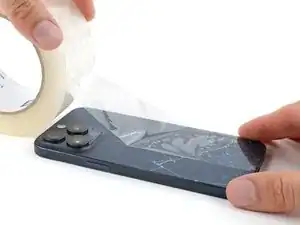
    • If your screen or back glass is cracked, lay overlapping strips of packing tape over the glass to protect yourself and make disassembly easier.

    • Make sure there's a smooth area near the bottom edge that's big enough for a suction cup to stick to.

    如果您的螢幕或後玻璃破裂,請將包裝膠帶貼在玻璃上以保護自己並使拆卸更容易。

    確保底部邊緣附近有一個足夠大的光滑區域,以便吸盤可以吸附在上面。

    Ansel Lin -
  3. 6UPwoloGBO4tmVoS
    6UPwoloGBO4tmVoS
    BmSYPJmOy6dbHipF
    3EOdQPAGOmiuhoKU
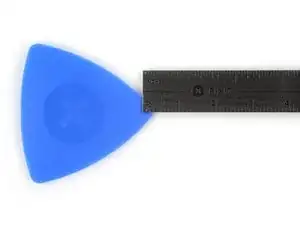
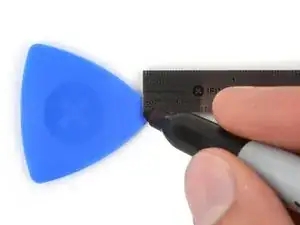
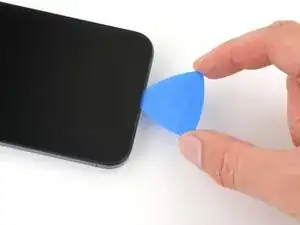
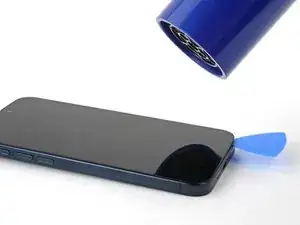
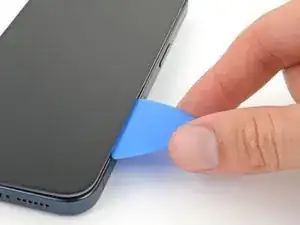
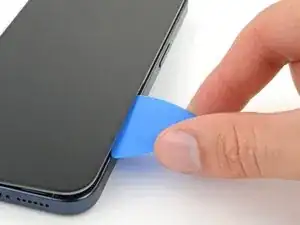
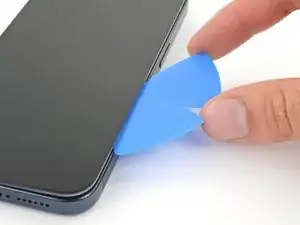
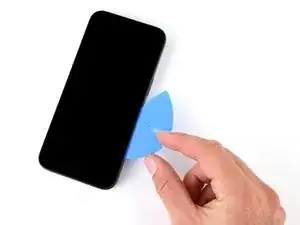
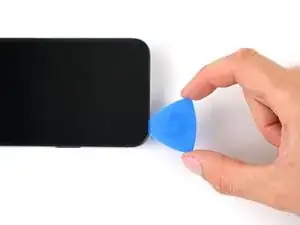
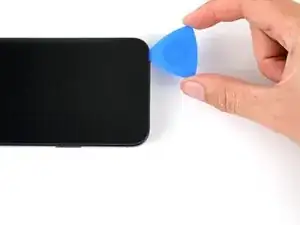
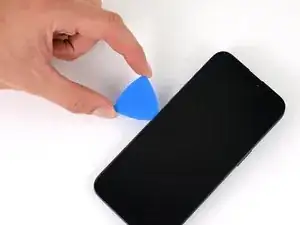
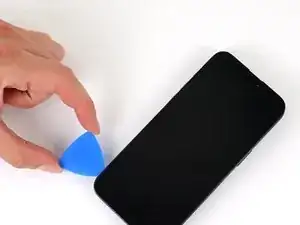
    • If inserted too far, an opening pick can damage your device. Follow this step to mark your pick and prevent damage.

    • Measure 3 mm from the tip and mark the opening pick with a permanent marker.

    • You can also mark the other corners of the pick with different measurements.

    • Alternatively, tape a coin to a pick 3 mm from the tip.

    • Apple sells an Adhesive Cutter tool for cutting the display adhesive safely in their Self Repair Store.

    Got to step 2 and realized the fix kit doesn't include an opening pick! Looks like a guitar pick, and I have those lying around. Is that expected? Looks like the pick is used in many steps below. There's a little blue crowbar that isn't mentioned in the instructions. Perhaps that replaces the opening pick?

    Sloan Looney -

    Hi! I can't see which guide you were using when writing this comment. Can you reply here with which guide and fix kit you used?

    Clay Eickemeyer -

    I see you posted this in Meta. I hope it's resolved soon! In the meantime, a guitar pick may work well enough for your repair.

    Clay Eickemeyer -

    what fix kit?

    Meow Purr -

    Super late reply to original post but my pick was with the replacement screen and not the tools kit.

    Nichol Augustus -

    My fix kit didn't include an opening pick either

    WILLIAM HARRIS -

    Make sure you check inside the black boxes after emptying them. My pick was stuck inside one of the boxes.

    AndyF -

    My AliExpress refurbished screen came with a pick that has a coin-like circle that pops out, so no modification was necessary

    Gijs Leegwater -

    the picture shows 3 cm but the description says 3 mm's. Which one is it?

    John Pena -

    That is a misunderstanding. It is a ruler with a scale for cm, it shows 0.3 cm, i.e. 3 mm.

    VauWeh -

    Oh, come ON!

    Big Ed -

    It will ALWAYS be millimeters on a phone, but this step is ridiculous, skip it!

    Leif DeWolf -

    @leifdewolf I wouldn't skip it for a first repair.

    Gabriel-Science -

    It's not an Ifixit KIT if it doesn't include everything. You'll need to order the opening pic separately. Or head to Walmart like myself and look for guitar pics. Hopefully, this will work just as well.

    Jaleeljb97@icloud.com -

    No pick in mine as well. It’s really not clear that you have to order this separately when ordering an IPhone SE 202/2022 screen repair kit. Is this the case?

    Jackson Castiglione -

    Frustrated, I ordered a compact package where everything was encapsulated. Useless suction tools could not separate the screen. If it is unable to decouple the screen, then why sucking suction tools you have provided.

    Shourob Datta -

    For my kit the triangle pick was stuck inside the box with the screen not with the other tools maybe it's also there for you

    Henry Scheibehenne -

    Y’all are getting far, FAR too detailed with some of this stuff…. Measuring and marking the pick that you won’t actually use to open the device?!? lol that’s kinda funny. Just heat it up, grab a spudger, and the back just pops right off! The iFixit tech need to stick to the KISS method more often, you know KEEP IT SIMPLE STUPID!!! Like l, for reals, I’ve been doing this stuff for YEARS and using iFixit guides regularly and this is just ridiculous at this point!

    Leif DeWolf -

    Will the phone still work if the sensor assembly on the back of the screen is damaged?

    Mutshidzi Rambau -

    I don't have a pick, but how much better are these picks than an old credit card for opening an iPhone 13 mini?

    mike eng -

    an old credit card will do that job, although you'll have to pull a little bit more if the credit card is thicker than the picks, just again, be careful and don't insert it that far

    Russ Torrez -

    The pick in my iFixIt kit was packed with the battery, not with the rest of the toolkit.

    Tony Houlihan -

    Many of these comments are PURE GOLD. Seriously y’all, if you’re not sure if it should be 3mm or 3cm or whether you could find and use an alternative pick, mending an IPhone really isn’t for you. Find a responsible adult and get back to doing something simpler…

    Alasdair Cameron -

    indeed!!!! I agreee!!!

    Lonnie -

    I bought the kit of five just in case. I used two and marking them at 3mm was definitely helpful.

    Megolina -

    Funktioniert super. Habe vorher sicherheitshalber den Akku abgesteckt.

    Lukas D -

  4. QPTbnWBQNTI2Pu4C
    QPTbnWBQNTI2Pu4C
    jr4eZ4rgl2xDRCZJ
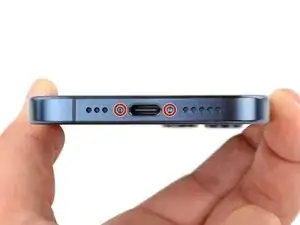
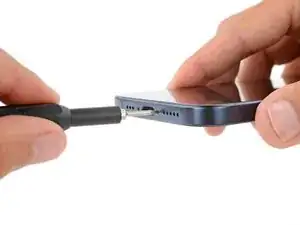
    • Use a P2 pentalobe screwdriver to remove the two 7 mm‑long screws on either side of the charging port.

  5. TH5khwsfMHmLaPmK
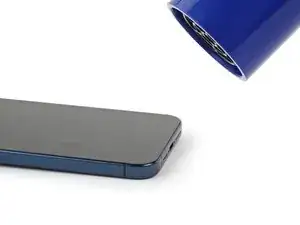
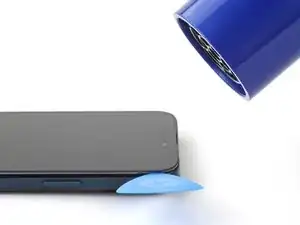
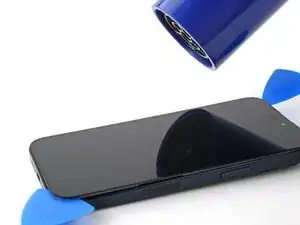
    • Use a hair dryer or heat gun to heat the bottom edge of the screen until it's hot to the touch.

    • Be careful not to heat the phone hotter than this—the battery is susceptible to heat damage.

  6. GO2dpwFvSdhIf2rW
    GO2dpwFvSdhIf2rW
    FMcGuCp1cGhBaVgv
    x3r6KkADxMpELn6U
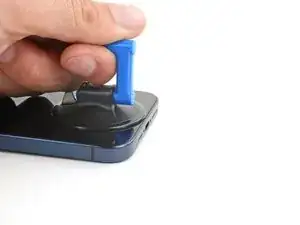
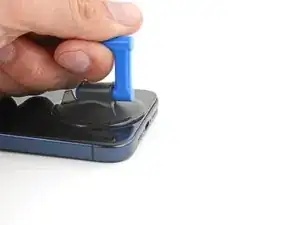
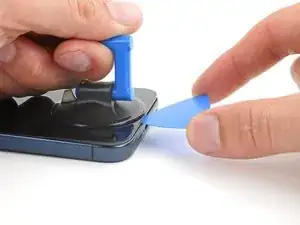
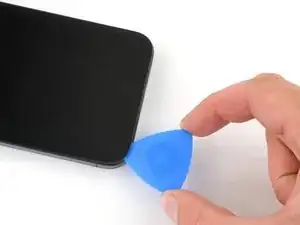
    • Apply a suction handle to the bottom edge of the screen.

    • Pull up on the handle with a strong, steady force to create a gap between the screen and the frame.

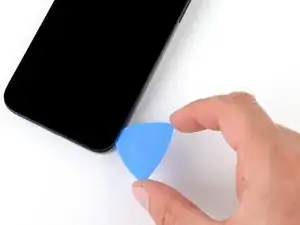
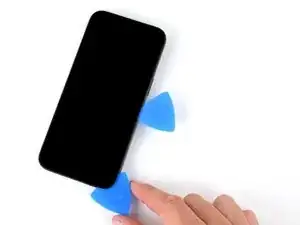
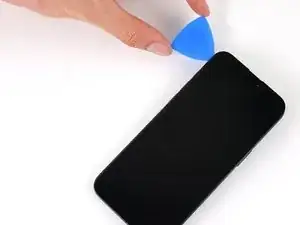
    • Insert the tip of an opening pick into the gap.

  7. bZB4Ol5MIwlDnAU3
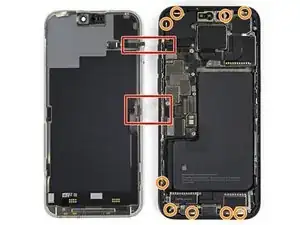
    • As you slice the adhesive securing the screen in the next steps, be careful of the following areas:

    • There are two delicate cables connecting the screen to the phone: one just above the action button, and the other near the middle of the left edge.

    • There are multiple spring contacts around the perimeter of the phone. Be extra careful not to insert your pick deeper than suggested in these locations to avoid bending the contacts.

    触点被弄断了 怎么办??

    Chris008 -

    this screen picture is for iphone 15 pro max lcd, not iphone 15 pro

    neco neco -

    Was macht man wenn ein der Federkontakte abgebrochen ist? Kann dies zu folge Schäden am iPhone führen?

    Markus F -

  8. nkKFdichvsdyEMUI
    nkKFdichvsdyEMUI
    FUWuLjXMUudLqNaB
    5ZLxAmLCOXrBxKfa
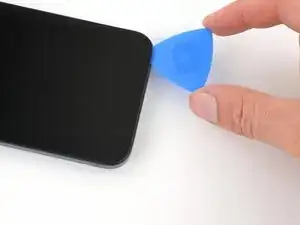
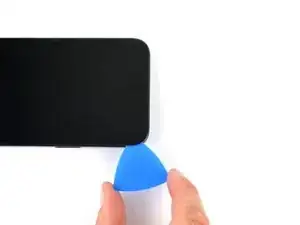
    • Don't insert your opening pick deeper than 3 mm along the bottom edge.

    • Slide your pick back and forth along the bottom edge to separate the adhesive.

    • Leave your pick inserted in the bottom right corner to prevent the adhesive from re-sealing.

  9. Tp3g5oxoaMIRGahY
    • Heat the right edge of the screen until it's hot to the touch.

  10. AqRpIxEKrKSoUfUm
    AqRpIxEKrKSoUfUm
    u4aKEgyiYWnC5oRB
    DKxHELJQSI4WGEXA
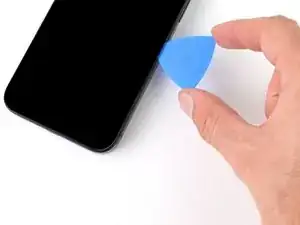
    • Don't insert your pick deeper than 5 mm along the right edge.

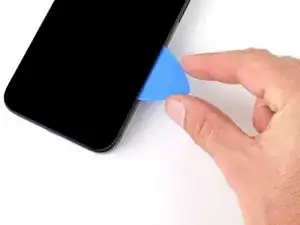
    • Slide your pick around the bottom right corner of the screen and toward the power button until you feel a hard stop at a clip securing the screen.

    • Rotate your pick so the flat edge is under the screen.

  11. MxRBDZQGO1ile5AG
    MxRBDZQGO1ile5AG
    SADkdPp2t1GC5rUd
    2svbnSAdahq2vuPK
    • Twist the pick to increase the gap between the screen and the frame until the right clip releases.

    • Insert a second opening pick to the right of the first pick.

  12. FWBjd6I3b1l2kbWU
    FWBjd6I3b1l2kbWU
    FjjC66O3SowmLM3o
    SgyaWGBrlSOuU1rG
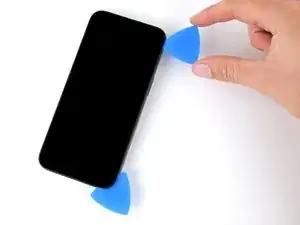
    • Slide the first pick back to the bottom right corner of the screen.

    • Slide the second pick to the top right corner of the screen to separate the adhesive.

    • Leave these picks inserted to prevent the adhesive from resealing.

  13. SK2TyLlQYJA6bGqT
    • Heat the top edge of the screen until it's hot to the touch.

  14. qlVOZVSJD5pUrMo2
    qlVOZVSJD5pUrMo2
    aCdFDZjkvsRCe1pK
    y1OrUX5xdFXRPbCo
    • Don't insert your pick deeper than 3 mm along the top edge.

    • Slide your pick around the top right corner and along the top edge to release the two clips and adhesive securing it.

  15. chDXbCQNc3lciIWi
    • Heat the left edge of the screen until it's hot to the touch.

  16. oND2s2nppurEKCoJ
    oND2s2nppurEKCoJ
    EgjkOsuMsfkTiX2D
    ABEwbmTcmjv1m6BY
    • Don't insert your pick deeper than 2 mm along the left edge to avoid the two cables connecting the screen to the phone.

    • Rotate your pick around the top left corner of the screen.

    • Slide your pick to the bottom left corner of the screen to separate the adhesive.

  17. BrHwVhkiTYjB11Z6
    BrHwVhkiTYjB11Z6
    4PL5IOKMOgNQ42cc
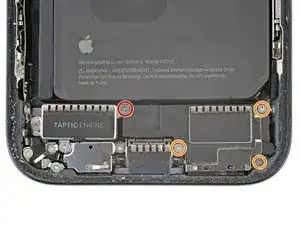
    • Use a Phillips #000 screwdriver to remove the four screws securing the loudspeaker:

    • One 2.7 mm‑long screw

    • Three 2 mm‑long screws

    Achtung! Schrauben sind nicht nur unterschiedlich lang sondern auch unterschiedlich dick - sind also mehr Kombinationen als nur ROT und GELB!!!!!!

    Simon Gleich -

  18. S6RZy3tSXT5OjhU4
    S6RZy3tSXT5OjhU4
    CZ3hO2evGSexmaKs
    XbOVPRf4VuTgLoYY
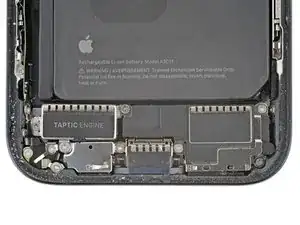
    • A plastic buffer is adhered to the top edges of the loudspeaker and Taptic Engine.

    • Lift the bottom edge of the loudspeaker until you can grab it with your fingers.

    • Peel the loudspeaker from the plastic buffer on its top edge and remove it.

  19. sMkVXfN4GtG2iIJX
    sMkVXfN4GtG2iIJX
    kKmX6GjfYLlLhjNG
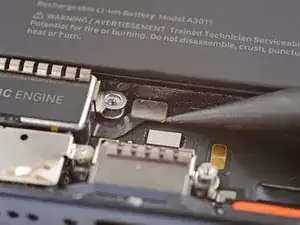
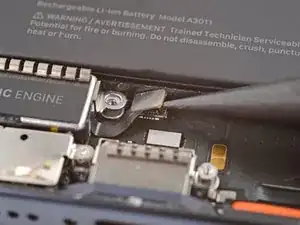
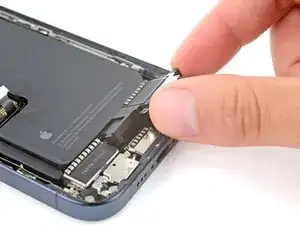
    • Use the point of a spudger to pry up and disconnect the Taptic Engine press connector.

  20. VcIvpkaPOk4MRbX2
    VcIvpkaPOk4MRbX2
    YLxUUyHP3pEpcTUS
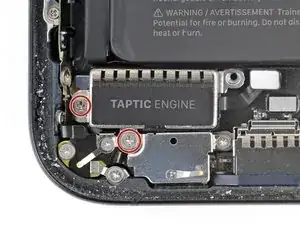
    • Use a Phillips #000 screwdriver to remove the two 2 mm‑long screws securing the Taptic Engine.

  21. FsNKxQKhByRMTUPJ
    • Remove the Taptic Engine.

Conclusão

To reassemble your device, follow these instructions in reverse order.

Spencer Day

Membro desde: 14/09/22

165254 Reputação

0 comentários