Introdução

  1. husfw6nKk2VmuGfd
    • Caution: Before you begin, discharge your iPhone battery below 25%. A charged lithium-ion battery can catch fire and/or explode if accidentally punctured.

    • Power off your iPhone before beginning disassembly.

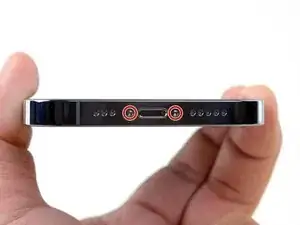
    • Remove the two 6.8 mm-long pentalobe P2 screws at the bottom edge of the iPhone.

    • Opening the iPhone's display will compromise its waterproof seals. Have replacement seals ready before you proceed past this step, or take care to avoid liquid exposure if you reassemble your iPhone without replacing the seals.

  2. JLgiF4a3mQDJRhiw
    JLgiF4a3mQDJRhiw
    6oIYFpbXTuWJYVat
    rdVNf3xMEMCwKL4m
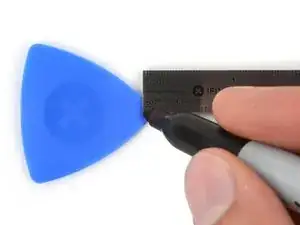
    • If inserted too far, an opening pick can damage your device. Follow this step to mark your pick and prevent damage.

    • Measure 3 mm from the tip and mark the opening pick with a permanent marker.

    • You can also mark the other corners of the pick with different measurements.

    • Alternatively, tape a coin to a pick 3 mm from the tip.

    • Apple sells an Adhesive Cutter tool for cutting the display adhesive safely in their Self Repair Store.

  3. iyhLvIJNlpDtFoGg
    iyhLvIJNlpDtFoGg
    lGafpDp1lWbRnKnL
    gVCwAeYvKwOidwUd
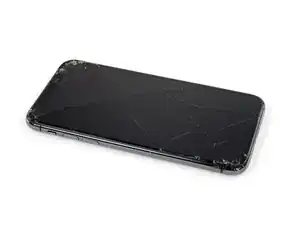
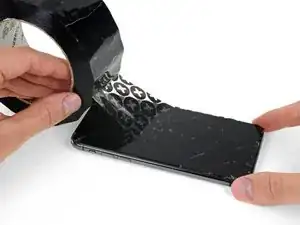
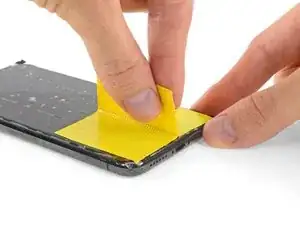
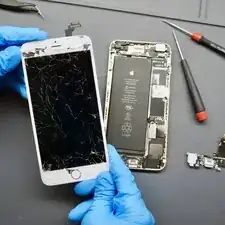
    • If your iPhone has a cracked screen, keep further breakage contained and prevent bodily harm during your repair by taping over the glass.

    • Lay overlapping strips of clear packing tape over the iPhone's screen until the whole face is covered.

Conclusão

To reassemble your device, follow these instructions in reverse order.
Aristotelis Pantos

Membro desde: 25/01/25

126 Reputação

Um comentário

I want tools

Lil Vhim -