Introdução


-
-
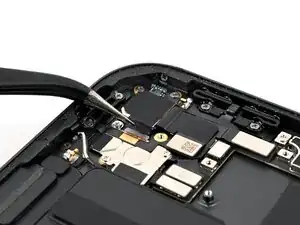
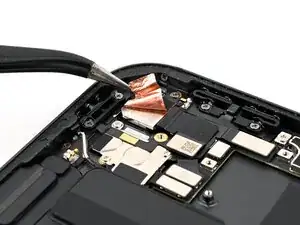
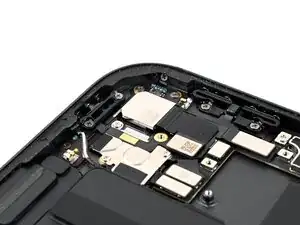
Use a pair of angled tweezers to gently peel up the black grounding sticker covering the back of the camera.
-
-
-
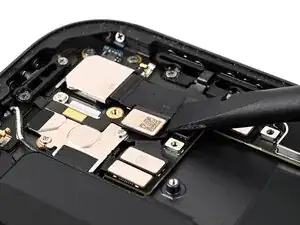
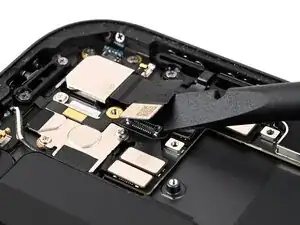
Place the flat end of a spudger between the camera ribbon cable and the top button ribbon cable, against the camera press connector.
-
While holding the top button ribbon cable down with the spudger, twist the spudger to disconnect the rear camera press connector.
-
-
-
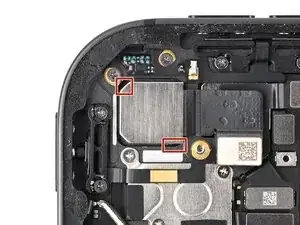
Use a spudger to break the glue dots near the top-left and bottom-right corners of the camera.
-
-
-
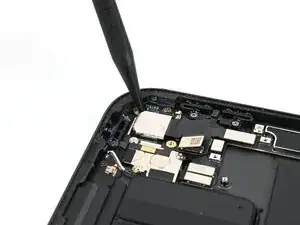
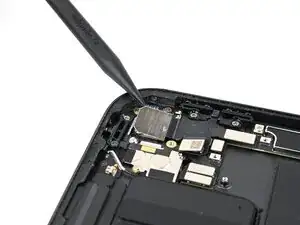
Use the point of a spudger to pry the camera up from the top-left corner.
-
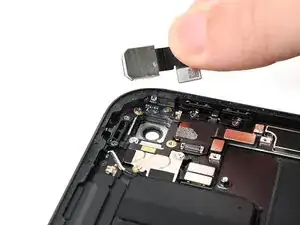
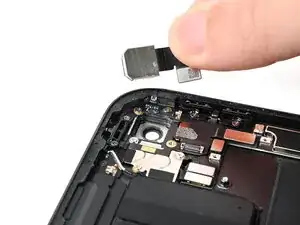
Once the camera is free, grab it by the ribbon cable and remove it.
-