Introdução

  1. OYsxiPoFNStBH4R5
    OYsxiPoFNStBH4R5
    hoJAUkXE61qnKC2i
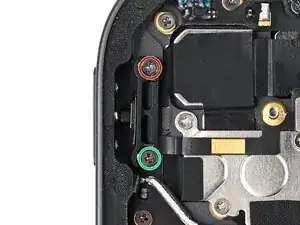
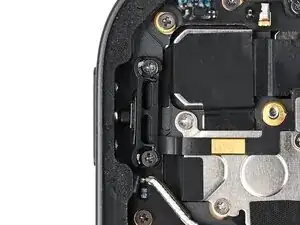
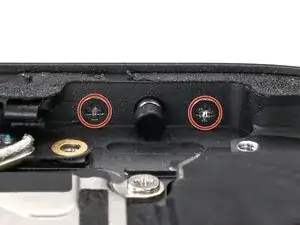
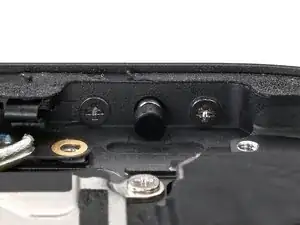
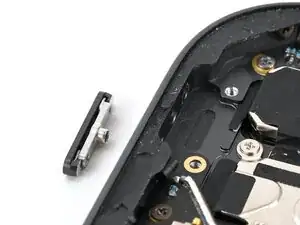
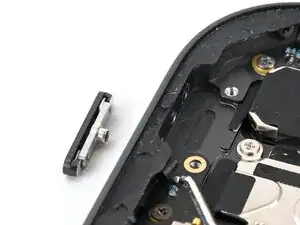
    • Use a JCIS or JIS 00 screwdriver to remove the two screws securing the lock button and bracket:

    • One 2.0 mm‑long screw securing the top of the bracket.

    • One 2.5 mm‑long screw securing the bottom of the bracket.

  2. SEnc3ZPjBenaihgI
    SEnc3ZPjBenaihgI
    yrQZNblBYLkDKIV4
    efE6S3YpLoBFVDEV
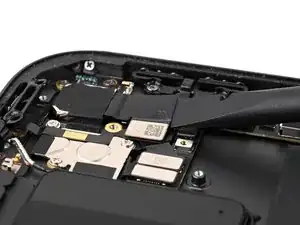
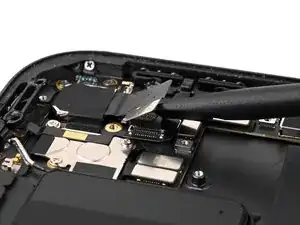
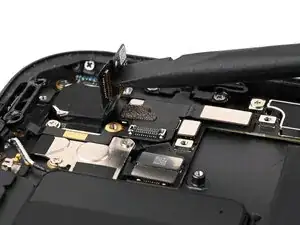
    • Place the flat end of a spudger between the camera ribbon cable and the top button ribbon cable, against the camera press connector.

    • While holding the top button ribbon cable down with the spudger, twist the spudger to disconnect the rear camera press connector.

    • Lift the camera ribbon cable up so it's nearly vertical to keep it out of the way.

  3. Py2JsUGPu5arHGtl
    Py2JsUGPu5arHGtl
    flps3l3XTYNKKOny
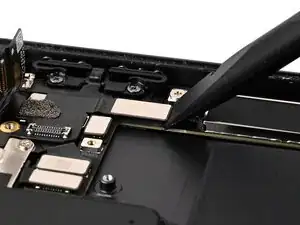
    • Use the flat end of a spudger to disconnect the lock button press connector.

  4. HMNEiJwDEF6e2C42
    HMNEiJwDEF6e2C42
    p2QZXghA2ItKscLl
    n5EdHOBRKZVCfieK
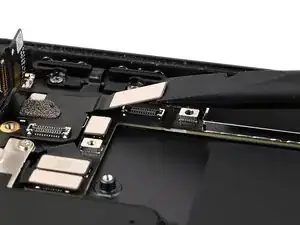
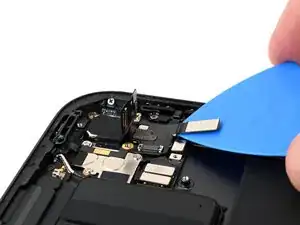
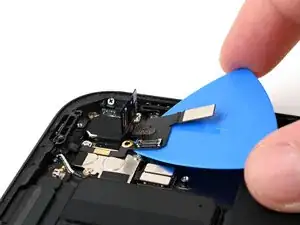
    • Slide an opening pick under the lock button press connector.

    • While pressing the opening pick up against the lock button ribbon cable, slide the pick under the cable to release the adhesive securing it to the iPad.

    • There are two pads under the ribbon cable. Be careful not to peel these up. If you do peel them up, place them back in their original positions.

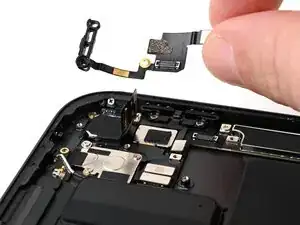
    • Remove the lock button and bracket.

    • If you're just replacing this part and not the lock button cap, skip the next 8 steps.

  5. gGfVPlPVyQadlFyM
    gGfVPlPVyQadlFyM
    kIlvuqjvdbloJPWM
    • Removing the screws in this step may cause the plunger, lock button, and retaining clip to fall out, so work carefully over a clean work surface.

    • Use a JIS 00 screwdriver to remove the two 1.6 mm‑long screws securing the lock button retaining clip.

  6. icX5xPTtV5EG3oYE
    icX5xPTtV5EG3oYE
    eCludyGIbCCFrpkg
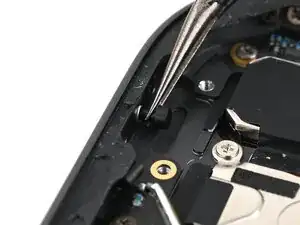
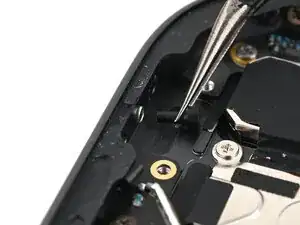
    • Use tweezers or your fingers to remove the plunger from the lock button cap.

    • Note that this is small, non-magnetic, and round, so place it somewhere safe if you're not replacing it!

  7. bQnBcqWBbioR6THn
    bQnBcqWBbioR6THn
    FENvdAGn5KBUdlWn
    rPSaIAHKopRxSt3e
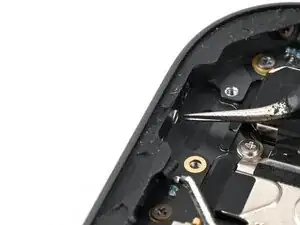
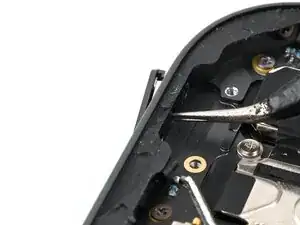
    • Use a pair of angled tweezers or a spudger to gently push the lock button cap and retaining clip out of the iPad frame.

    • Alternatively, you can tilt the iPad to let these pieces fall out.

Nick Schultz

Membro desde: 24/03/24

45909 Reputação

0 comentários