Introdução
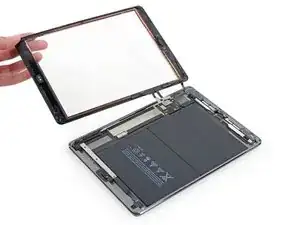
This is a prerequisite only guide for the front panel replacement.


-
-
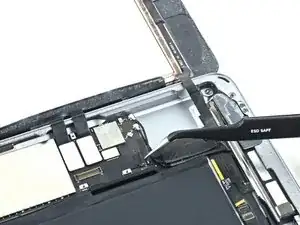
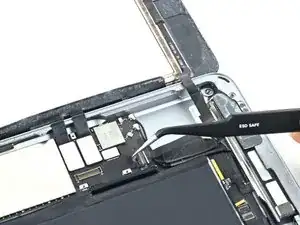
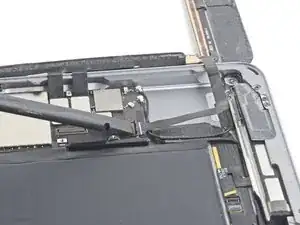
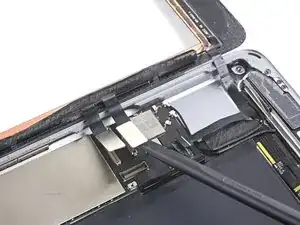
Use the flat end of a spudger to flip the tab on the home button ribbon cable ZIF connector upward.
-
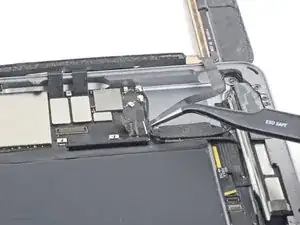
Carefully pull the home button ribbon cable straight out of the ZIF connector.
-
-
-
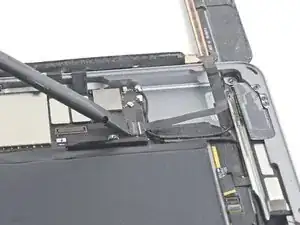
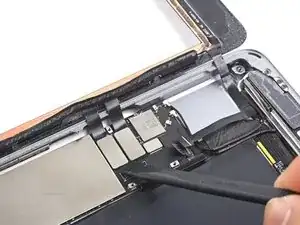
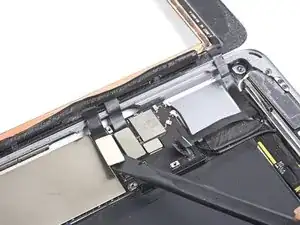
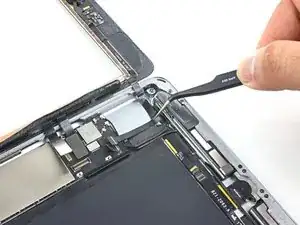
Use a the flat end of a spudger or a fingernail to carefully pop the two digitizer cable connectors straight up from their sockets.
-
-
-
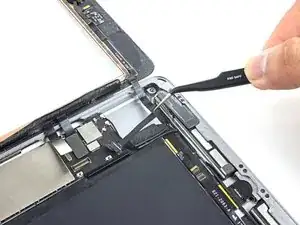
Carefully peel the home button ribbon cable up off of the adhesive holding it to the rear case.
-
-
-
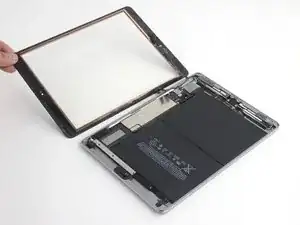
Remove the front panel assembly.
-
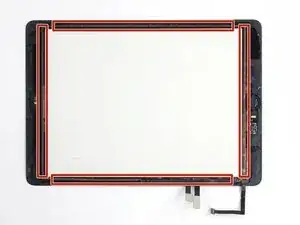
If you experience "ghost" or "phantom" touch input issues with your new display, this can be resolved by adding a layer of very thin insulating tape, such as Kapton (polyimide) tape, to the highlighted areas on the back of the panel. iFixit panels come with the proper insulation, and should not require the addition of any tape.
-
To reassemble your device, follow these instructions in reverse order.

Attention attention en retirant le scotch /adhésif, de ne pas toucher la broche ZIF qui bloque la nappe !!!
Cela m'est arrivé et j'ai pu bloquer la nappe avec un gros scotch "américain" ... et cela fonctionne
Be careful when removing the tape/adhesive, not to touch the ZIF pin which locks the tablecloth !!!
This happened to me and I was able to block the tablecloth with a large piece of "American" tape ... and it works ! ouf :-)
Rol -