Introdução
This guide will show you how to safely replace the power supply unit (PSU) in your iBUYPOWER Slate Gaming Desktop PC (Model: SMI7N4601). If your computer fails to turn on, shuts down unexpectedly, or emits burning or electrical odors, you may be experiencing PSU failure.
Replacing the PSU restores proper power delivery and can resolve startup failures or instability issues.
Befor you beging:
- Always unplug the desktop from the wall outlet and switch off the PSU before beginning.
- Cable management: Take photos before disconnecting cables to help with reassembly.
Ferramentas

Peças
-
-
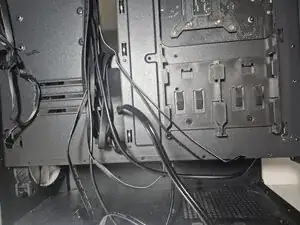
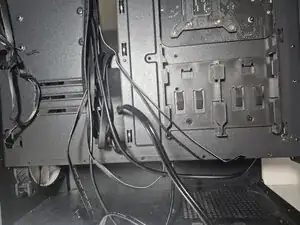
Carefully unplug all cables connected to the power supply.
-
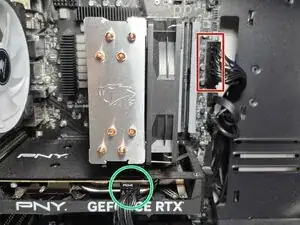
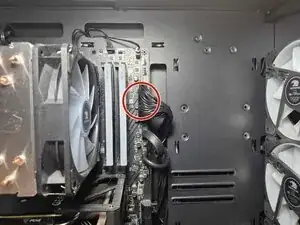
The 24-pin motherboard cable
-
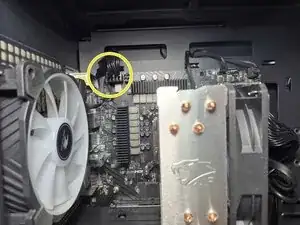
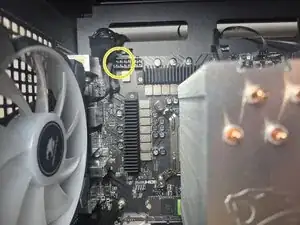
The 8-pin CPU power cable (usually near the top of the motherboard)
-
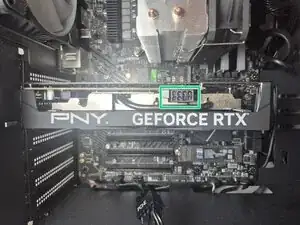
The PCIe power cables (connected to your graphics card)
-
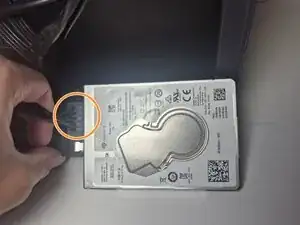
The SATA or Molex cables (connected to your storage drives)
-
-
-
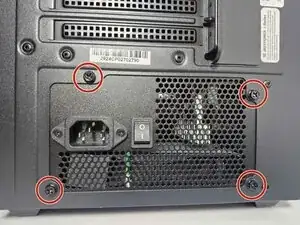
Use a Phillips #2 screwdriver to remove the four screws 3 mm pan head screws that secure the power supply to the back of the case.
-
-
-
Plug the new power supply cables into the same components as before:
-
24-pin connector to the motherboard
-
8-pin CPU connector at the top of the motherboard
-
PCIe power cables to the graphics card
-
SATA or Molex cables to any hard drives, SSDs, or fans
-
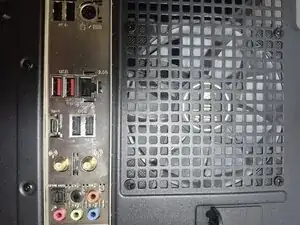
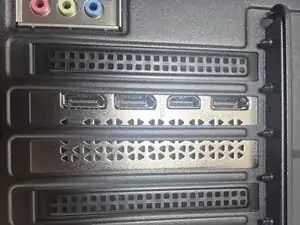
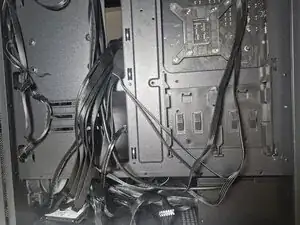
To reassemble your device, follow these instructions in reverse order and then your iBUYPOWER Gaming Desktop is now ready to run with a fresh, reliable power supply.
Take your e-waste to an R2 or e-Stewards certified recycler.