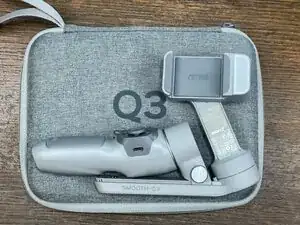
Introdução
According to Zhiyun Q3 documentation this battery is a non replaceable part.
After disassembling my Gimbal got the serial number off the existing battery. I easily found a replacement on Aliexpress for $27 CAD.
The battery swap is very simple.
Ferramentas

Peças

-
-
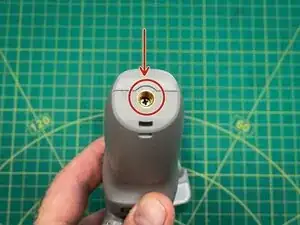
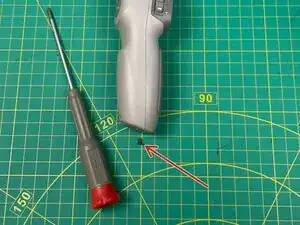
Remove the Phillips screw located inside the 1/4-20 tripod mount hole. Put the screw in a safe place.
-
-
-
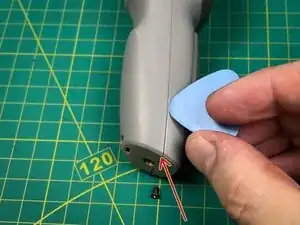
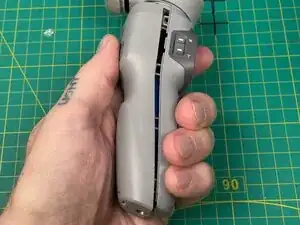
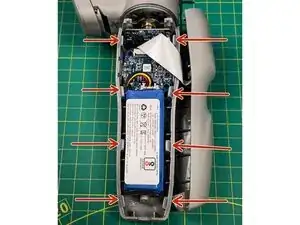
Use a Opening Pick to pry the two halves of the grip apart. They are held together with 8 clips.
-
I found that inserting the Opening Pick near the tripod hole to work the best.
-
Once the first clip releases the remaining clips should separate easily.
-
-
-
Unplug the old battery. I gave a gentle tug on the wires to separate the plug from the plug socket on the PCB.
-
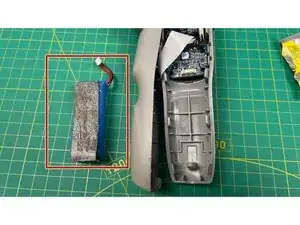
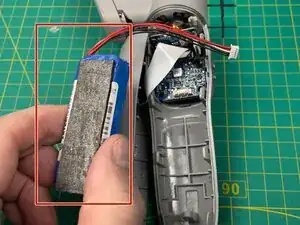
The battery is stuck in place with sticky foam. Pull the battery out. the foam can be reused on the new battery.
-
The first photo shows the old battery removed from the Gimbal.
-
The second photo shows the sticky foam transferred to the new battery.
-
Plug in the new battery and position it in place.
-
-
-
Before reassembling the Gimbal turn it on to test the new battery is connected properly.
-
To reassemble your device, carefully snap the two halves together.
-
Make sure to route the battery wires above the batter so they don't get squished between the battery and the inside of the grip.
-
Put the Phillips screw back in and snug it up.
-
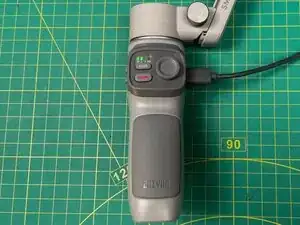
After installing the new battery plug in a charger and fully charge the battery.
My new battery was charged somewhere between the 0-25% range based on the LED's blinking while charging.