Introdução
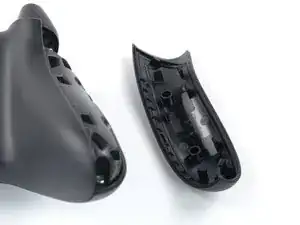
Use this guide to replace the left handle cover on your Xbox Series X|S Controller (model 1914).
Ferramentas


-
-
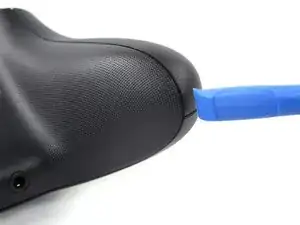
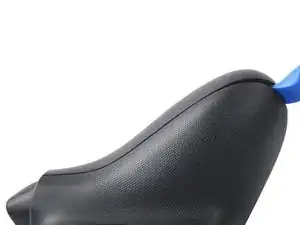
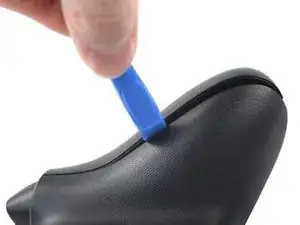
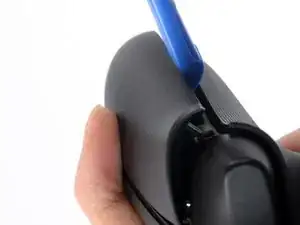
Insert an opening tool between the left handle cover and the bottom inner edge of the back housing.
-
-
-
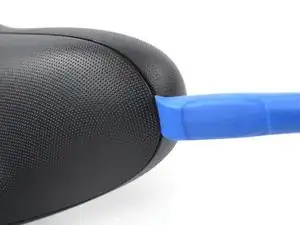
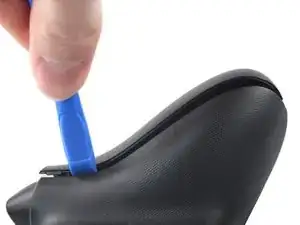
Slide the opening tool along the inner edge of the left handle cover and pry intermittently to release the plastic clips.
-
-
-
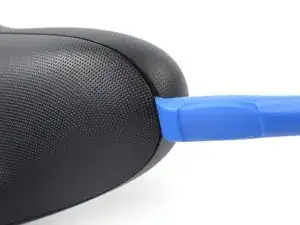
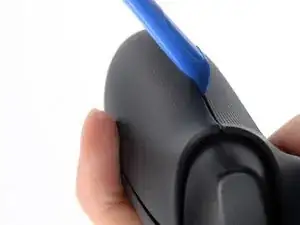
Pry up the middle inner edge of the handle cover with the opening tool to release the remaining clips.
-
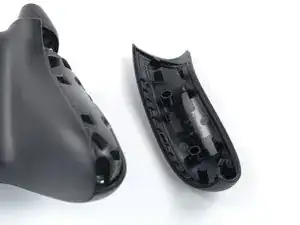
Remove the left handle cover.
-
Conclusão
To reassemble your device, follow these instructions in reverse order.
Repair didn’t go as planned? Try some basic troubleshooting, or ask our Answers community for help.

Before doing this step, it is recommended to clean the edges of the cover
Violynos -
Thanks for adding this tip!
Manuel Haeussermann -
I personally prefer to insert the opening tool between the case and the RT/LT trigger. It's less likely that the tool will slip off and hurt me, and the trigger structures are sturdy enough to allow for some force: after all, the area of the triggers that rests on the PCB once pressed is free of components.
Leonardo Crupi -
Fair point, there is more than one way to achieve the goal! Thanks for this feedback!
Manuel Haeussermann -