Introdução

Prerequisite-only guide used for the "How to Open and Clean..." guide.

  1. mFg4CTchUZmS55Uh
    mFg4CTchUZmS55Uh
    RDXV3IdkisZFuFIH
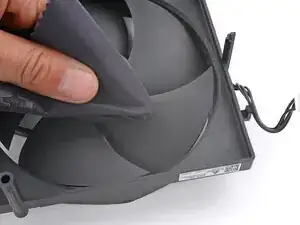
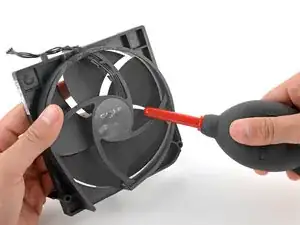
    • Over time, dust will build up inside the fan and on the fan blades.

    • Use a pair of tweezers or your fingers to grab loose hairs and dust clumps off of the fan.

    • Use a dust blower or light compressed air to blow remaining dust off of the fan.

    • Use a finger to keep the fan blades steady—it makes them easier to clean.

    • If there's a layer of grime on the fan blades, use soapy water on a damp rag or an isopropyl alcohol wipe to clean it off.

  2. CLfbFMX5EVA31m1b
    CLfbFMX5EVA31m1b
    SqJKTrLMIpLrMhbc
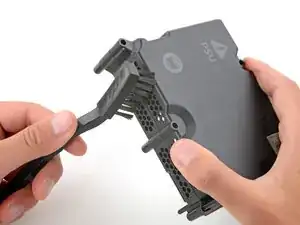
    • The fan draws air through the power supply, which can collect dust and dirt.

    • Be careful not to damage the thermal putty on the power supply.

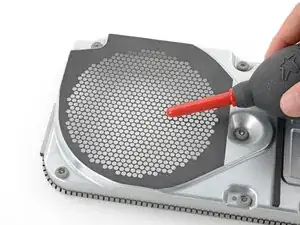
    • Using an anti‑static brush or a new toothbrush, clean any dust out of the vents on the sides of the power supply.

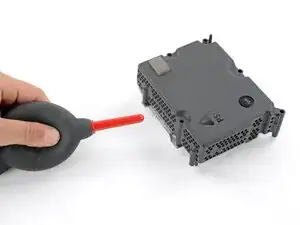
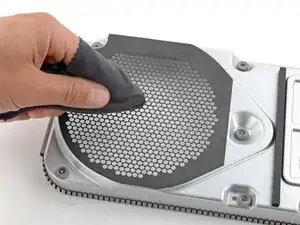
    • Use a dust blower to blow any loose dust out of the power supply and a cloth to wipe the vents clean.

  3. uMr5leBJdoNMZyeH
    uMr5leBJdoNMZyeH
    w4GIaFbdYbhLETec
    FpefNPymngg33IJv
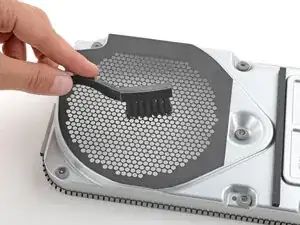
    • Repeat the previous step to clean the fan grill on the top of the chassis.

  4. 3qrl1KEJVKUDL24H
    3qrl1KEJVKUDL24H
    OJMxUUWYvUjWf2YT
    wAYGySJCfpDiCKW1
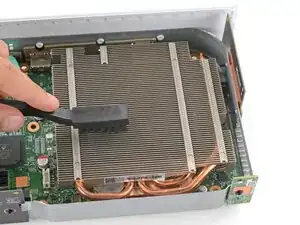
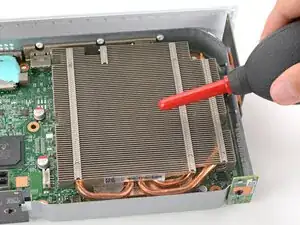
    • The fan draws air through the heatsink's metal fins, which can accumulate dust and dirt over time.

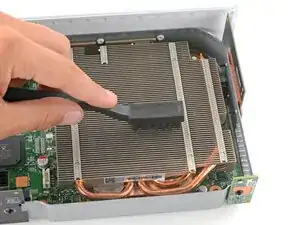
    • Gently slide the bristles of an anti‑static brush or new toothbrush back and forth between the metal fins to loosen any debris.

    • Use a dust blower to blow any loose dust out of the heatsink fins.

    • If you want to clean your Xbox even more thoroughly, follow the remaining steps to remove the motherboard—this will give you access to the metal chassis and port cutouts.

Spencer Day

Membro desde: 14/09/22

165254 Reputação

0 comentários